

Know your stock, your cost and who you owe.
See every product's stock in one list, with what is held for orders, damaged or on the way. Buy from suppliers with purchase orders, receive goods by scanning, and keep supplier dues in front of you. Every stock change has a reason and a name.
Stock you can trust
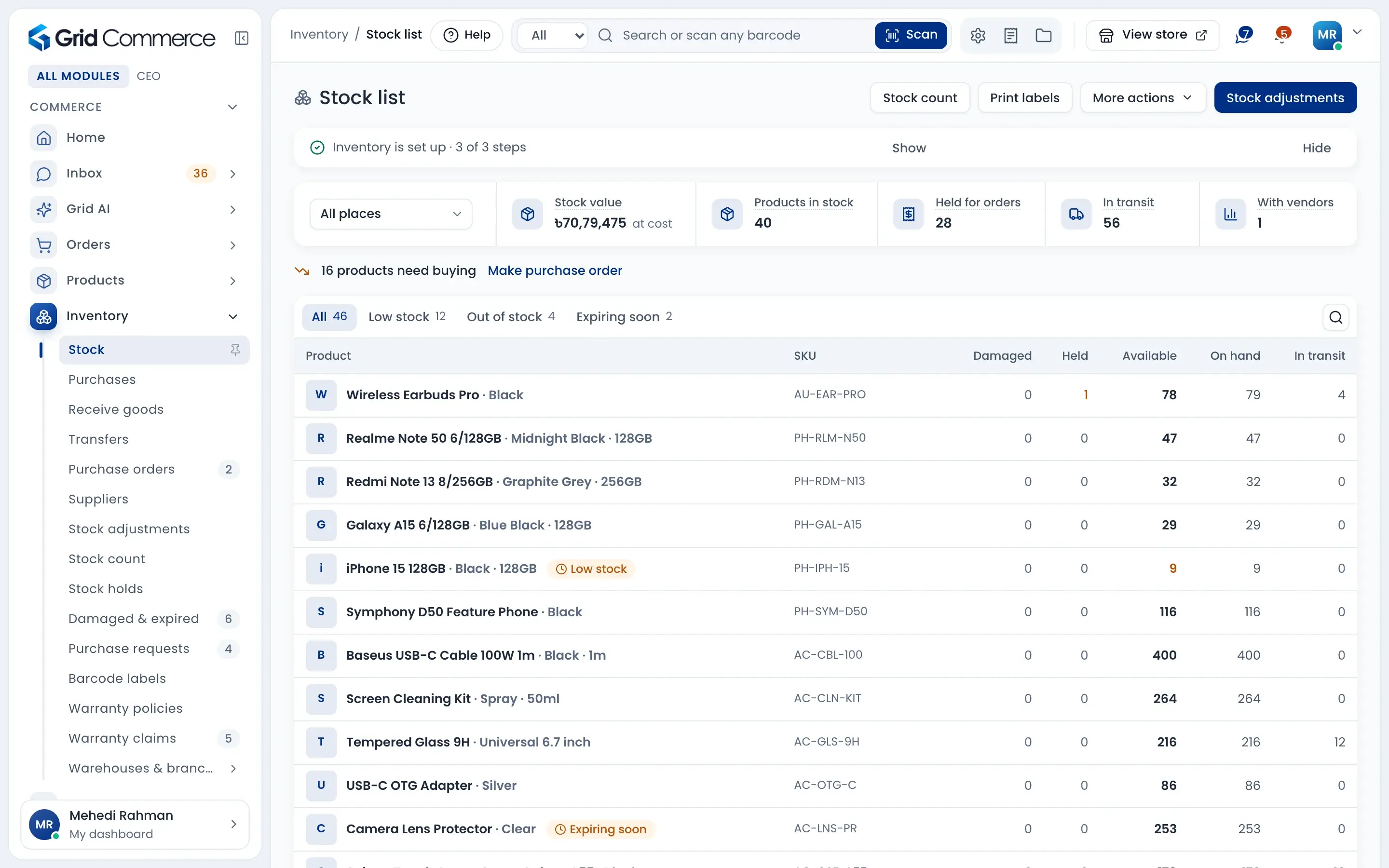
Available, held, damaged and in transit are shown apart. Low stock, out of stock and expiring soon have their own tabs, and the list tells you how many products need buying.
Purchases with the real cost
Make a purchase order, receive it in parts and scan each item as you unpack. Transport and labour costs are shared on every piece, so you see the true cost.
Supplier dues in one place
See what you owe each supplier, what is due this week and what is overdue. Pay one bill, several bills or part of one.
Every stock change has a reason
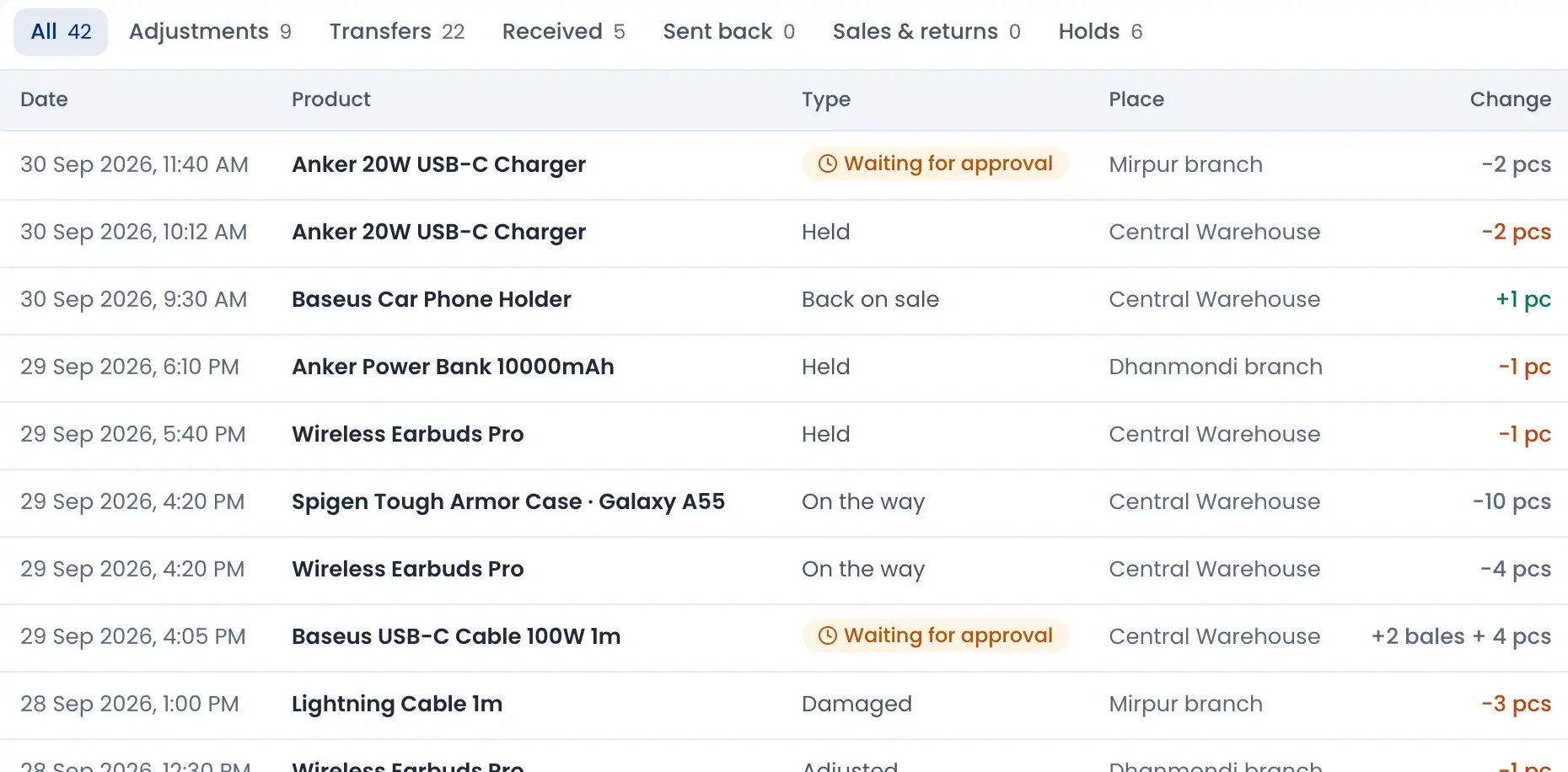
Stock activity lists every move: sold, held for an order, sent to a branch, damaged or adjusted. You see the place, the reference and who did it, so a wrong number can always be explained.
- Tabs for adjustments, transfers, received goods, sales and holds
- Trace one serial or IMEI number from purchase to sale
- Items sent to a service centre stay listed until they come back
- Changes waiting for a manager are marked clearly
Buy with purchase orders
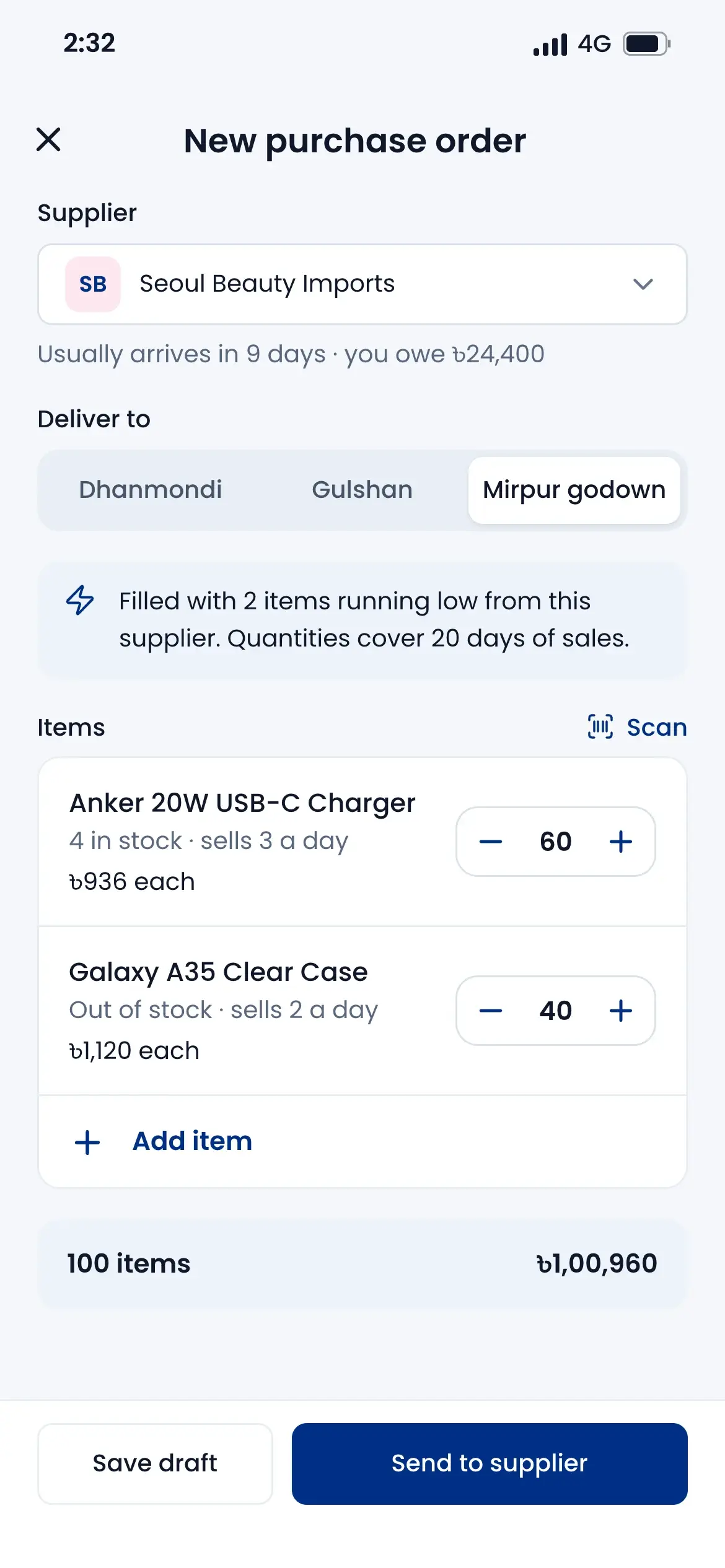
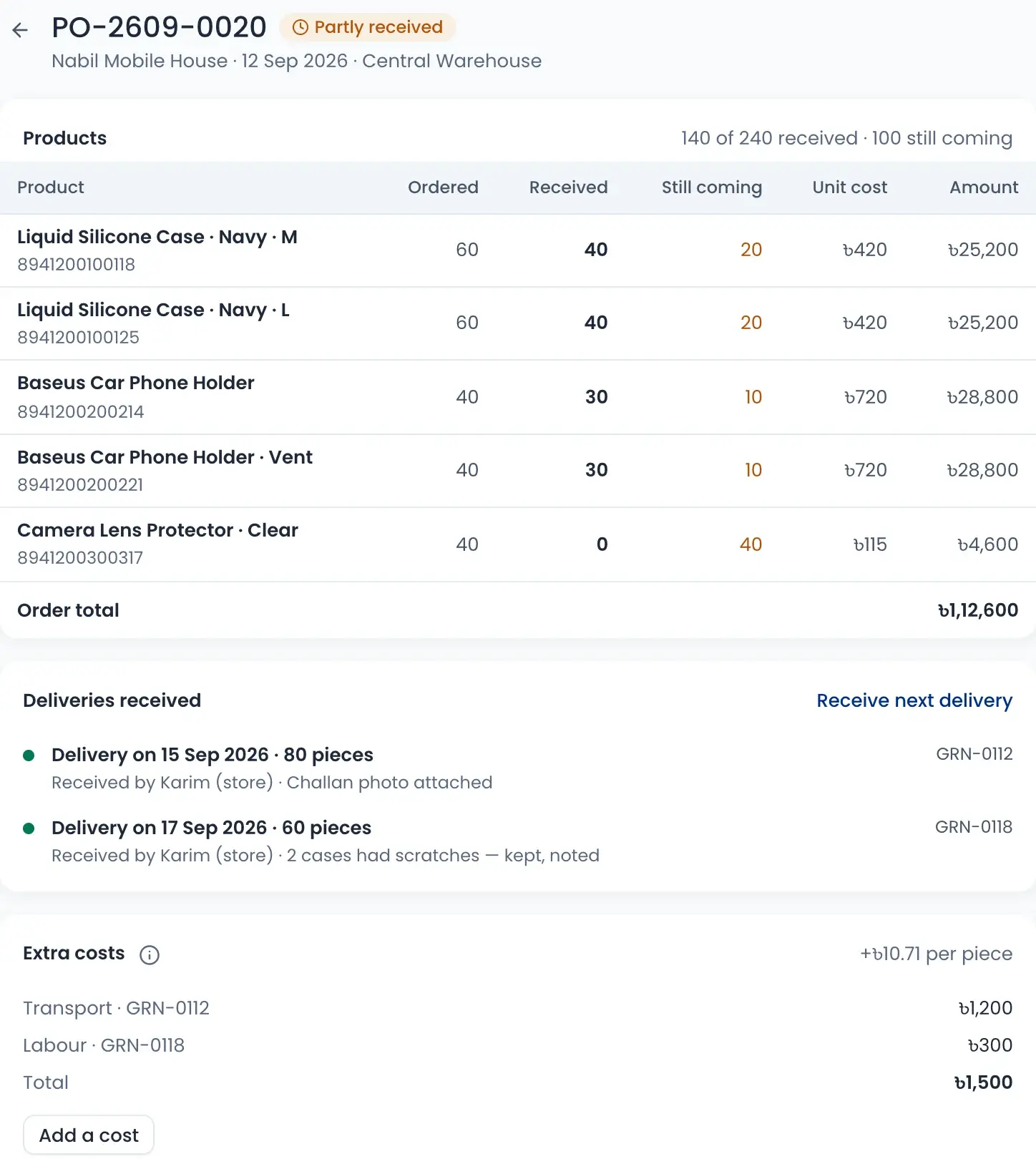
Send a purchase order to your supplier and track what has come and what is still coming. Extra costs like transport and labour are added to the cost of each piece.
- Ordered, received and still coming for every product
- Each delivery shows who received it and the challan photo
- Staff can ask for stock; approved requests become one order per supplier
- On the phone, a new order is filled with items running low
Receive goods by scanning
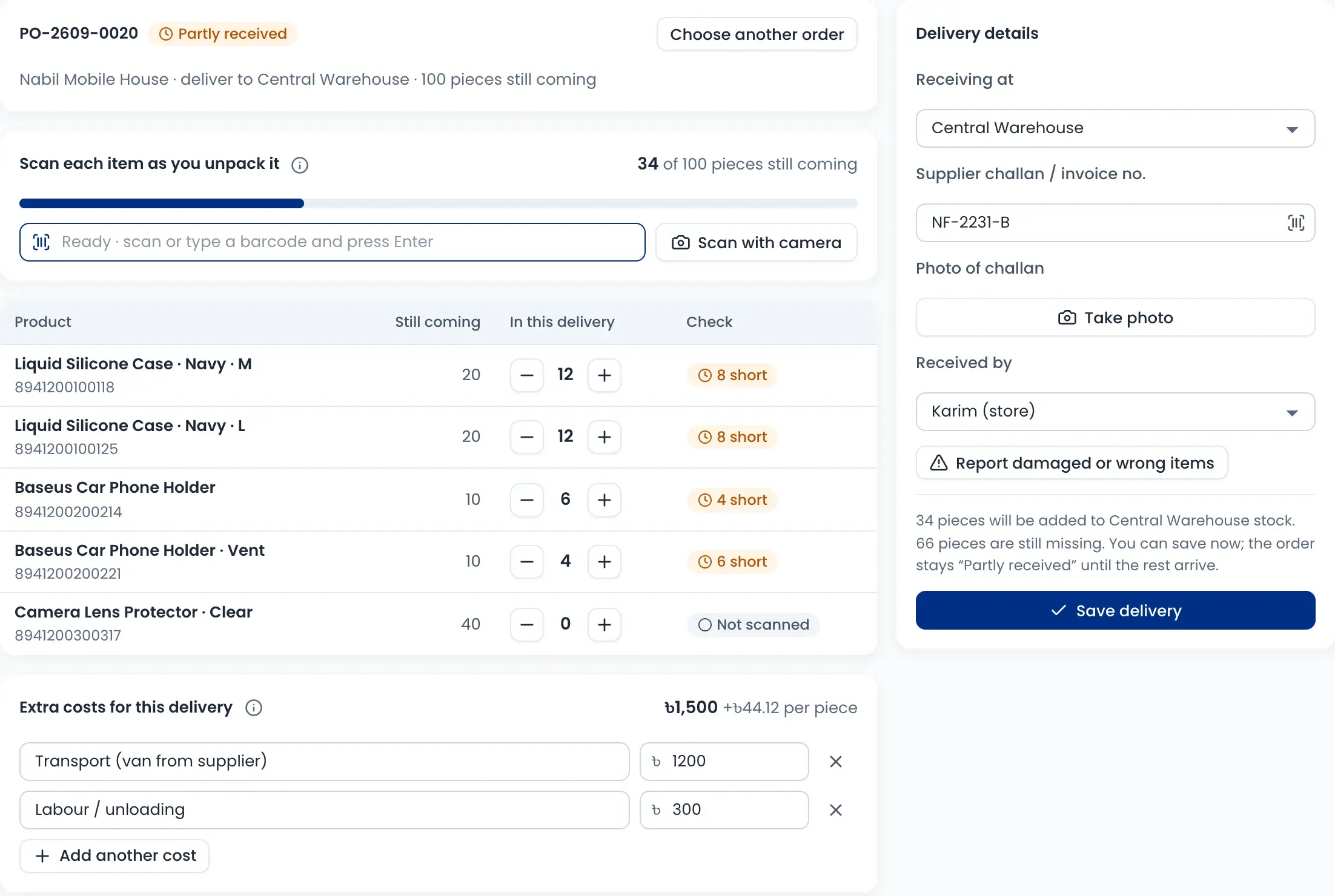
Scan each item as you unpack it. The screen shows what is short at once, and you can save the delivery now and receive the rest later.
- Scan with a barcode scanner or the camera
- Write the supplier challan number and take a photo of it
- Report damaged or wrong items on arrival
- Stock goes up only at the place that received it
Supplier dues, never forgotten
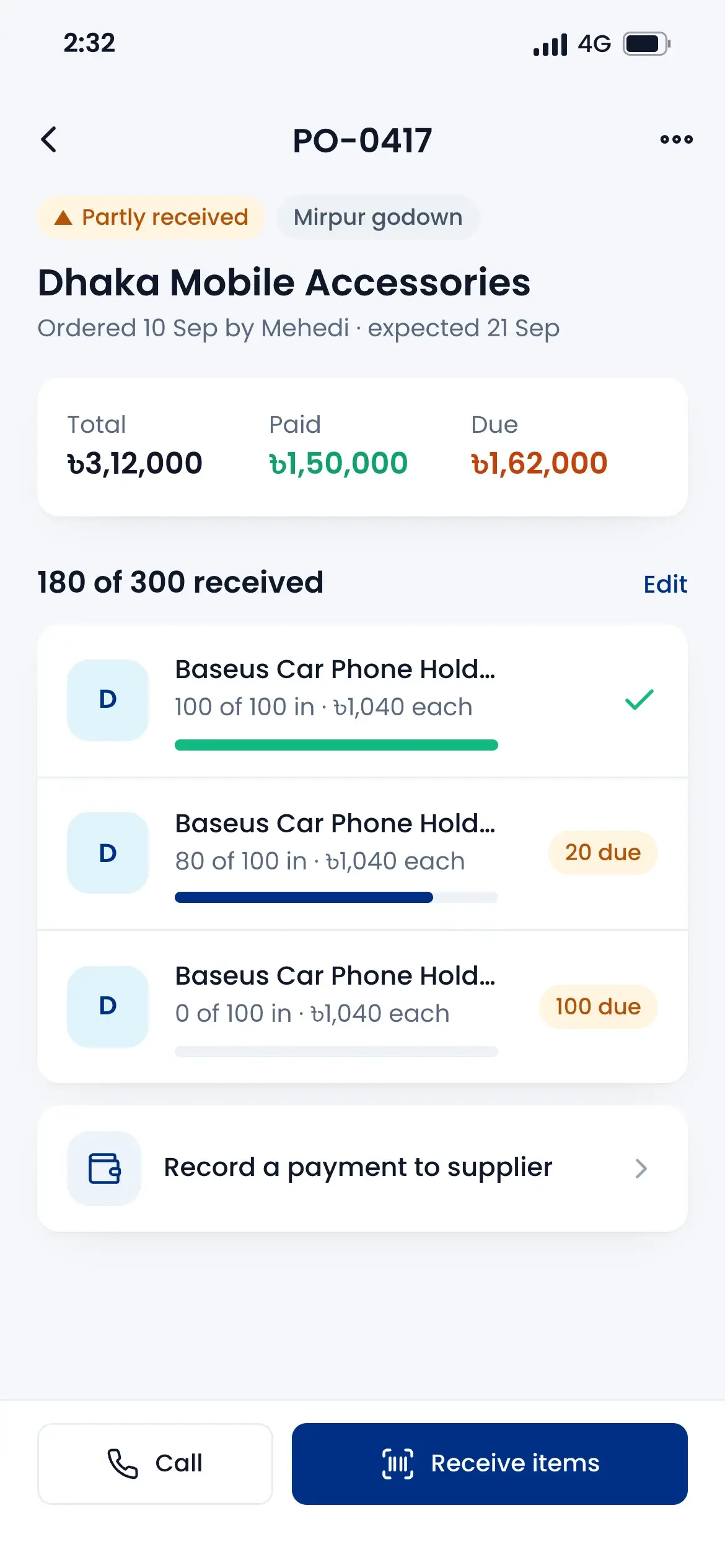
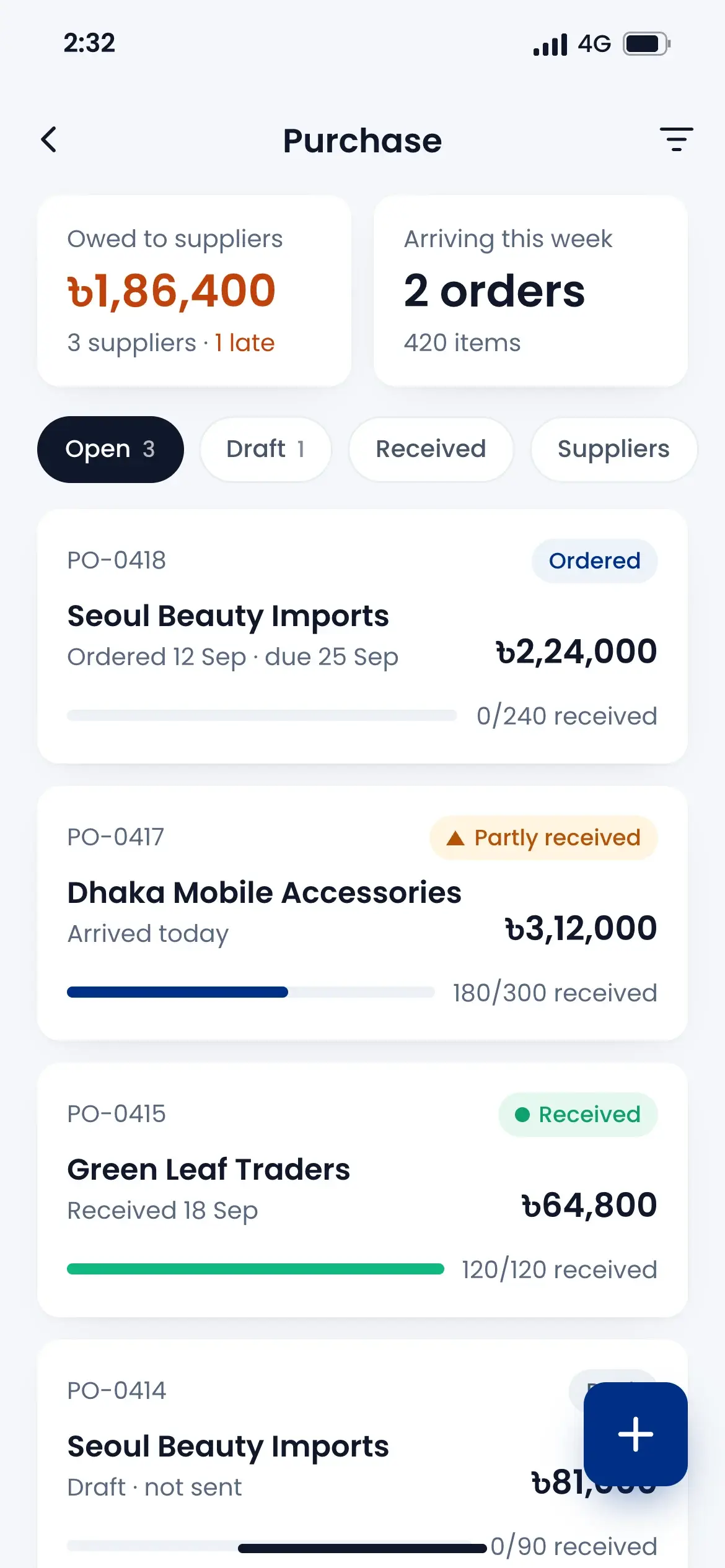
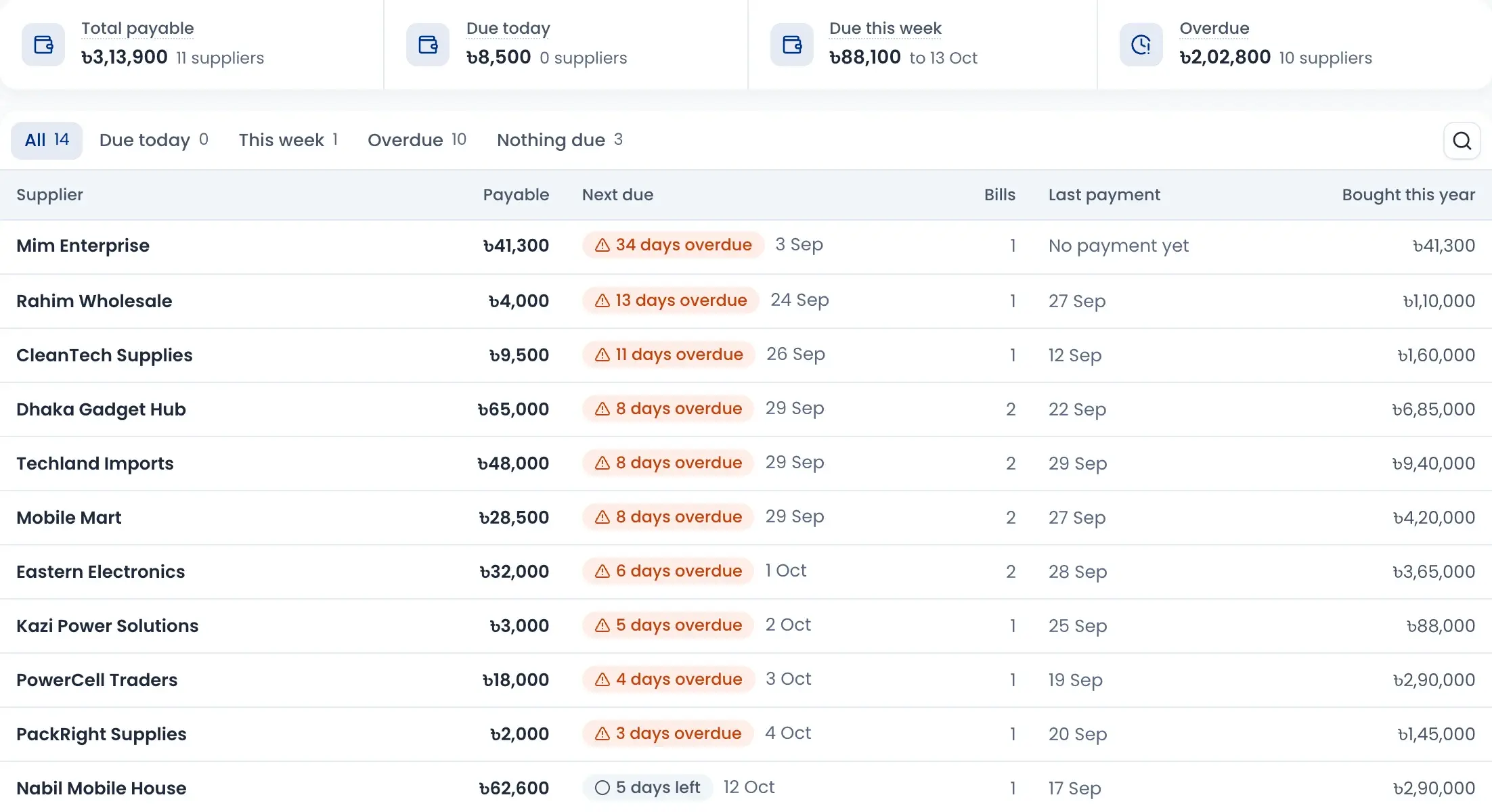
One page shows how much you owe in total, what is due today, this week and what is overdue. Each supplier shows the next due date and the last payment.
- Overdue bills show how many days late they are
- Pay one bill, several bills or part of one
- Payments come out of the cash or bank account you choose
- See how much you bought from each supplier this year
Barcode labels and quick scans
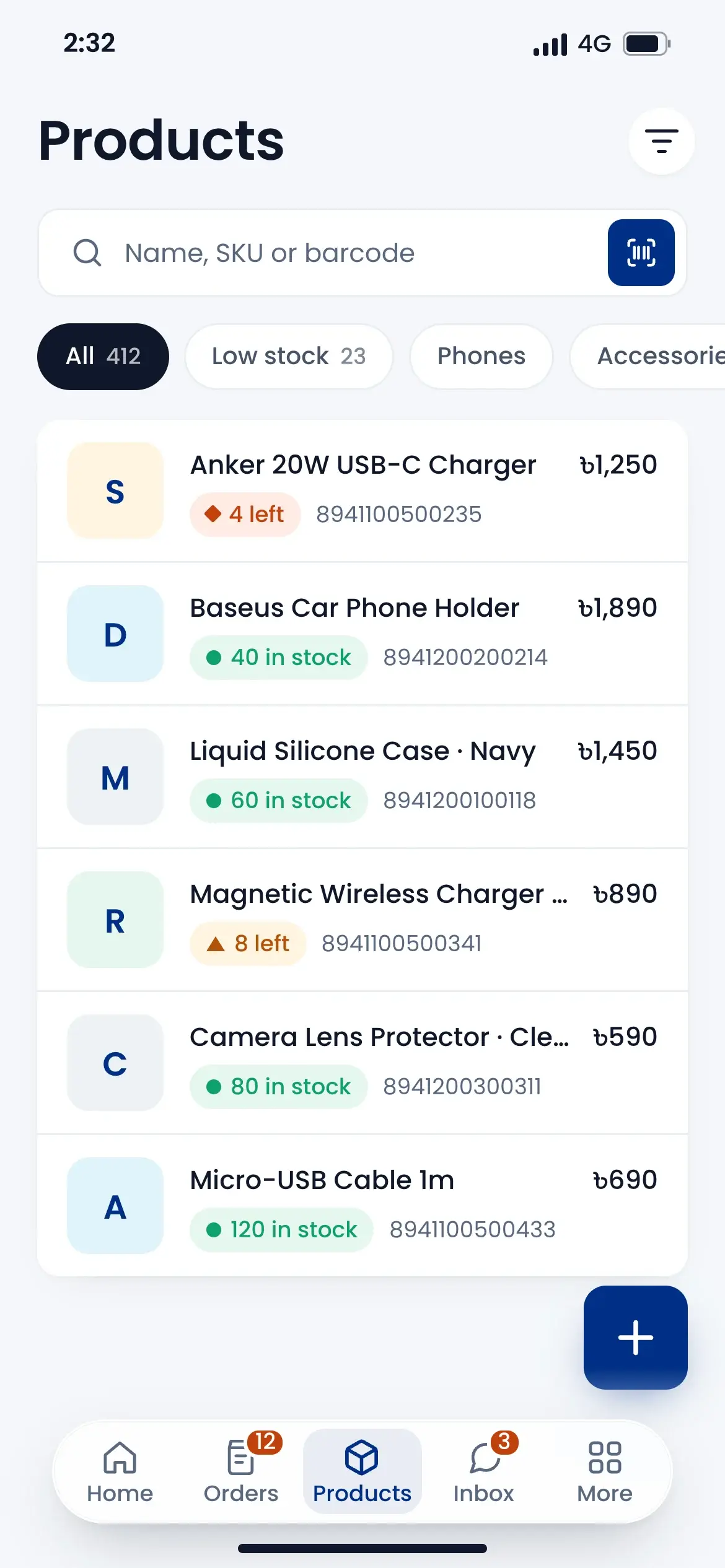
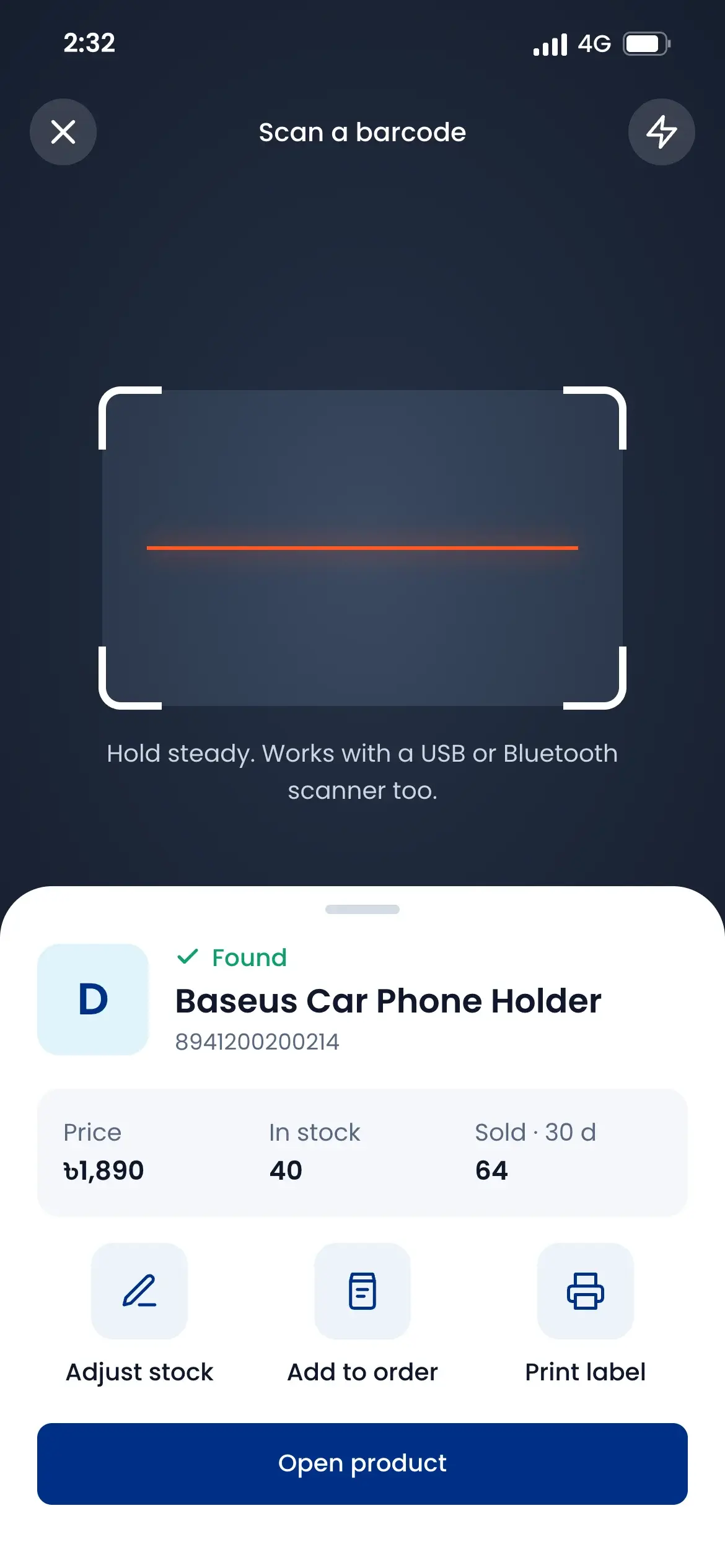
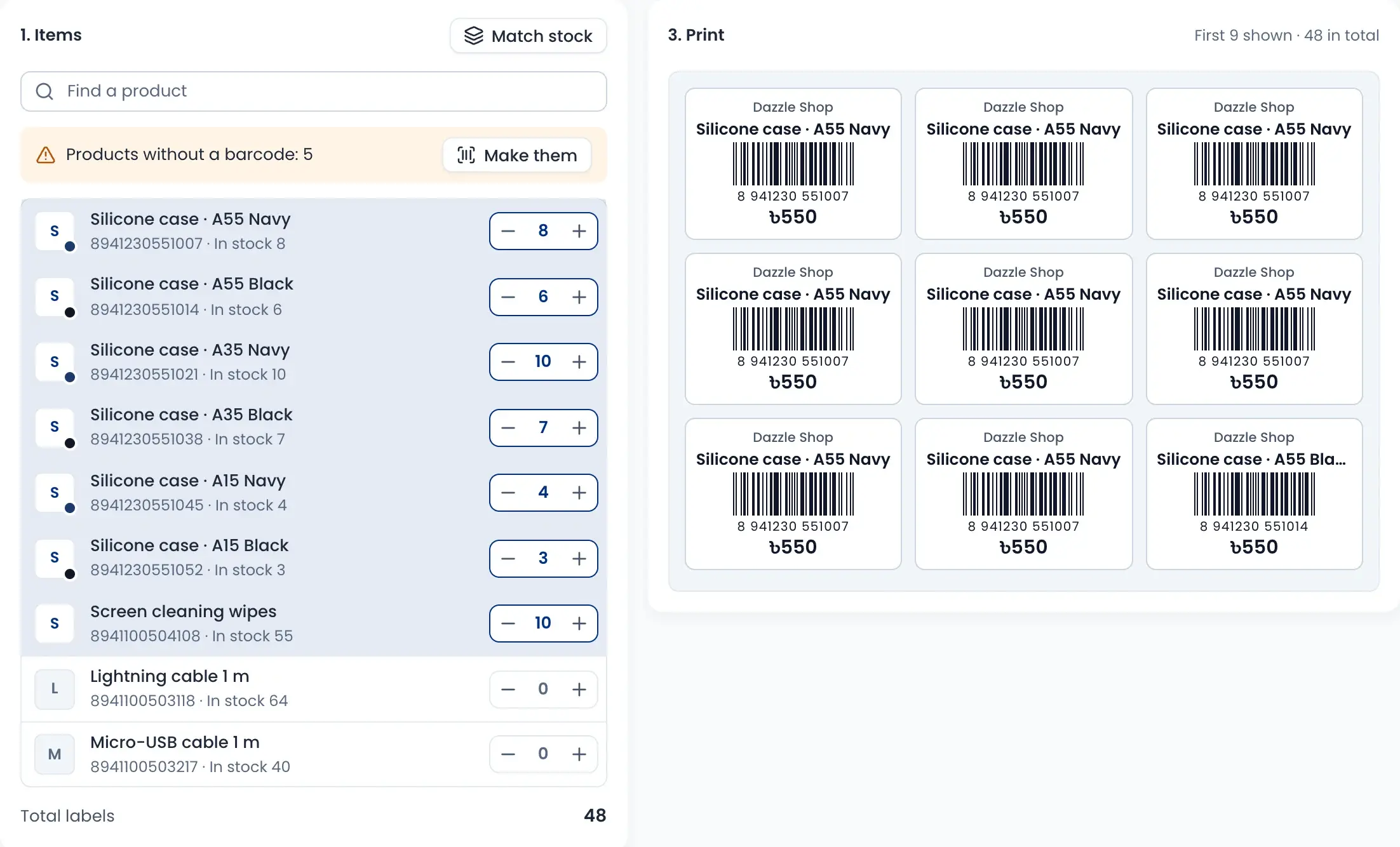
Print barcode labels with your shop name and price. Products without a barcode get one in one click, and the phone camera works as a scanner.
- Match the number of labels to the stock in one click
- See the labels before you print
- Scan on the phone to see price, stock and sales of the last 30 days
- Works with a USB or Bluetooth scanner too
How it works
Watch a short overview, then follow the steps.
- 01
Add your products
Add products with variants, SKU and barcode, and mark phones by IMEI or serial.
- 02
Order from suppliers
Make a purchase order for the products that are running low.
- 03
Scan goods in
Scan each item as it arrives; the stock and the cost update.
- 04
Sell everywhere
Counter, website and online orders all take from the same stock.
- 05
Pay the supplier
See what is due and pay one bill, several or part of one.
Questions sellers ask
Yes. Mark a product as IMEI or serial. The counter asks for the number when it is sold and checks it is not sold already. Stock activity can trace one number, and warranty claims keep the full serial and IMEI register.