

Parcel delivered. Is the COD money with you?
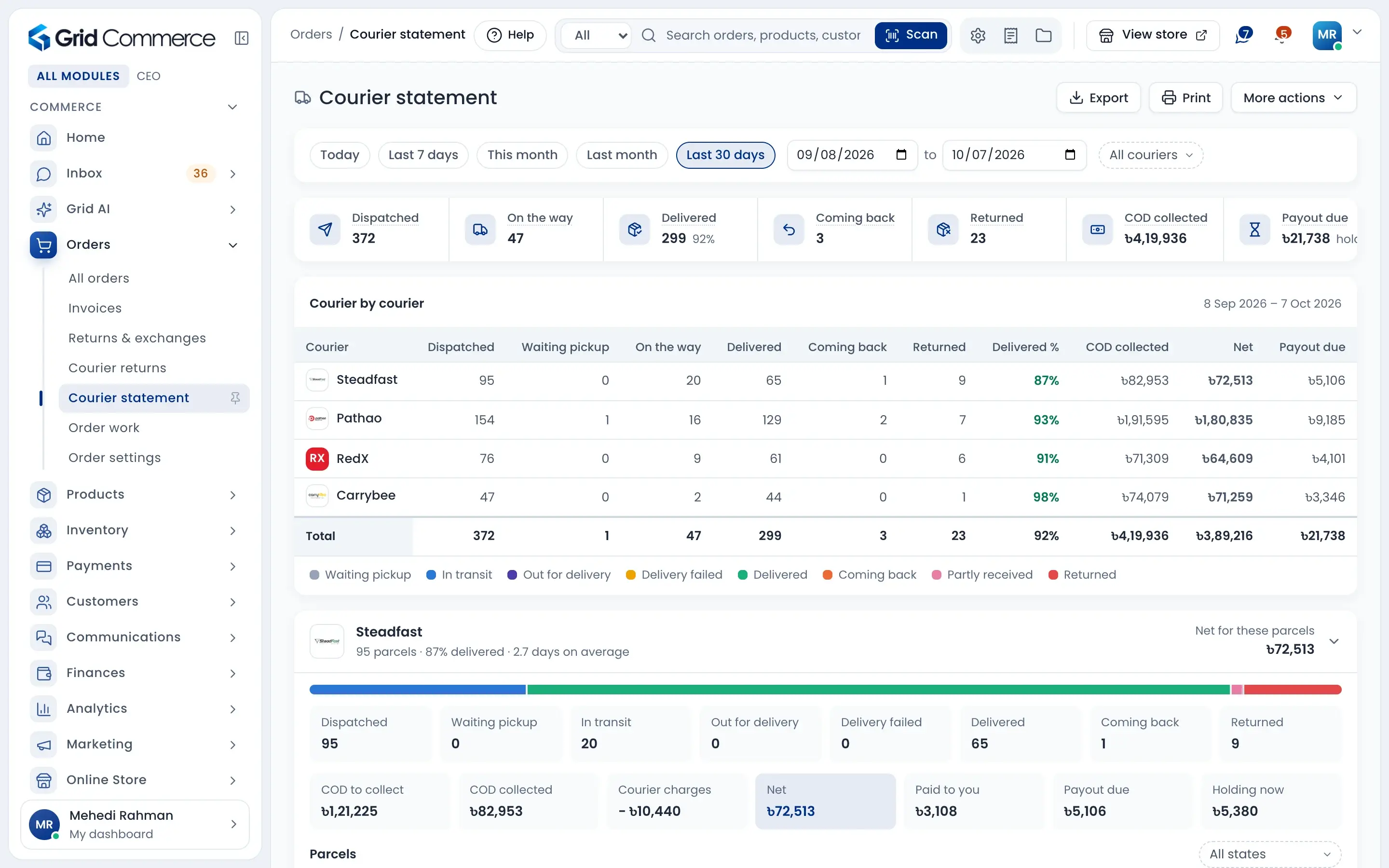
Book Pathao, Steadfast, RedX and Carrybee from one place. Follow every parcel, see the COD each courier collected, their charge and what they still owe you. Count returned parcels back into stock, piece by piece.
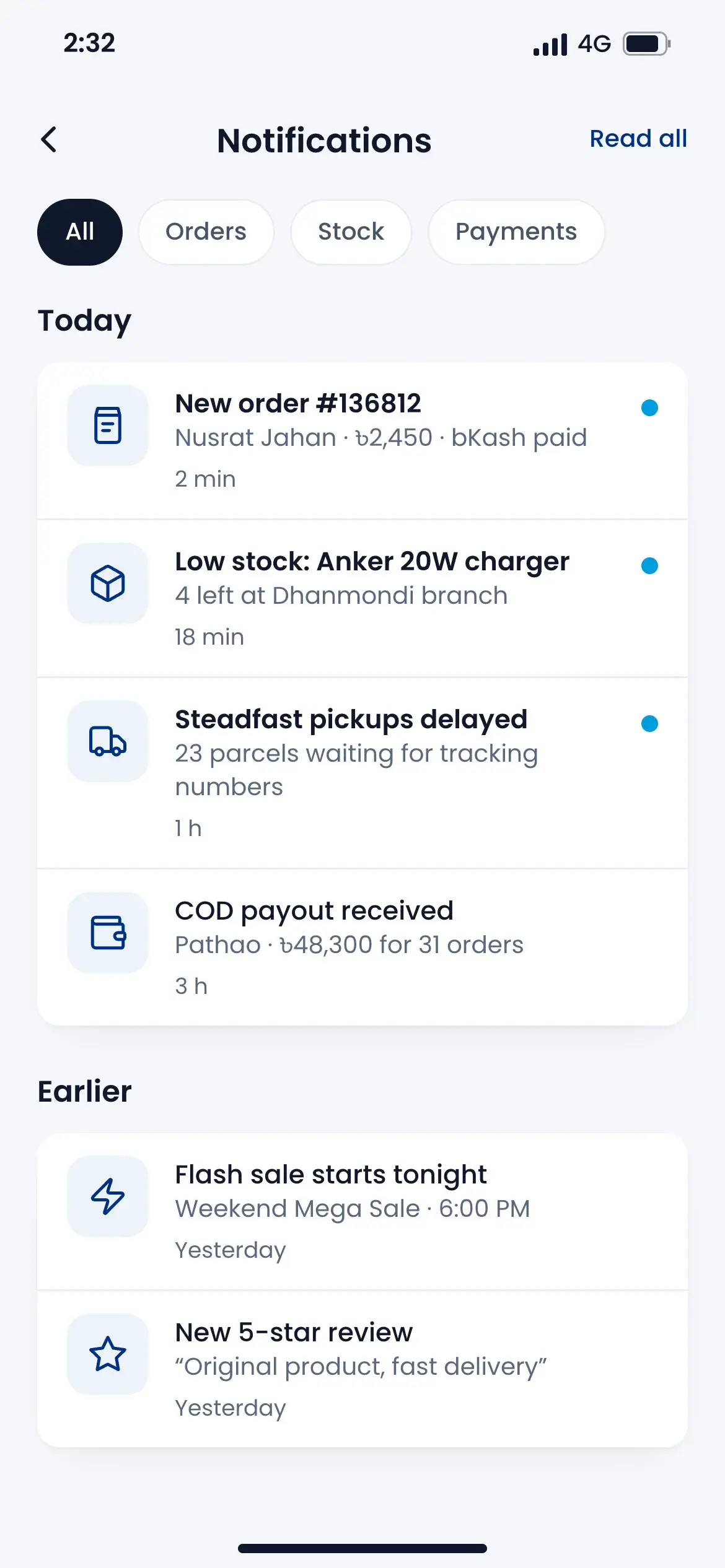
Works with these couriers




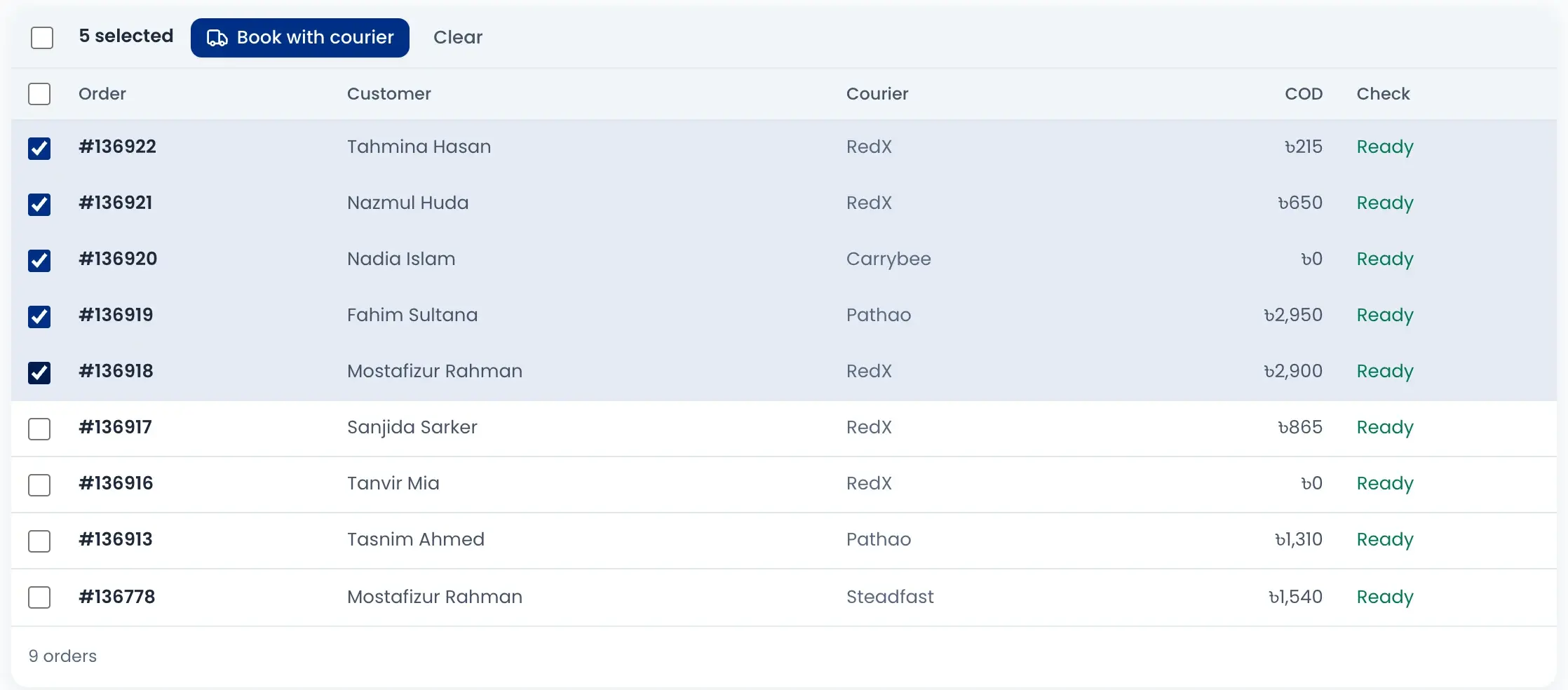
Book many parcels at once
Each order is checked for courier, phone number and address first. Booking runs in the background and you can retry the ones that failed.
Know what each courier owes you
COD collected, courier charge, net amount, paid to you, payout due and money still held, for every courier and any date range.
Returned parcels back in stock
Count each returned item as good or damaged, even when only part of the parcel is back. Good items return to stock; damaged ones stay apart.
Book the courier in one click
Approved orders wait in the courier review queue. Each one is checked first, so a wrong phone number or a missing address is caught before booking.
- Select orders and press Book with courier
- Booking runs in the background while you keep working
- Retry only the orders that failed
- Pick and pack list and print queue for labels
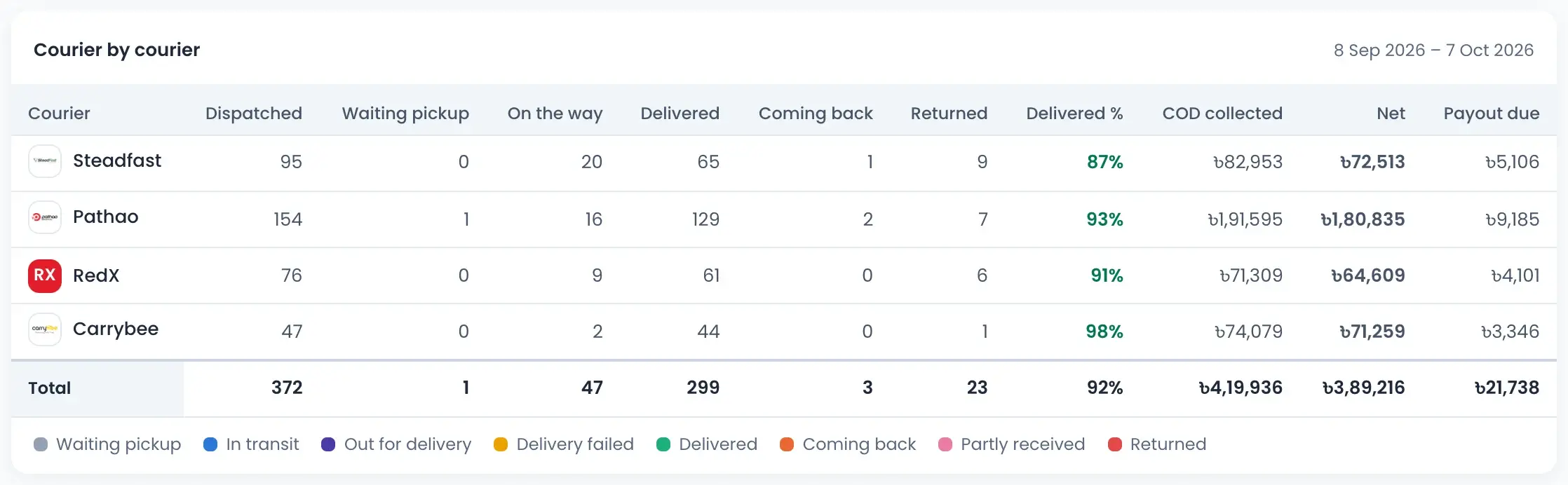
Every courier side by side
One table shows how each courier is doing for the dates you pick. Spot the courier with the most returns or the biggest payout still due.
- Dispatched, waiting pickup, on the way, delivered and returned
- Delivered percent for each courier
- COD collected, net amount and payout due
- Today, last 7 days, this month or your own dates
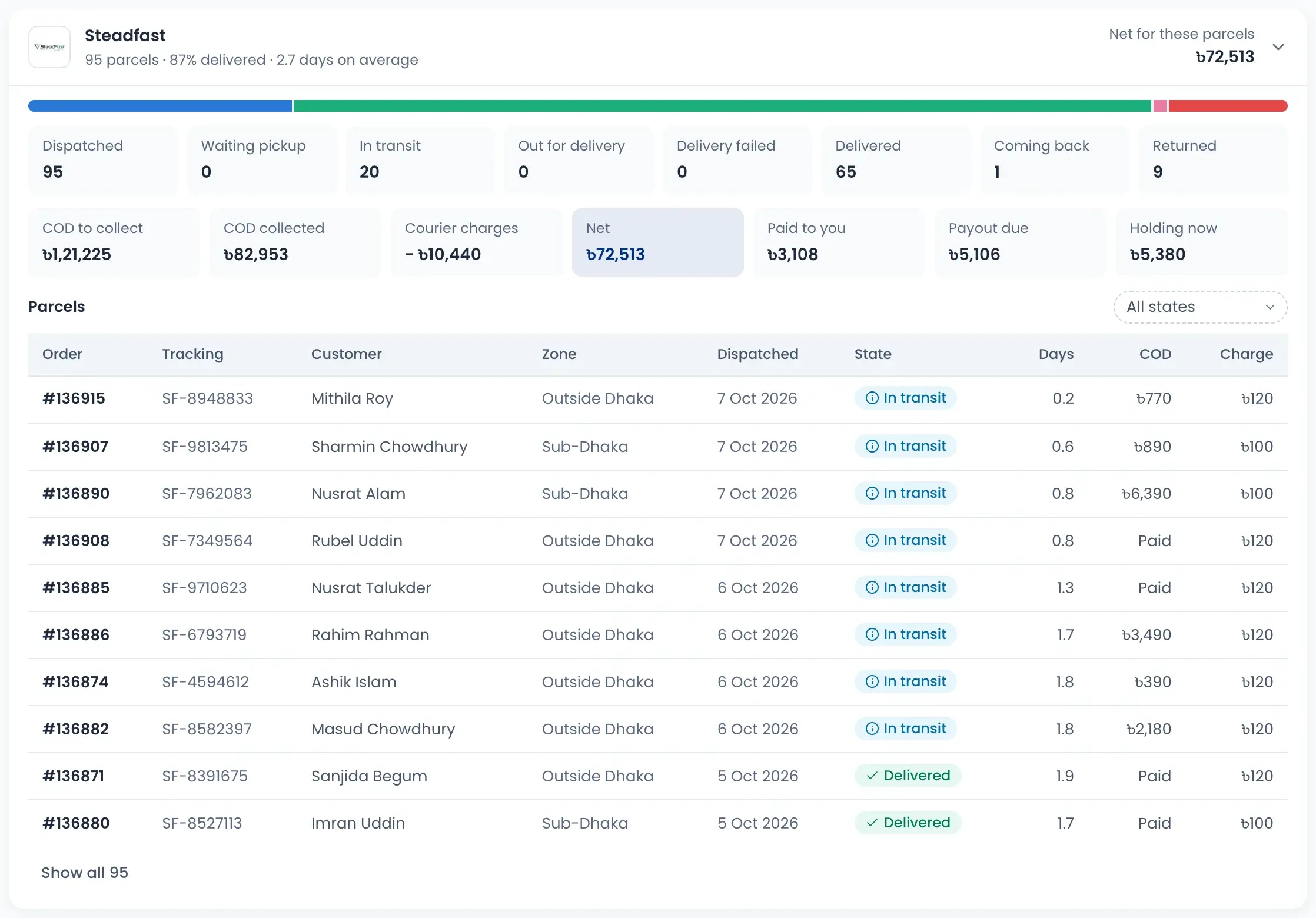
Follow the COD money, parcel by parcel
Open a courier to see where every taka is. COD to collect, what was collected, the courier's charge, what they paid you and what they are still holding.
- Each parcel with tracking number, zone and days on the way
- Filter parcels by state: in transit, delivered, coming back
- Average delivery days for each courier
- Export or print the statement
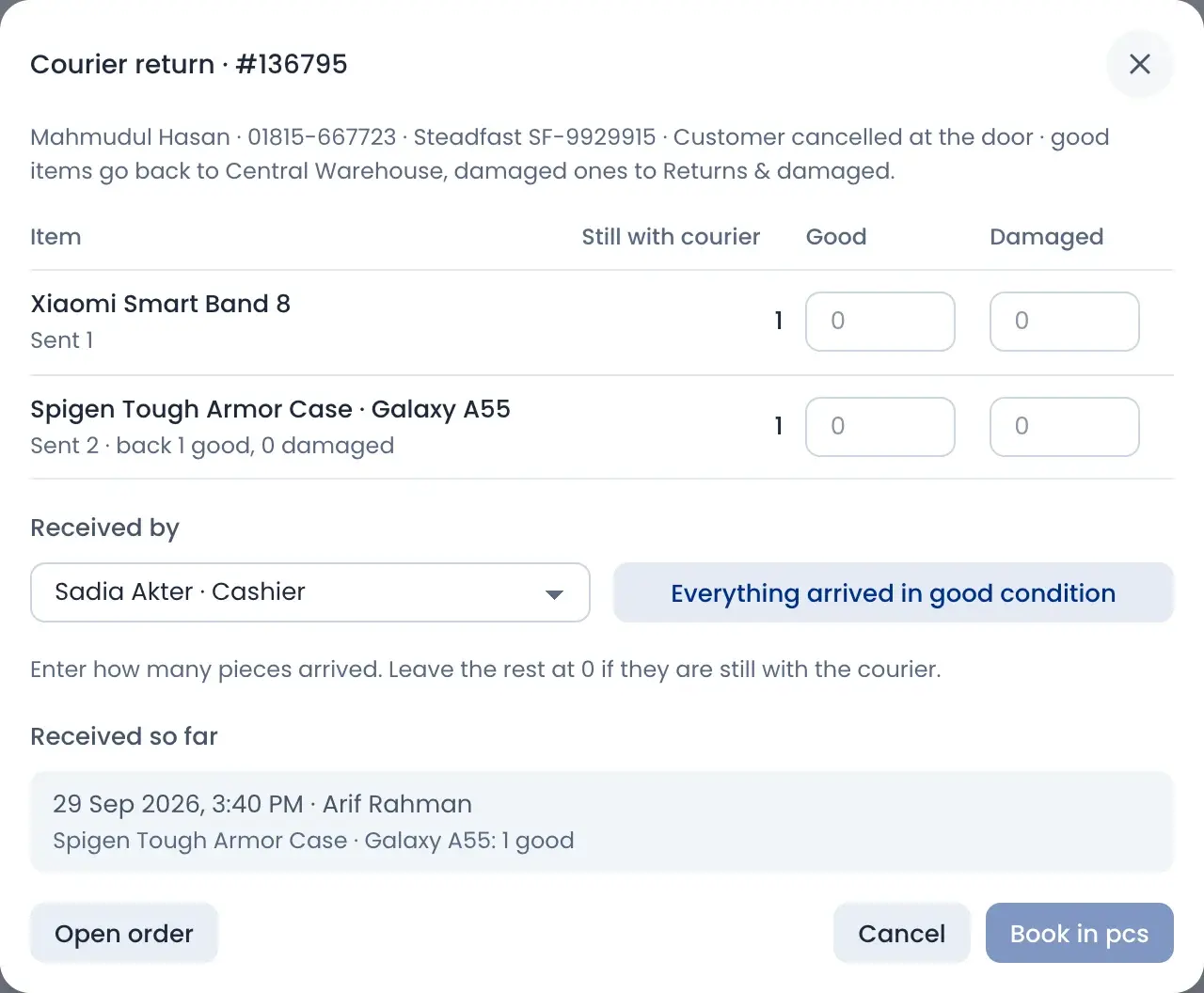
Count returns back into stock
When the courier brings a parcel back, open it and enter how many pieces are good and how many are damaged. If part is still with the courier, leave it and receive the rest later.
- Good items go back to the warehouse stock
- Damaged items go to returns and damaged
- See what is still with the courier
- Who received it and when is saved
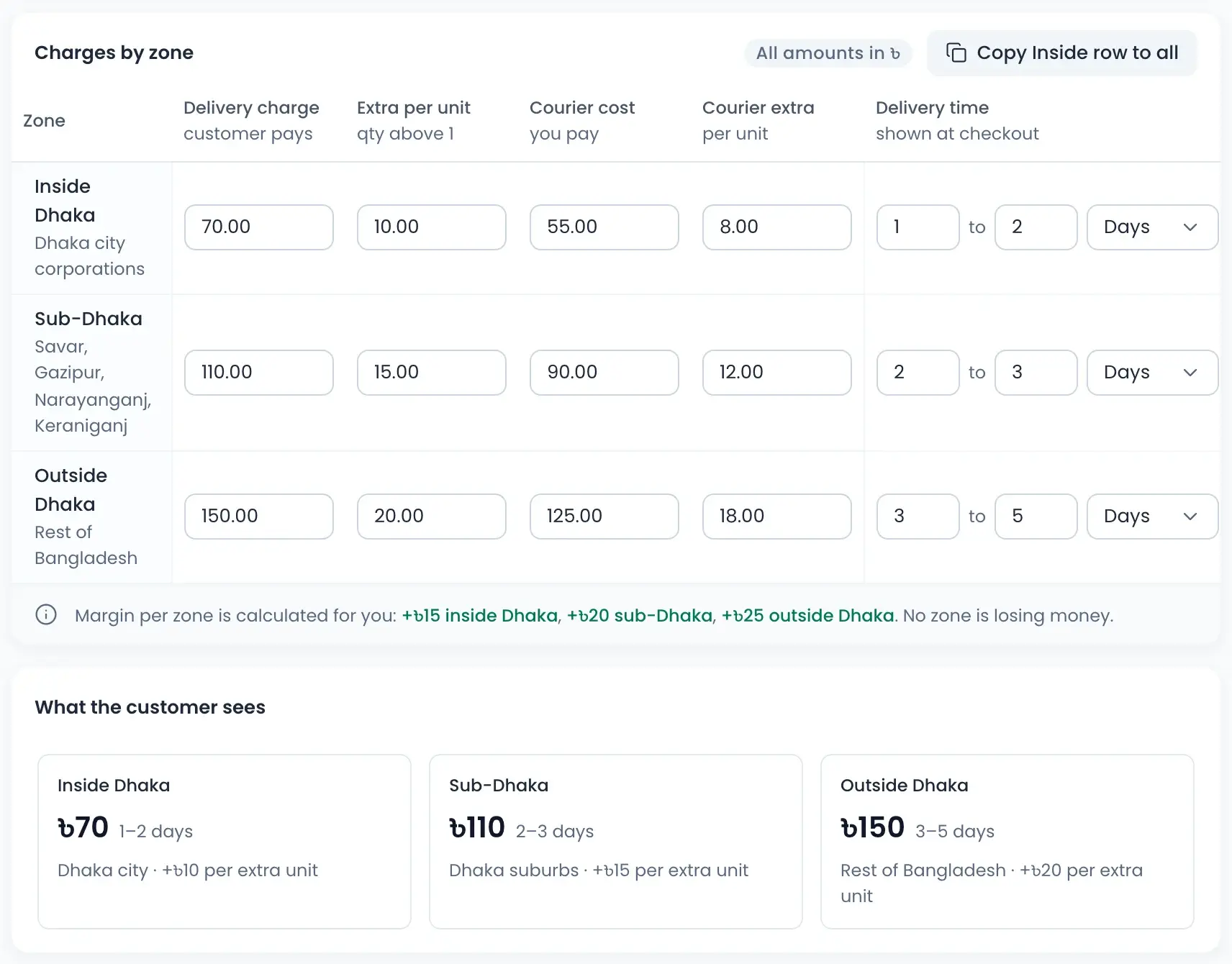
Delivery charge that never loses money
Set what the customer pays and what the courier costs you for inside Dhaka, sub-Dhaka and outside Dhaka. The app shows your margin for each zone.
- Extra charge for each piece above one
- Delivery time shown to the customer at checkout
- Choose your default courier and where orders ship from
- See exactly what the customer will see
How it works
Watch a short overview, then follow the steps.
- 01
Pick and pack
Approved orders show up in the pick and pack list.
- 02
Book the courier
Check the queue, then book many orders in one go and print labels.
- 03
Follow the parcel
See every parcel's state, tracking number and days on the way.
- 04
Check COD and payouts
See what each courier collected, charged and still owes you.
- 05
Receive returns
Count good and damaged pieces back into stock.
Questions sellers ask
Pathao, Steadfast, RedX and Carrybee. Connect them in Connections, then pick a default courier in delivery settings. You can still change the courier on any order.