

See which ads bring delivered orders, and what you keep.
Ad spend sits next to delivered sales, not just clicks. Profit is shown after product cost, returns, delivery charge and fees. Get the day’s summary on WhatsApp, and keep Facebook Pixel, Google and TikTok sending the right data.
Tracks with




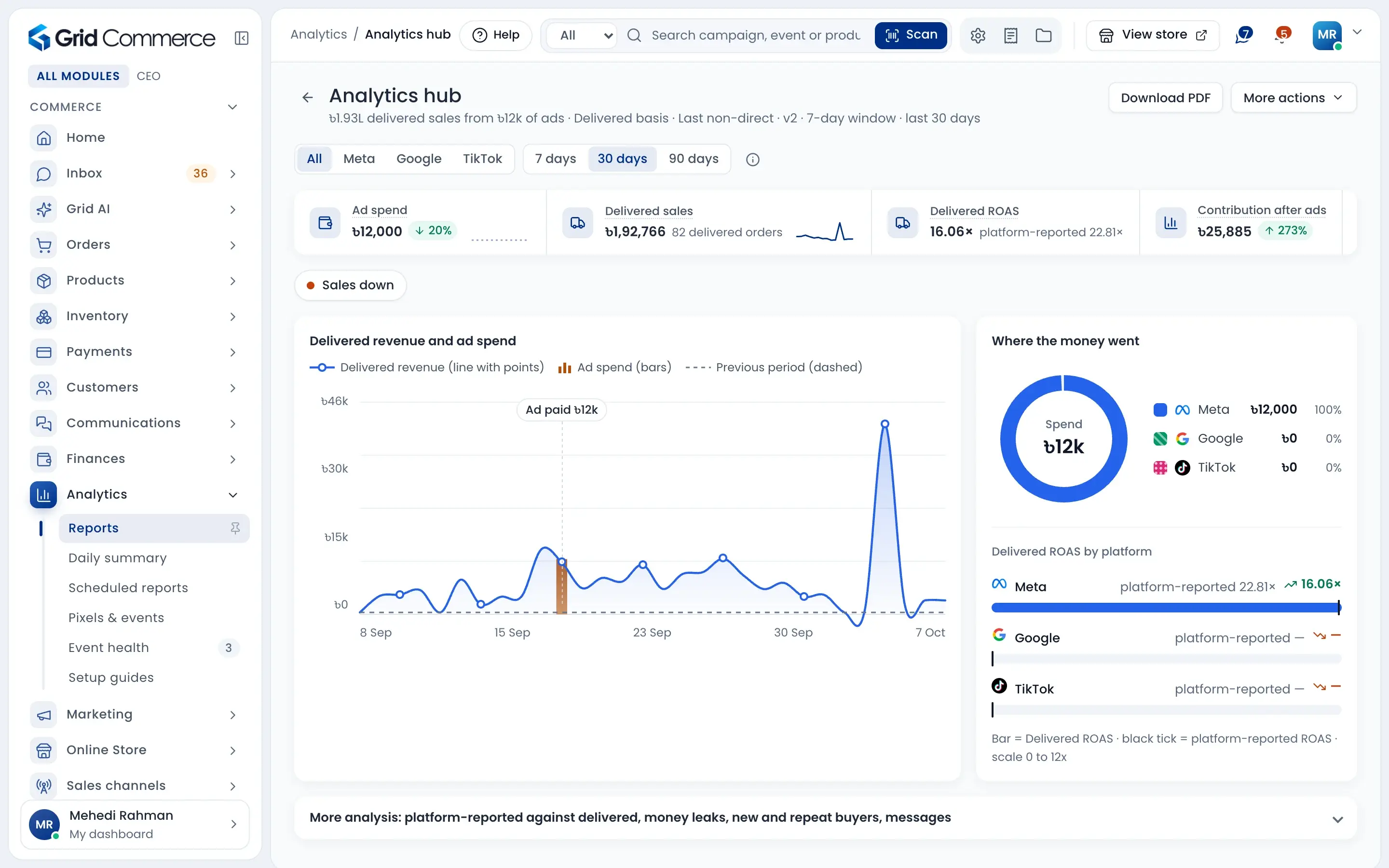
Ads judged on delivered orders
Delivered ROAS shows what Meta, Google and TikTok ads brought in delivered sales, right next to what the ad platform claims.
95 reports in one place
Sales, courier, returns, stock, money and staff reports. Search, filter and download any of them as CSV or PDF.
Your day on WhatsApp
Schedule the daily summary or any report by WhatsApp or email, every day, week or month.
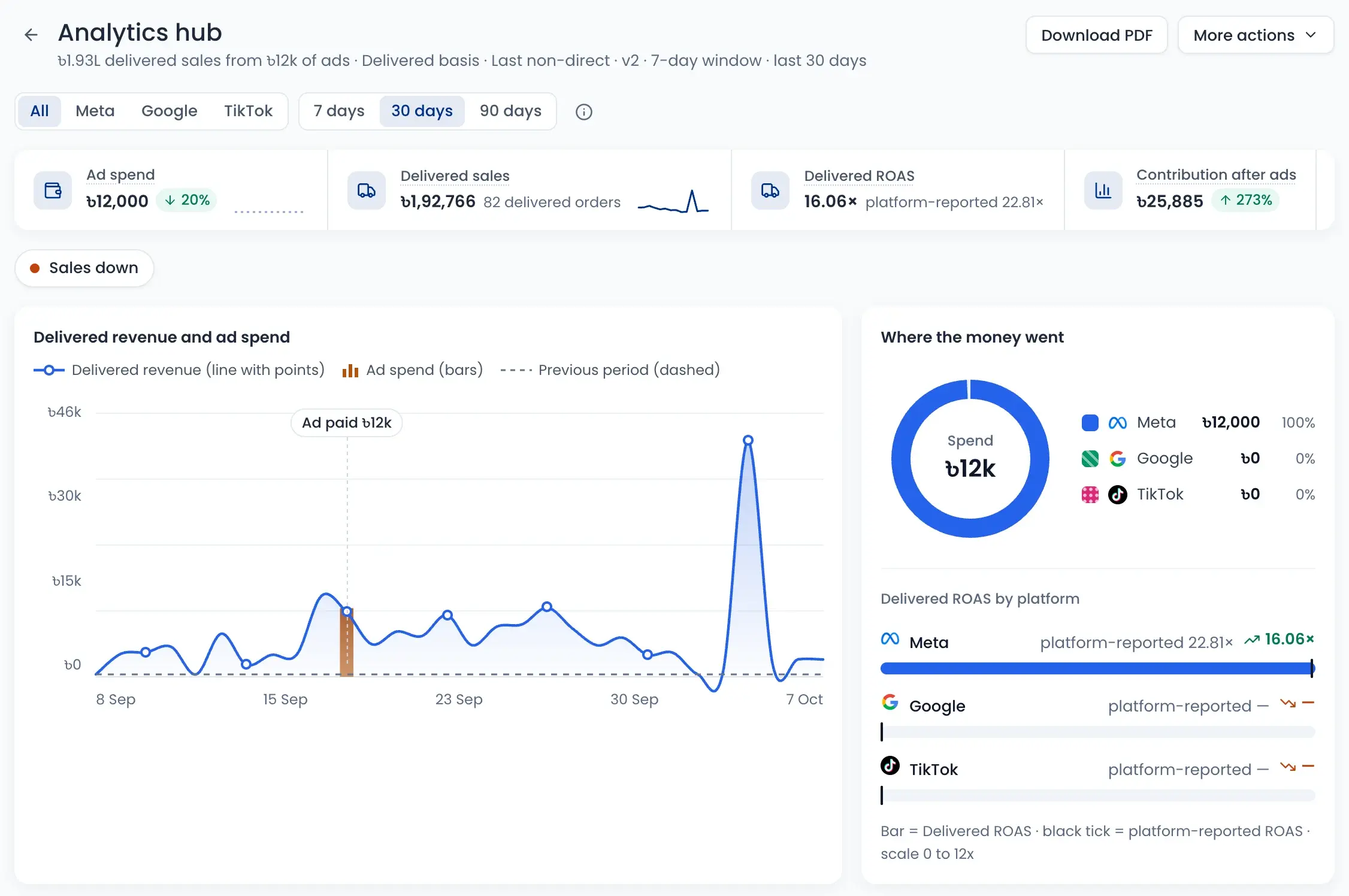
Ad spend vs delivered sales
See ad spend, delivered sales and delivered ROAS for Meta, Google and TikTok on one screen. The number the ad platform reports stays beside it, so you see the gap.
- Pick 7, 30 or 90 days, or one platform
- Contribution after ads shows what is really left
- Where the money went: spend split by platform
- Ask buyers “How did you hear about us?” at checkout
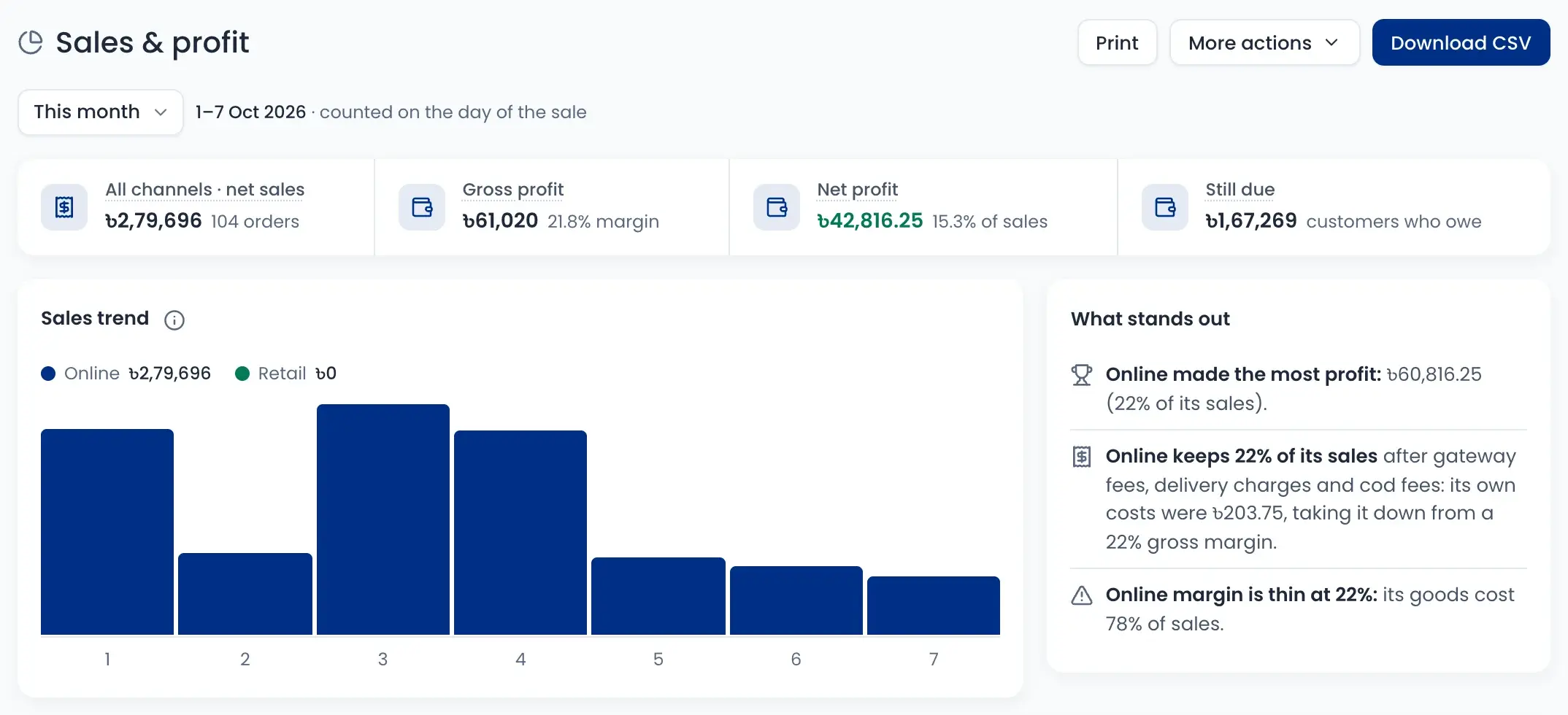
Profit after every cost
Sales & profit shows net sales, gross profit and net profit for any period. It takes off product cost, returns, delivery charges, COD and gateway fees, and says in plain words what stands out.
- Profit by channel: online and retail
- “Still due” shows what customers owe you
- Warns when a margin is thin
- Print it or download as CSV
Facebook Pixel, Google and TikTok, set up right
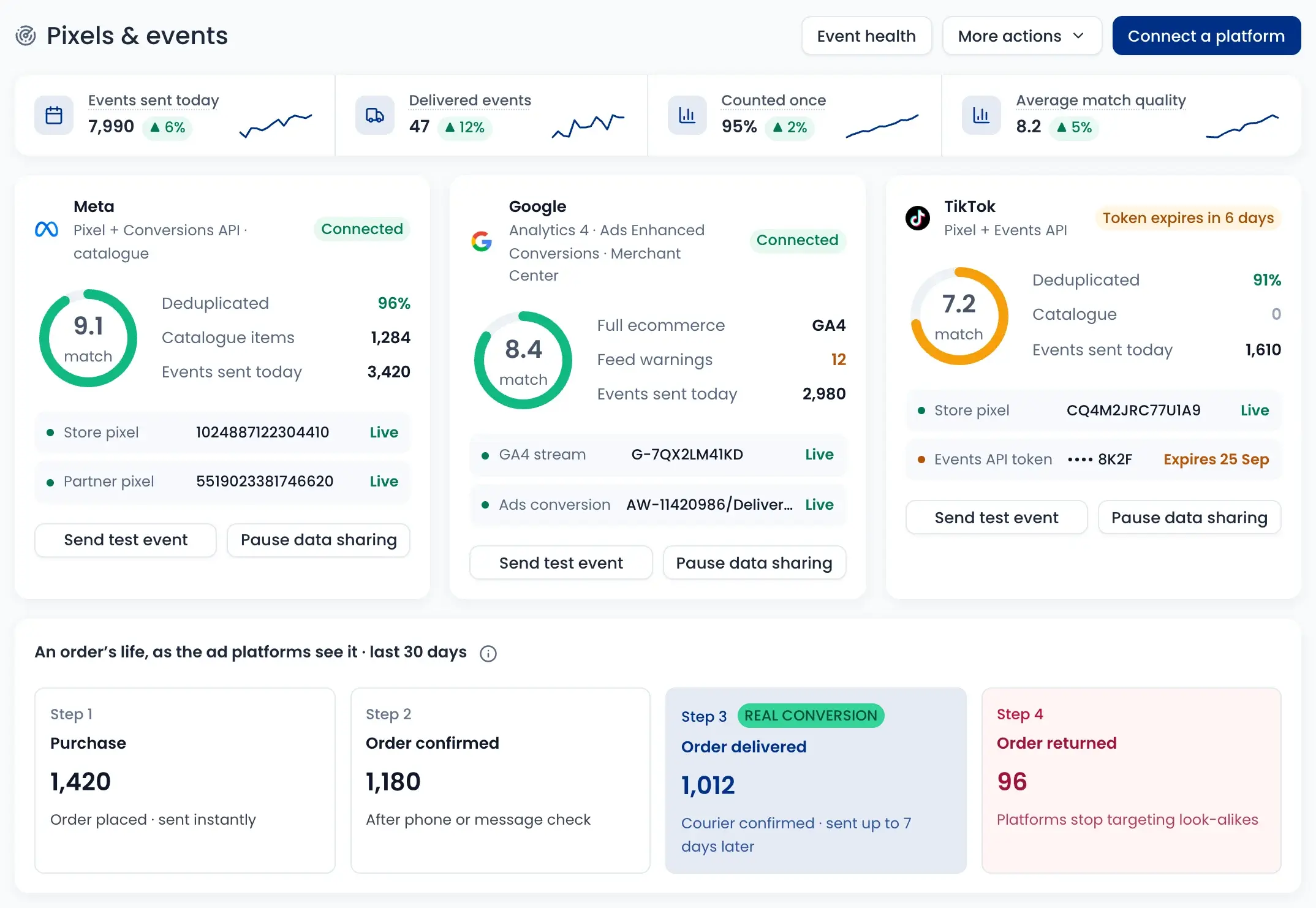
Connect Meta Pixel and Conversions API, Google Analytics 4 and Google Ads, and TikTok Pixel and Events API. The delivered order is sent as the real conversion, and returns are sent too. Setup guides also cover Google Tag Manager and Microsoft Clarity.
- A match quality score for each platform
- The same event from browser and server is counted once
- Delivered orders are sent up to 7 days later
- Event health warns about expiring tokens and stopped events
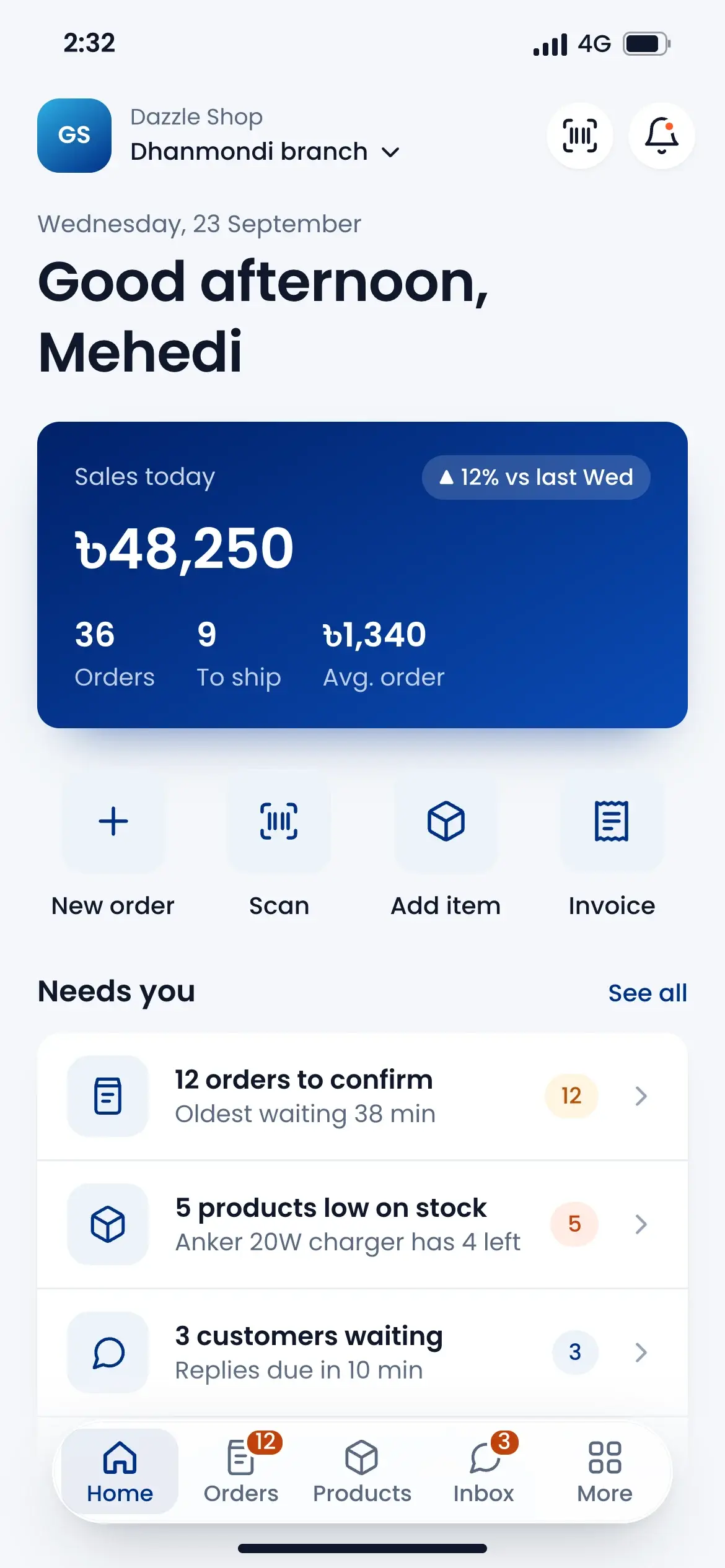
Your whole day on one page
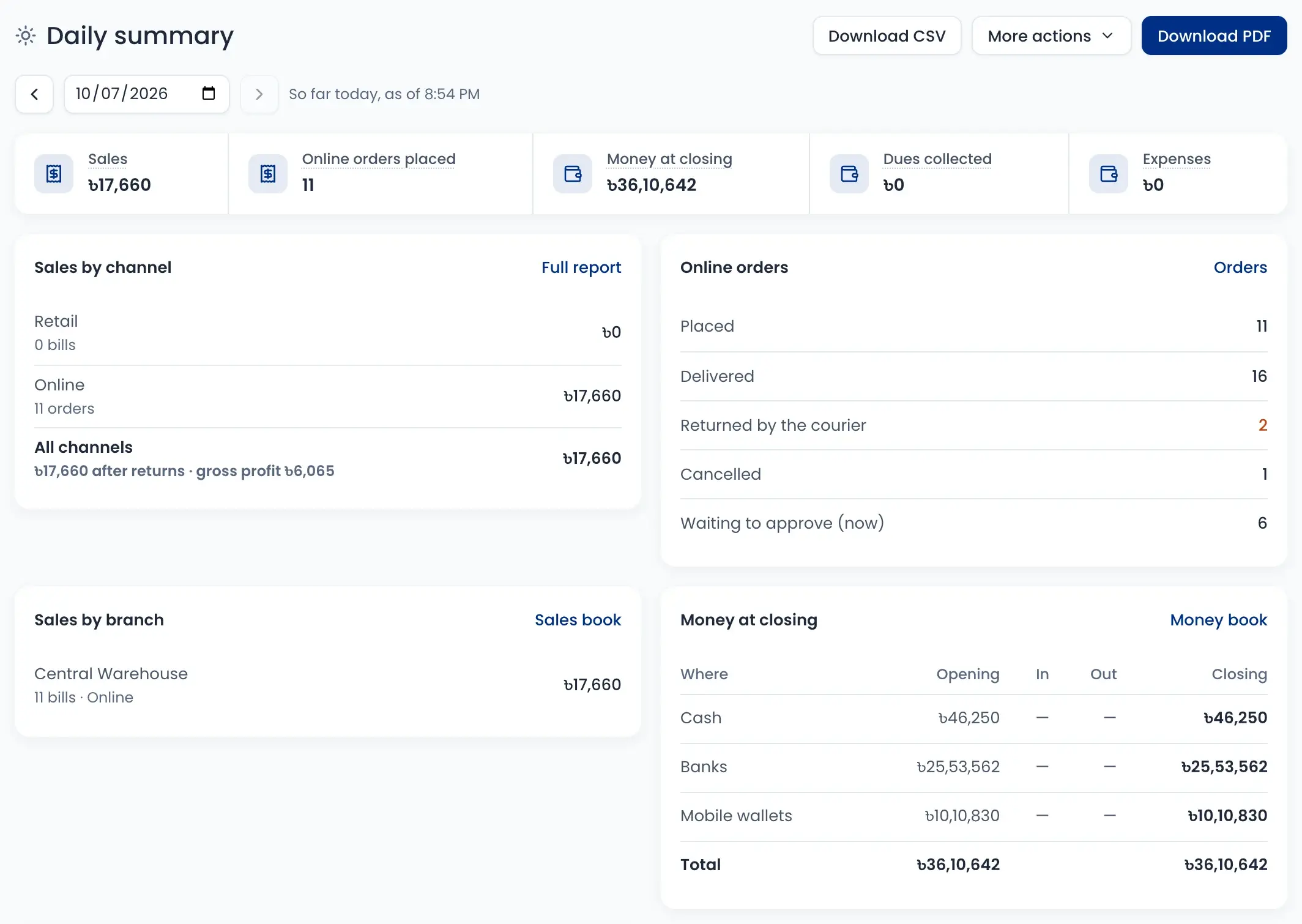
The daily summary shows sales by channel and branch, online orders placed, delivered and returned, money at closing, late payouts, low stock, dues collected and expenses.
- Go back to any day
- Money at closing for cash, banks and wallets
- Orders returned by the courier, at a glance
- Download as PDF or CSV
Reports sent to you on time
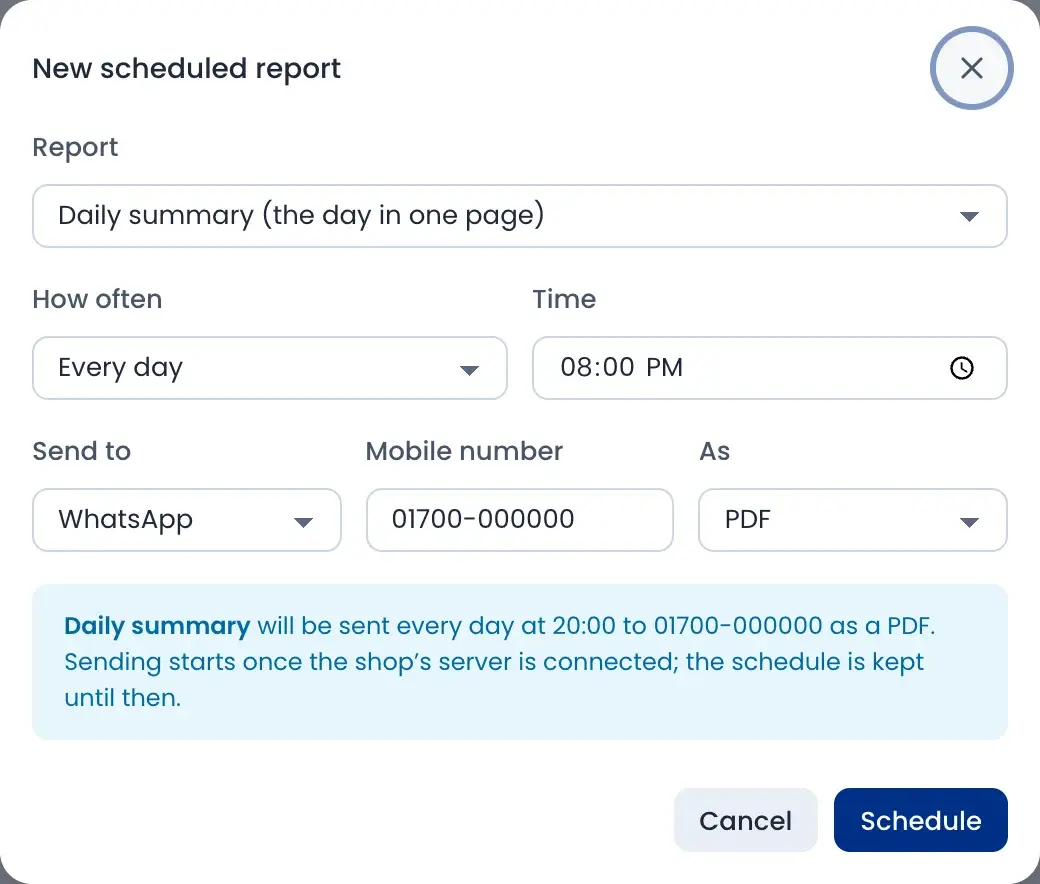
Pick a report, how often and what time. It goes to WhatsApp or email as a PDF, a spreadsheet or a short message.
- Every day, every week or every month
- Send a test now to see the message
- Pause a schedule any time
- Works for the daily summary and every report
How it works
Watch a short overview, then follow the steps.
- 01
Connect your pixels
Add Meta, Google and TikTok with the setup guides.
- 02
Sell and deliver
Orders, costs and courier results are recorded as you work.
- 03
Compare ads with deliveries
See delivered sales and ROAS for each platform.
- 04
Check your profit
See what is left after costs, returns and fees.
- 05
Get reports on WhatsApp
Schedule the daily summary or any report you read.
Questions sellers ask
Ads Manager counts a sale when the order is placed. Here a sale counts when the courier delivers it, so cancelled and returned COD orders are left out. Both numbers are shown side by side.