

From your post to a paid order, on one page.
Build a landing page for one product in minutes and check it on your phone. Buyers order with name, phone and address, and pay cash on delivery, an advance or in full. Run flash sales, share an offers page and win back carts people left.
Customers can pay with
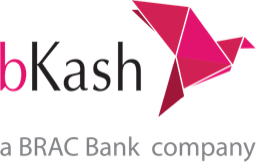



Landing pages without a designer
Start from a COD single product, long-form, video first or blank page. Add parts like gallery, reviews, FAQ, countdown and the order form.
Checkout made for Bangladesh
Delivery charge by zone, a coupon box, and payment by cash on delivery, bKash, Nagad, Rocket or card.
Flash sales, offers and a blog
Run flash sales with a countdown and limited pieces, list every deal on an offers page, and write blog posts with categories and authors.
Build the page part by part
Pick the product, choose a starting page, then drag parts up or down. What you see is the mobile page most of your buyers will see.
- Gallery, benefits, before and after, reviews, FAQ, video and more
- Write the page in Bangla or English with AI
- Price, stock and sizes come from your product, never from AI
- Open the page on your phone before you publish
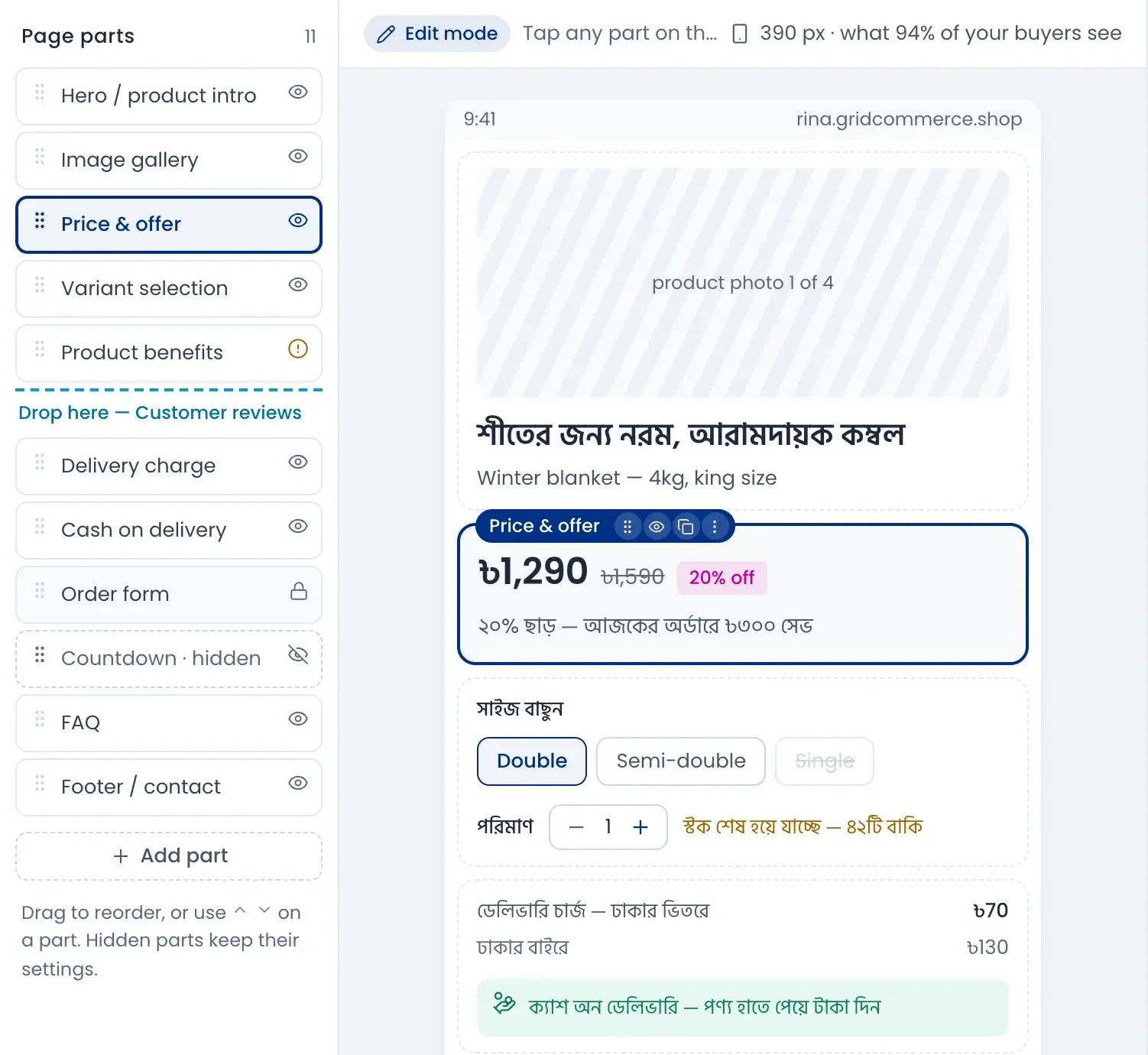
A checkout buyers trust
Three simple steps: details, delivery and payment. Delivery charge changes with the zone, and buyers can pay on delivery or pay now.
- Cash on delivery, bKash, Nagad, Rocket or card
- Show an offer on a payment method, like bKash 10% off
- Coupon codes, bundle discounts and free delivery over an amount
- Delivery time and courier shown for each zone
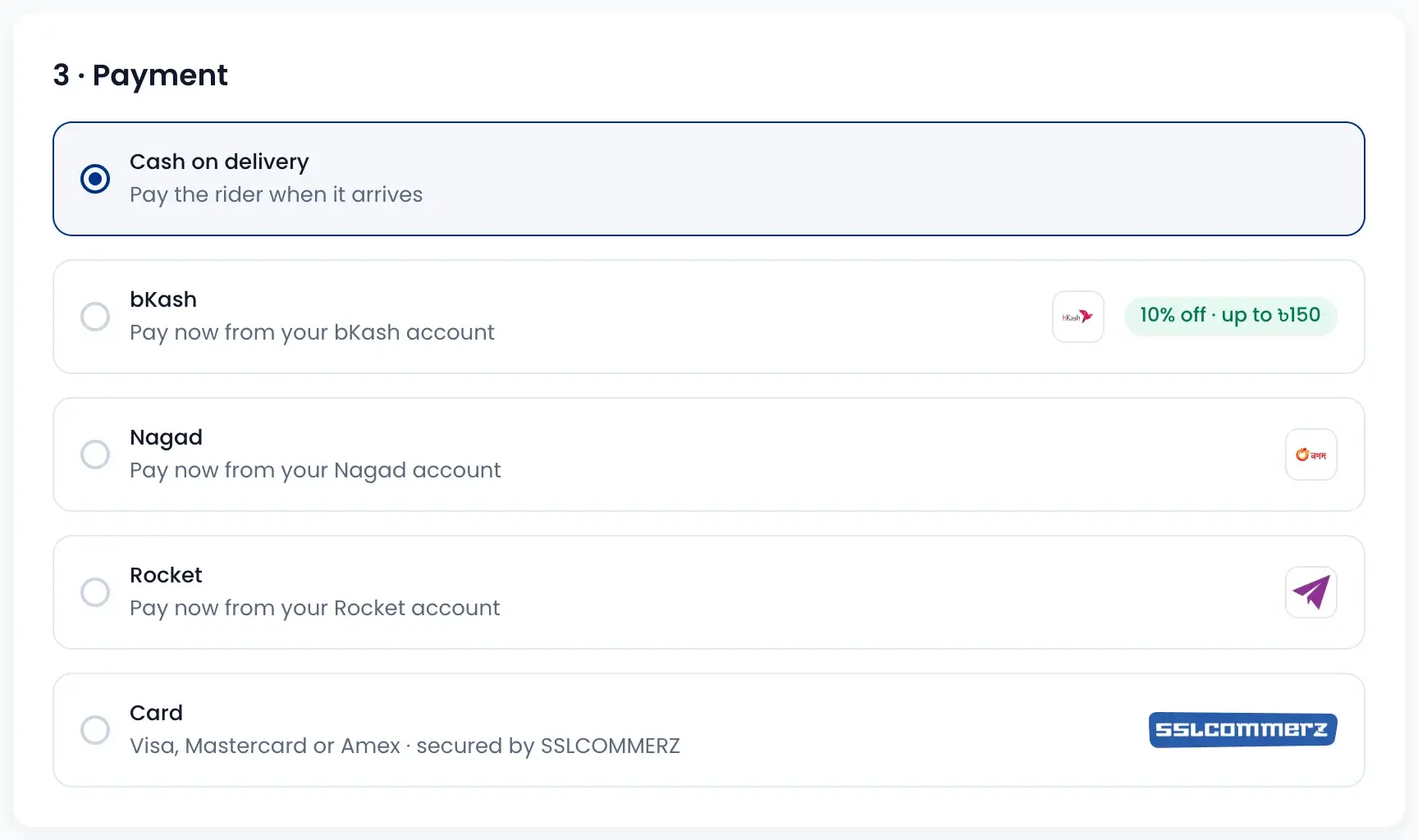
Send an order link from the chat
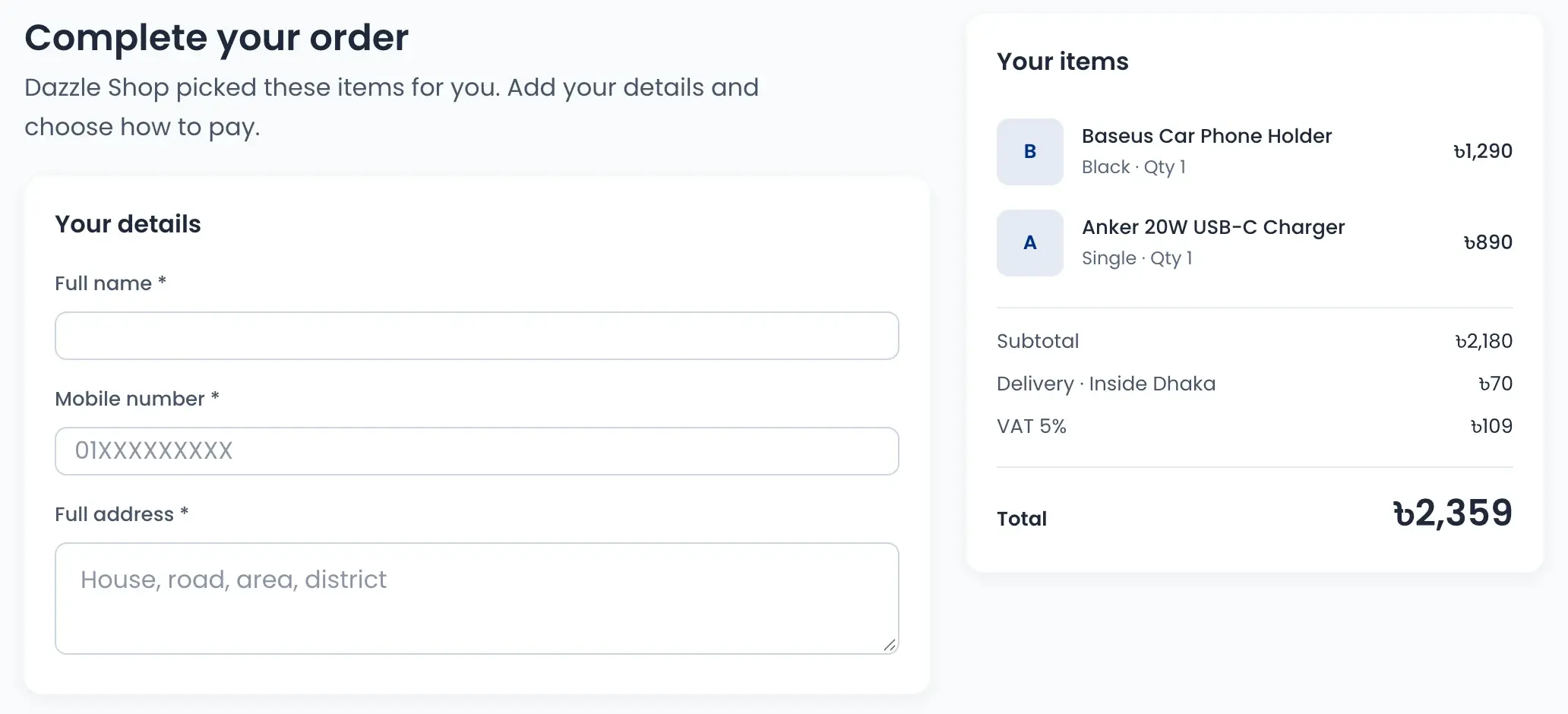
Pick the items for the customer and send a link. They only add their name, phone and address, and choose how to pay.
- Items and total are already filled in
- Pay on delivery, pay the delivery charge now, or pay in full
- Shop pickup as a free delivery option
- The order lands in your orders list
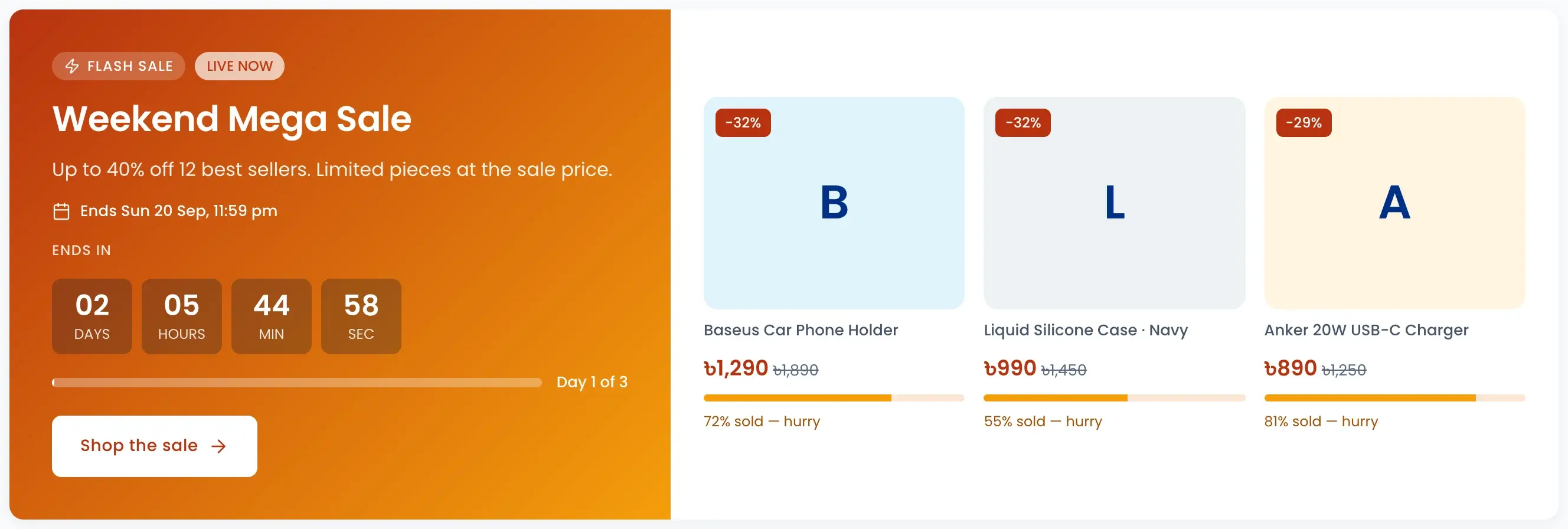
Flash sales and an offers page
Set a start, an end and how many pieces sell at the sale price. Buyers see a countdown and how much has sold, and every deal sits on one offers page.
- Countdown and sold bar on every sale
- Coupons, flash sales and bKash or card offers in one place
- Buyers can ask for one SMS when a sale starts
- See pieces sold and sales for each flash sale
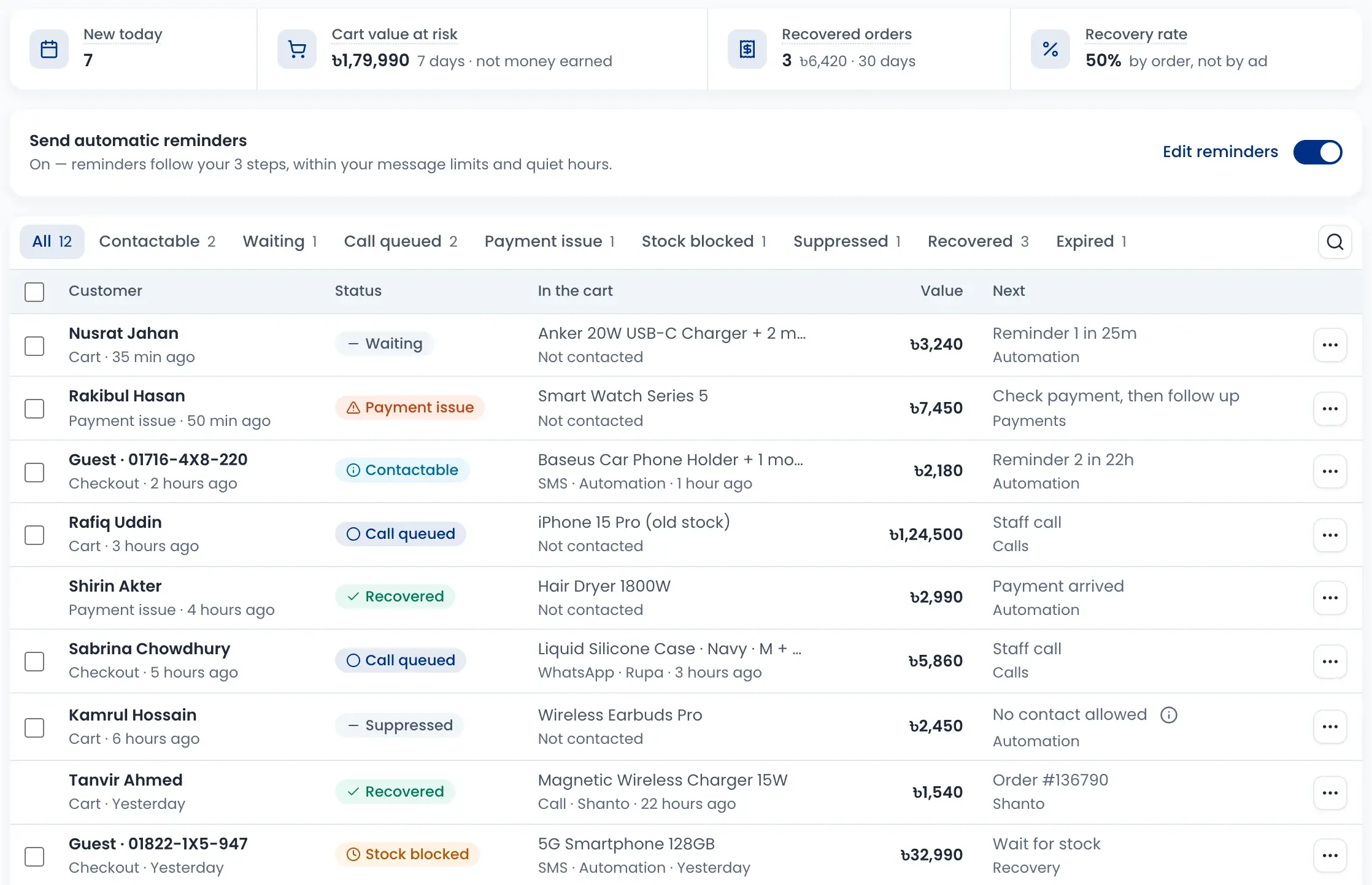
Win back carts people left
When someone leaves a cart or checkout, you see who it was and what they wanted. Reminders go out on their own, and big carts can go to your team for a call.
- Up to three reminders by SMS, WhatsApp or email
- Reminders respect message limits and quiet hours
- Payment issues and out-of-stock carts are shown apart
- See cart value at risk and orders you won back
How it works
Watch a short overview, then follow the steps.
- 01
Choose a starting page
Pick the product and a template such as COD single product.
- 02
Set the offer
Show the old price, the saving and the parts that sell.
- 03
Check it on your phone
Preview on mobile or open the page on your own phone.
- 04
Publish and share
Put the link in your posts, ads and chats.
- 05
Win back left carts
Reminders bring back buyers who did not finish.
Questions sellers ask
Yes. Every shop starts with a free GridCommerce address with SSL. To use your own domain, add the DNS records shown in Domains settings and connect it. DNS changes can take up to 24 hours.