

Check every order before you ship it.
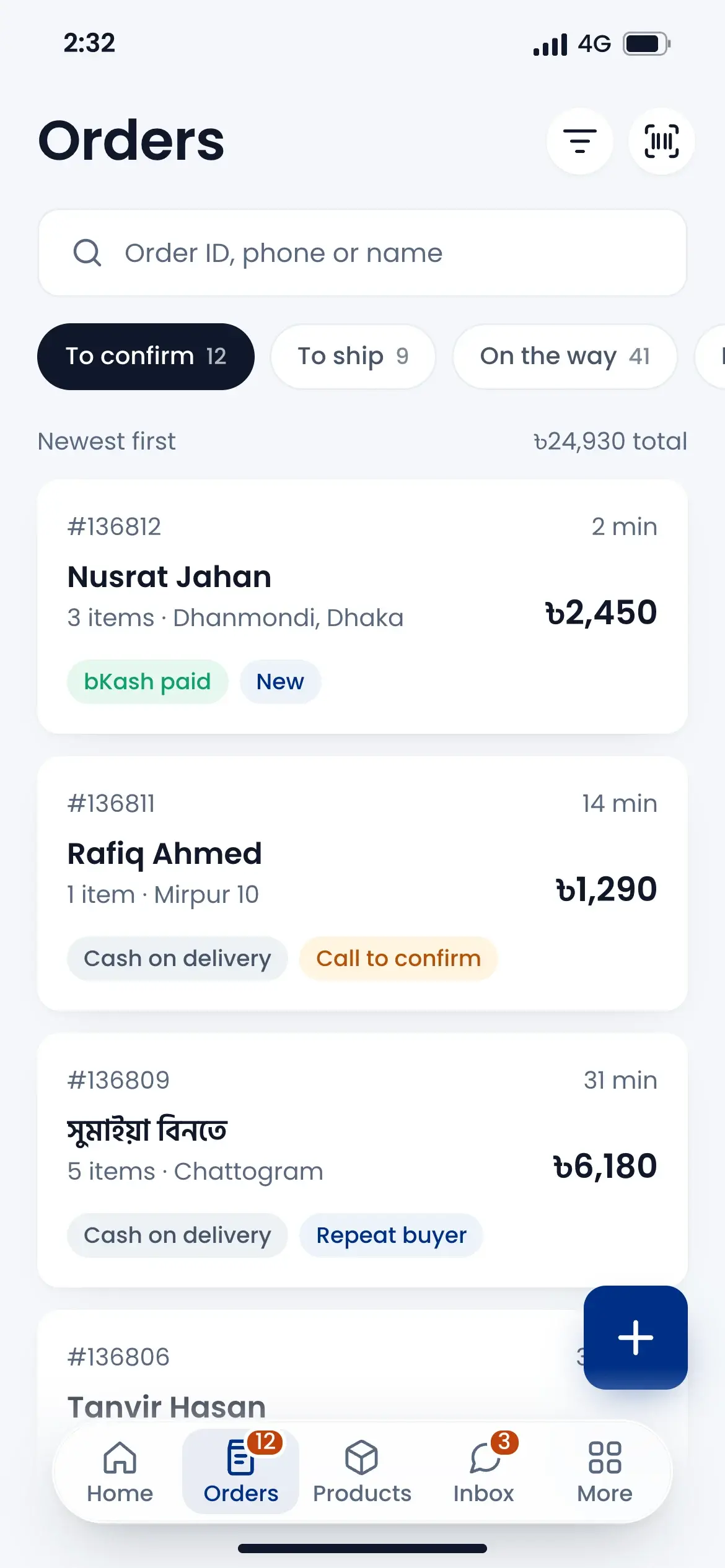
Online, Facebook and phone orders come into one list. Call the customer, see their parcel record, take an advance if you need it, and approve. Returns and exchanges are handled in the same place, with stock and refunds kept right.
Works with






Stop fake orders early
See how many parcels this number took and how many came back, with each courier. Low, medium or high risk is shown on the order. Duplicate orders are flagged for you.
Advance now, COD later
Take an advance by bKash or a payment link before you approve. The rest becomes the COD amount the rider collects.
Returns without a mess
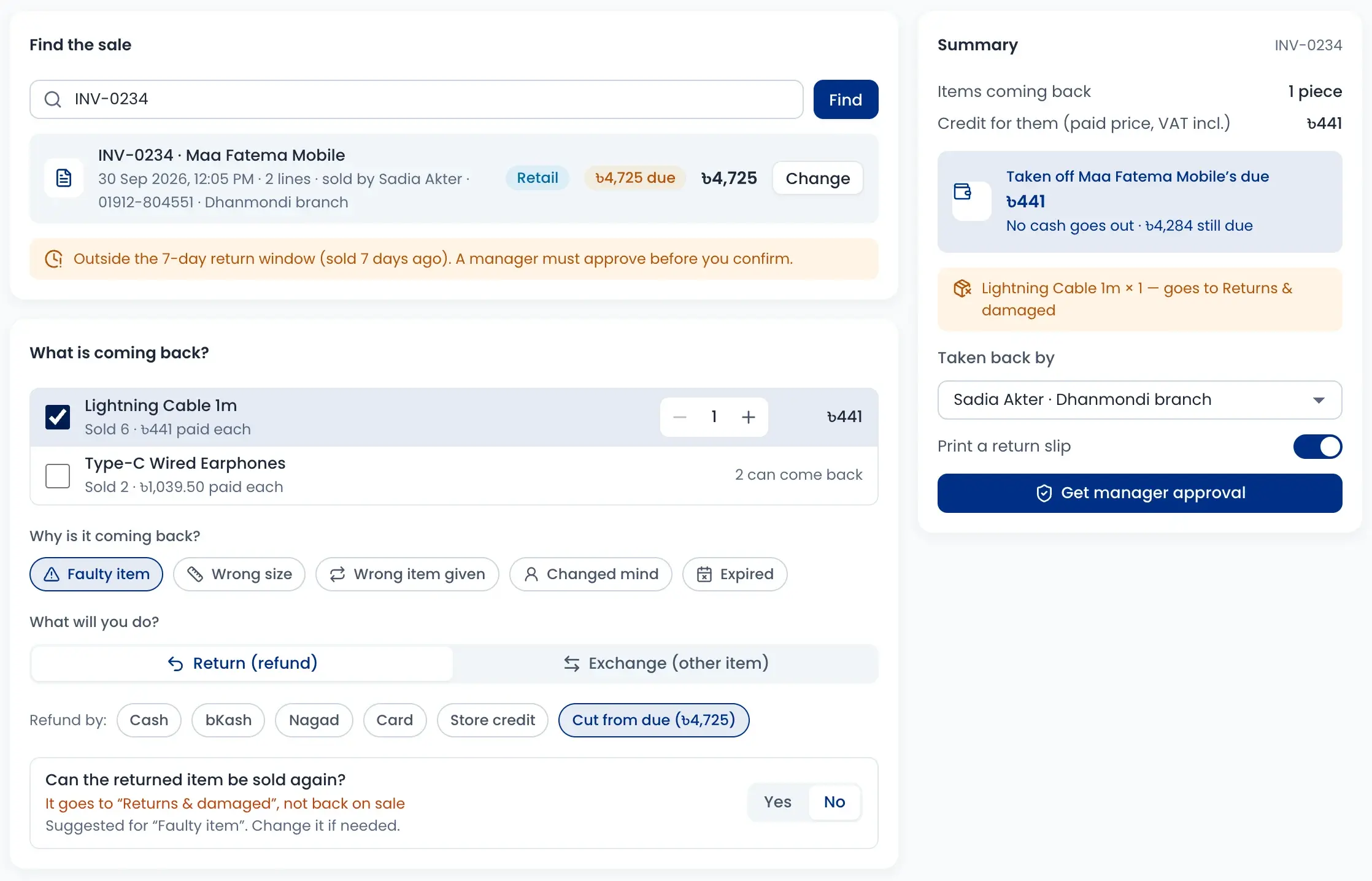
Find the sale by invoice or mobile number, tick what came back and choose the refund. Good items go back to stock, damaged ones are kept apart.
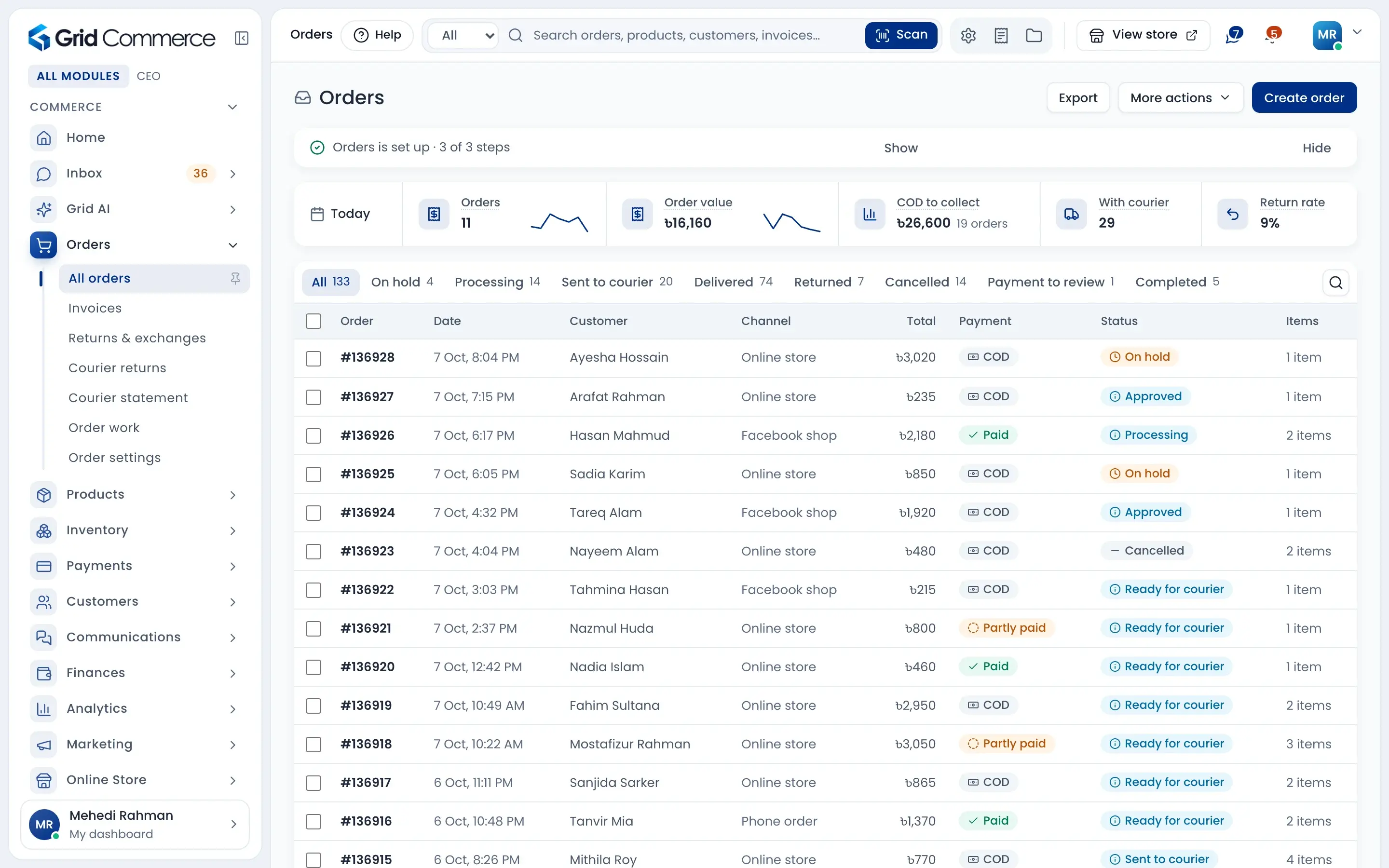
Every order in one list
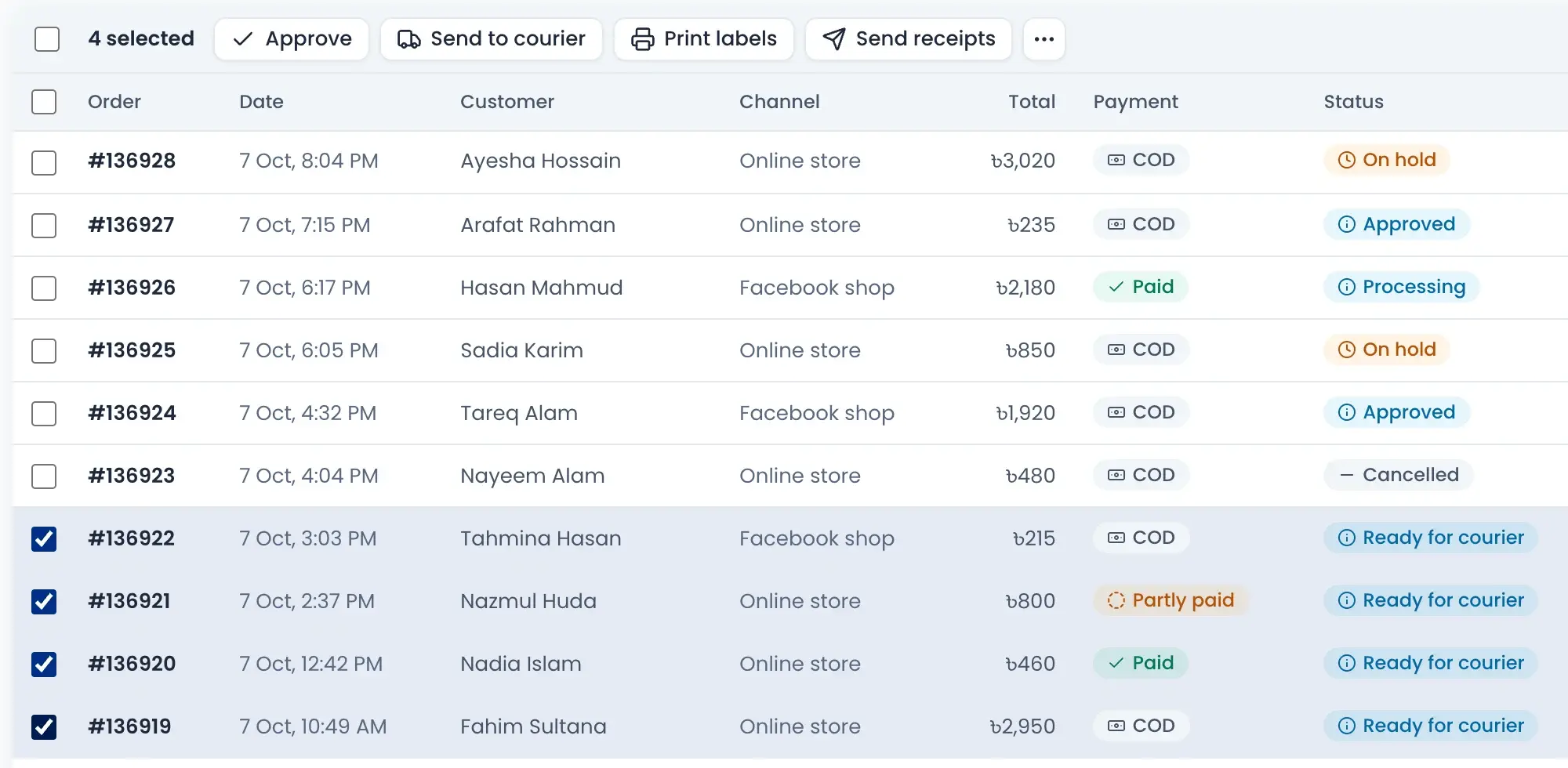
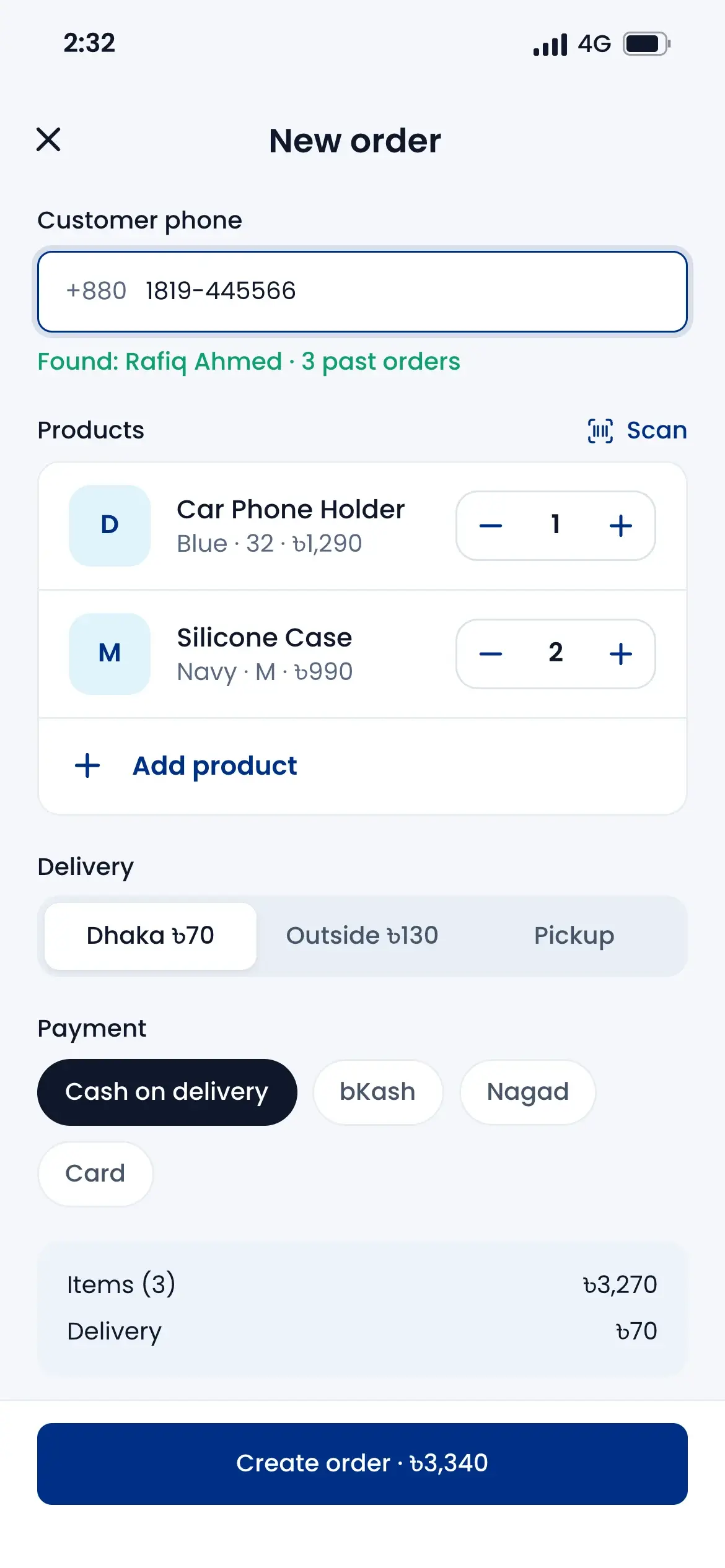
Online store, Facebook shop and phone orders sit together. Pick many orders and act on all of them at once.
- Tabs for on hold, processing, sent to courier, delivered and returned
- Filter by status, courier, payment and delivery zone
- Approve, send to courier, print labels and send receipts in bulk
- See today's orders, COD to collect and return rate on top
Verify before you approve
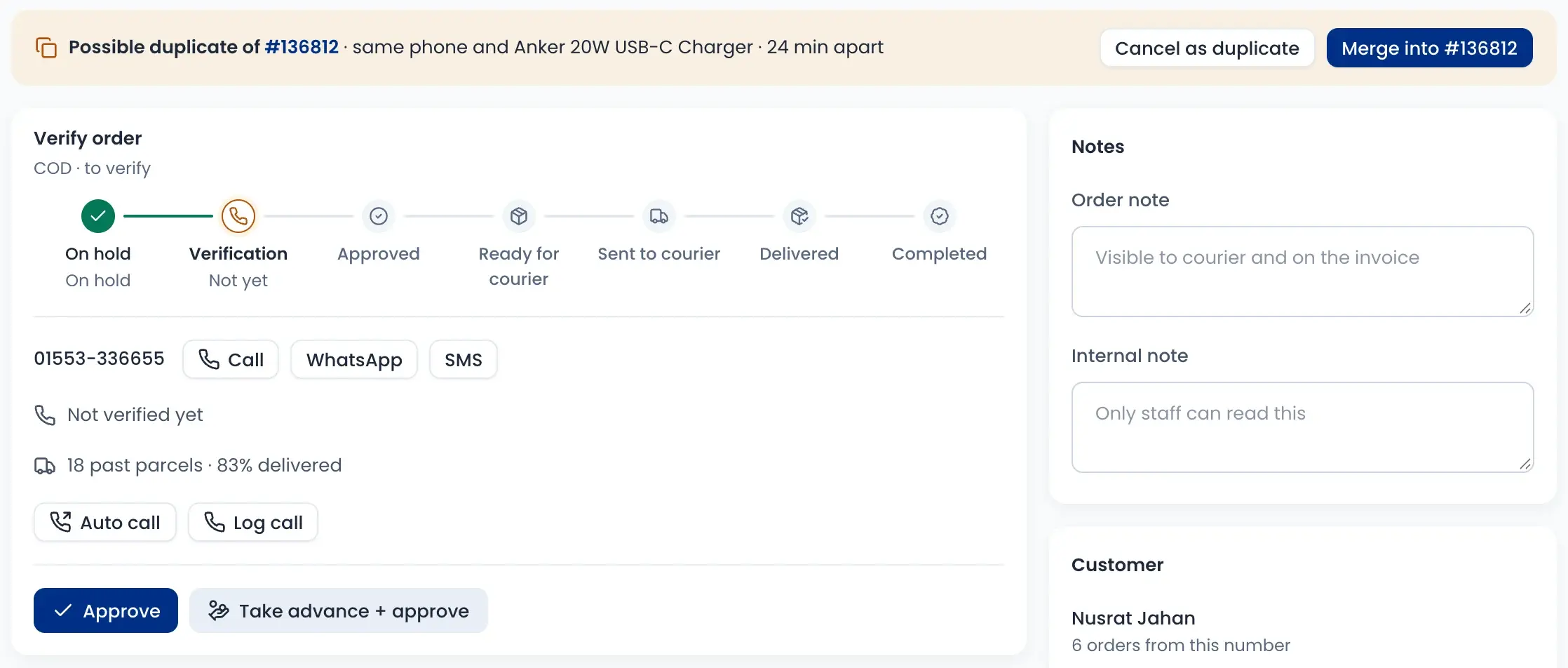
Each new order has a verify card. Call, WhatsApp or SMS the customer, or start an auto call. If the same phone ordered the same product in the last two days, the order is marked as a possible duplicate.
- Call, WhatsApp and SMS buttons right on the order
- Auto call or log your own call
- Merge a duplicate or cancel it in one click
- Block a customer who keeps placing fake orders
Know the customer's parcel record
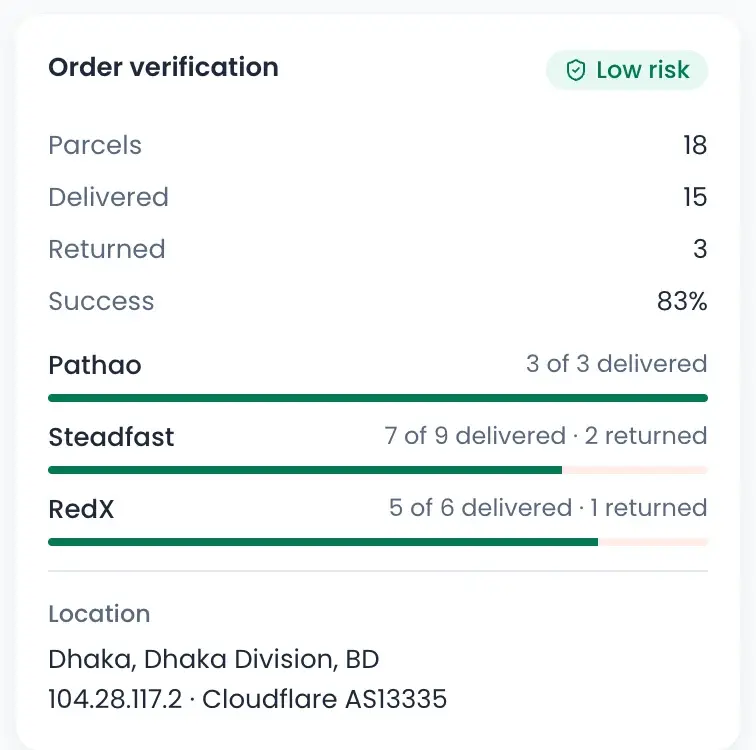
Before you ship, see how this number did with couriers before. Parcels sent, delivered and returned are shown for Pathao, Steadfast and RedX, with a risk label.
- Success rate across all past parcels
- Low, medium or high risk at a glance
- Delivered and returned count for each courier
- Where the order was placed from
Take an advance, keep the rest as COD
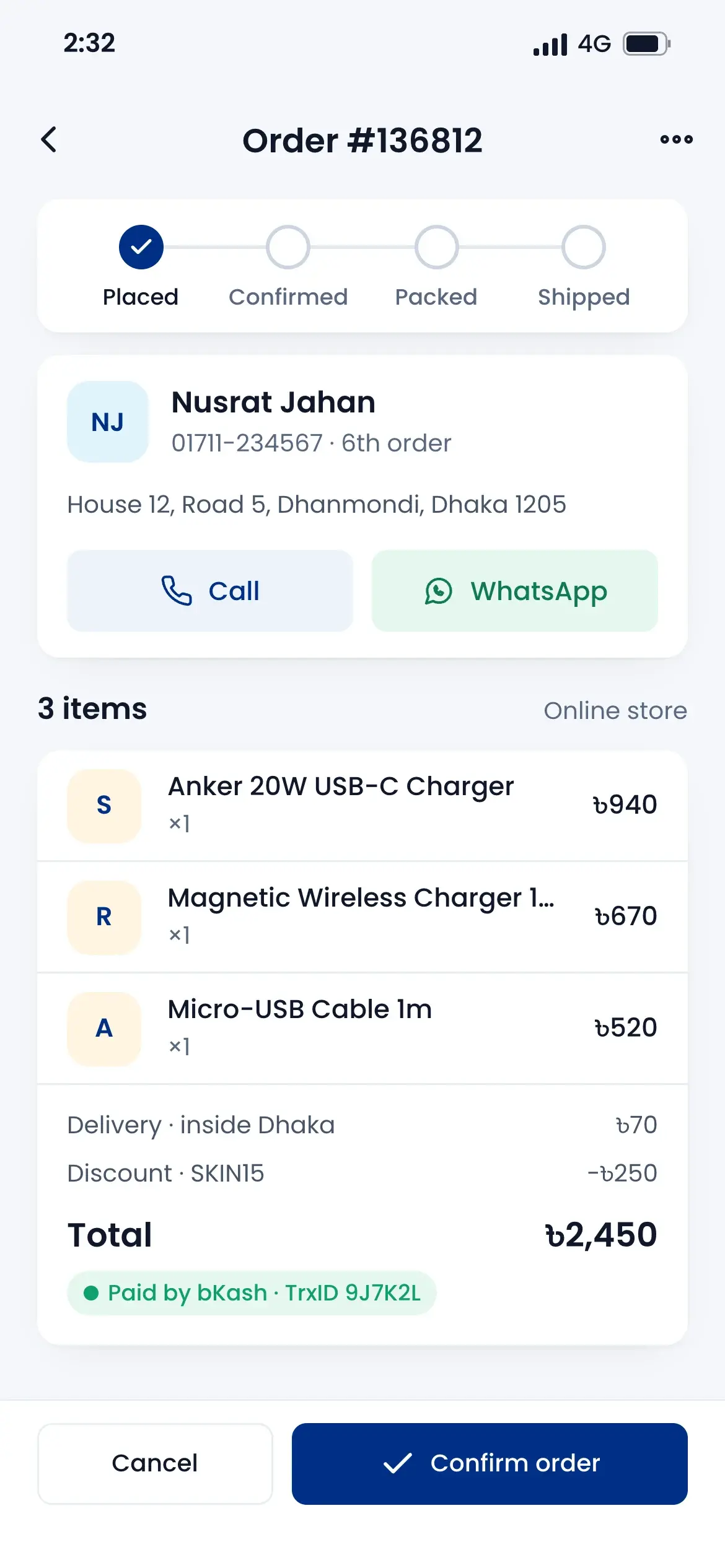
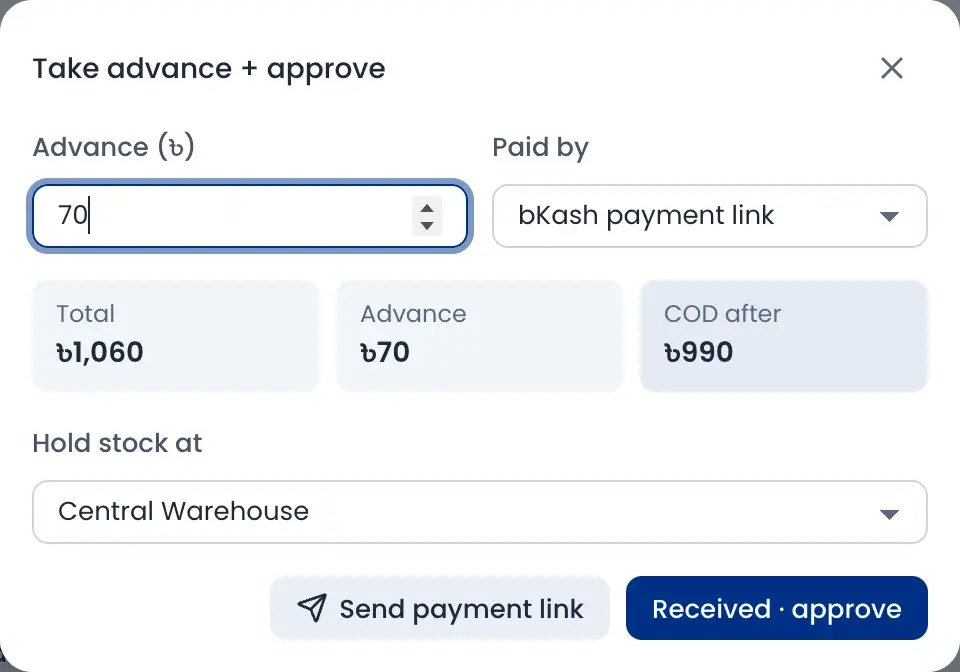
For a risky or costly order, ask for an advance first. Send a payment link or record the money you got, and the app works out the COD the rider will collect.
- Total, advance and COD after, side by side
- Send a bKash payment link from the order
- Check the customer's payment proof before you accept it
- Choose the warehouse that holds the stock
Returns and exchanges in one place
Find the sale by memo, invoice or mobile number. Tick what came back, write why, and refund or swap it for another item.
- Refund by cash, bKash, Nagad, card, store credit or from the customer's due
- Say if the item can be sold again or goes to damaged stock
- Sales older than the return window need a manager's approval
- Print a return slip for the customer
How it works
Watch a short overview, then follow the steps.
- 01
Order comes in
From your online store, Facebook shop, a call or the phone app.
- 02
Verify the customer
Call or auto call, and check the parcel record and duplicates.
- 03
Approve, with advance if needed
Stock is held for the order and the COD amount is set.
- 04
Send to the courier
Book many orders at once and print the labels.
- 05
Deliver, return or exchange
Close the order, or take the item back with stock and refund recorded.
Questions sellers ask
The order shows the customer's past parcels with each courier: sent, delivered and returned. From the success rate it marks the order low, medium or high risk. You can then call, take an advance or cancel it as a fake order.