

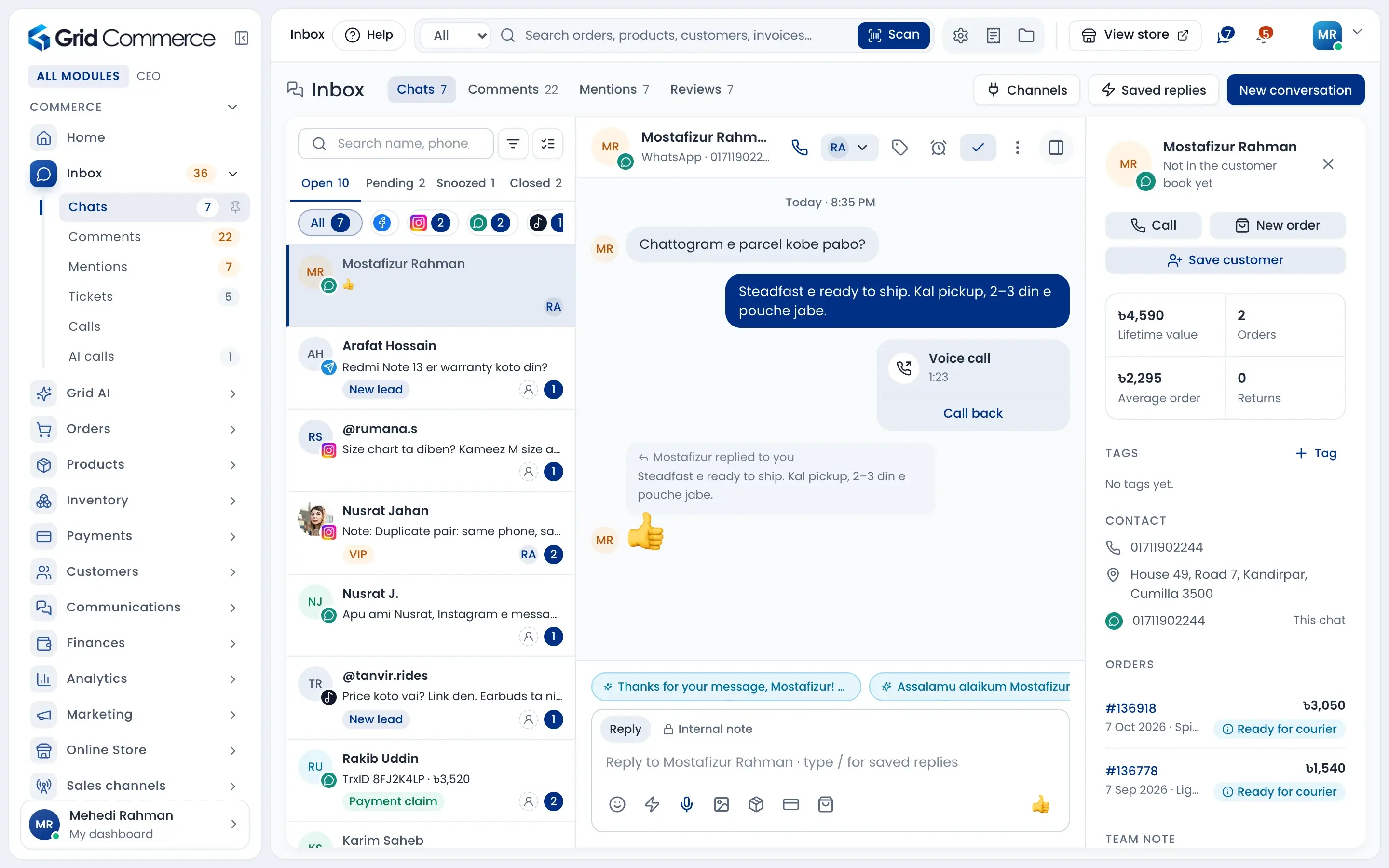
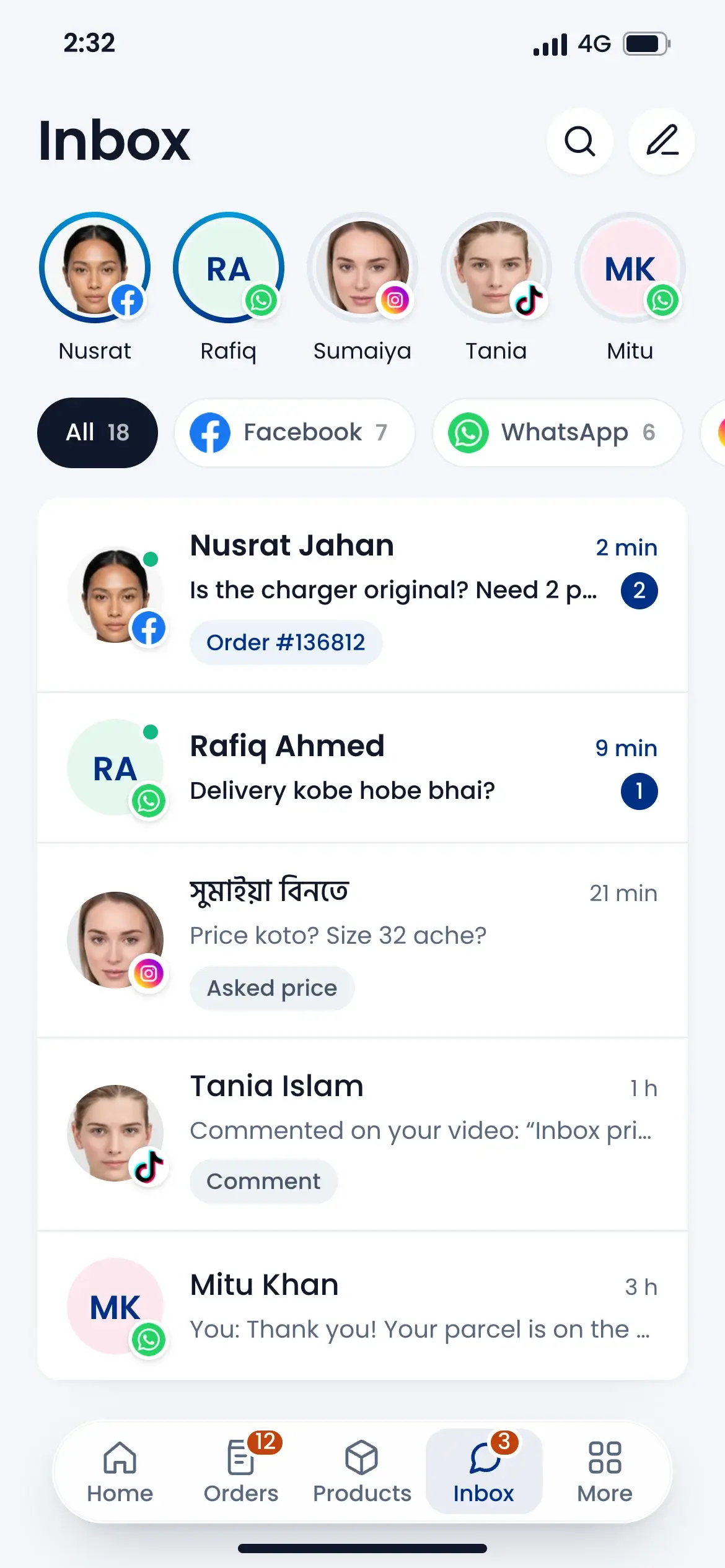
Every chat, comment and call in one inbox.
Messages from Facebook, Instagram, WhatsApp, TikTok and more land in one shared inbox. See the customer's orders while you reply, make the order from the chat, and let AI calls confirm new COD orders in Bangla or English.
Works with









No more missed messages
Assign chats to your team, tag, snooze and leave internal notes. Saved replies and AI suggestions help you answer fast.
AI calls confirm COD orders
New COD orders get a call a few minutes after they are placed. Fake orders and wrong numbers are stopped before you pack.
Calls, tickets and posts too
Answer calls with a call log and recordings, track problems as support tickets, and schedule posts to your pages from one calendar.
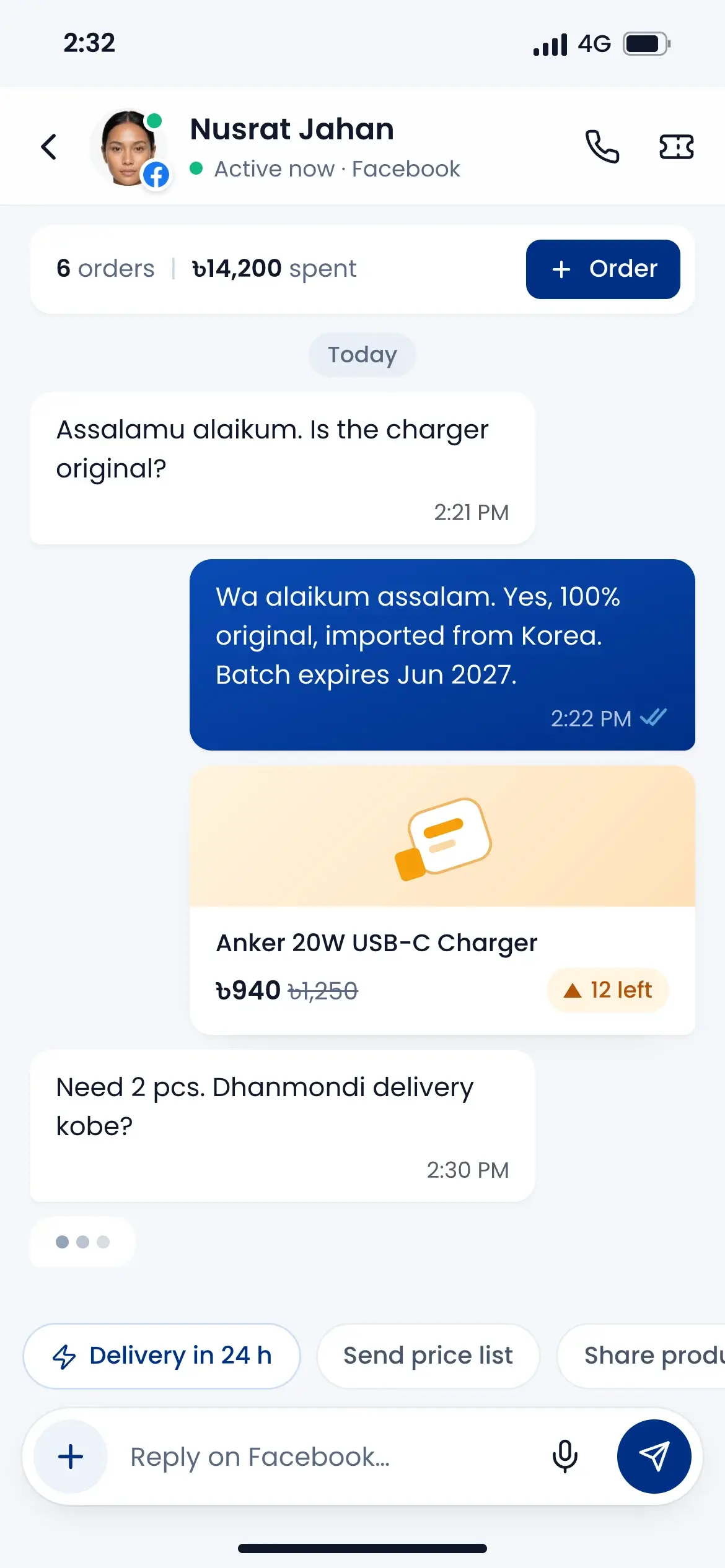
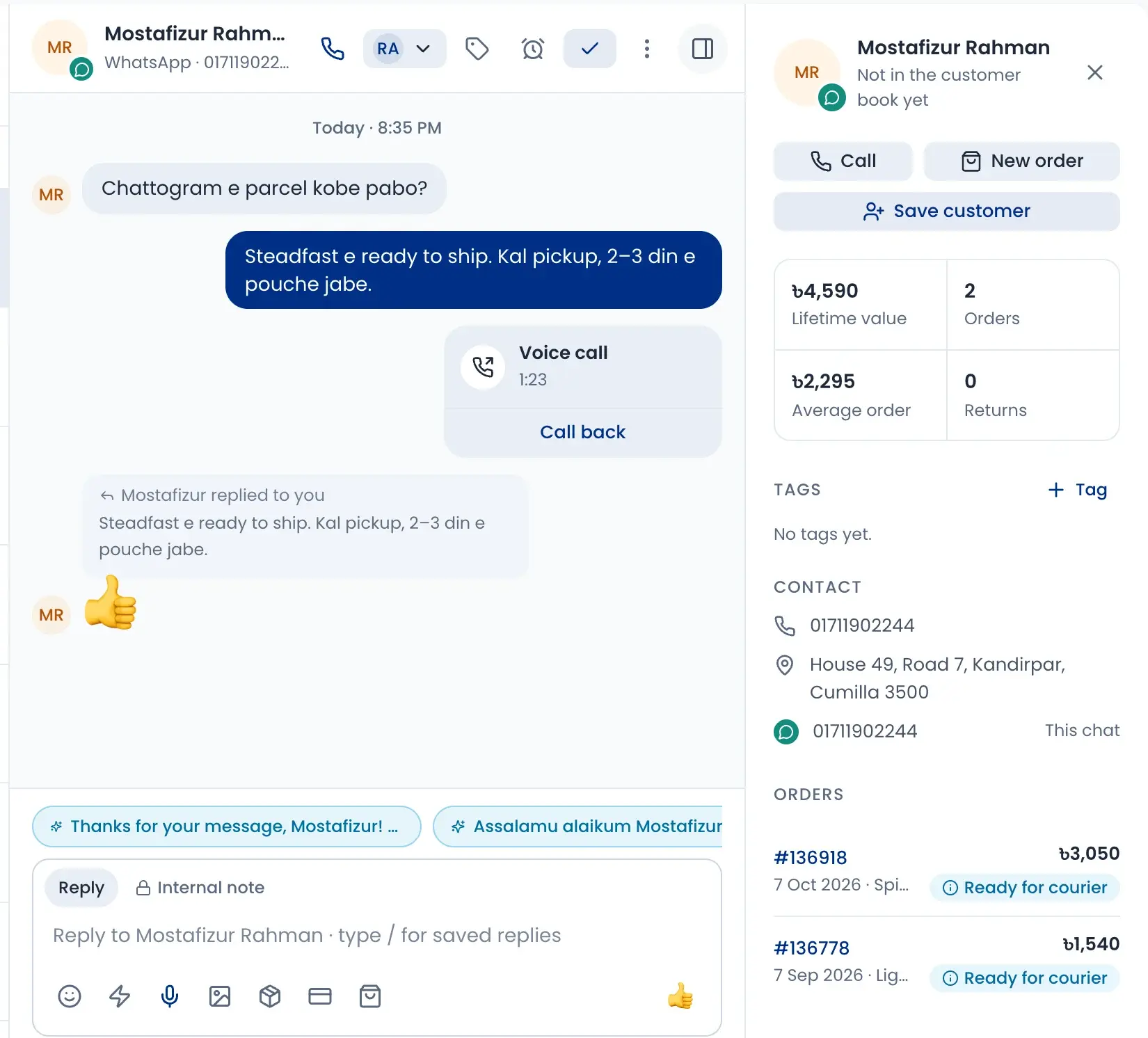
Reply with the customer's orders in view
Open a chat and the customer's details sit beside it: what they spent, their orders and their status. Make a new order without leaving the chat.
- Assign the chat, tag it, snooze it or close it
- Internal notes only your team can read
- Saved replies with / and AI reply suggestions
- Call the customer or start an order from the chat
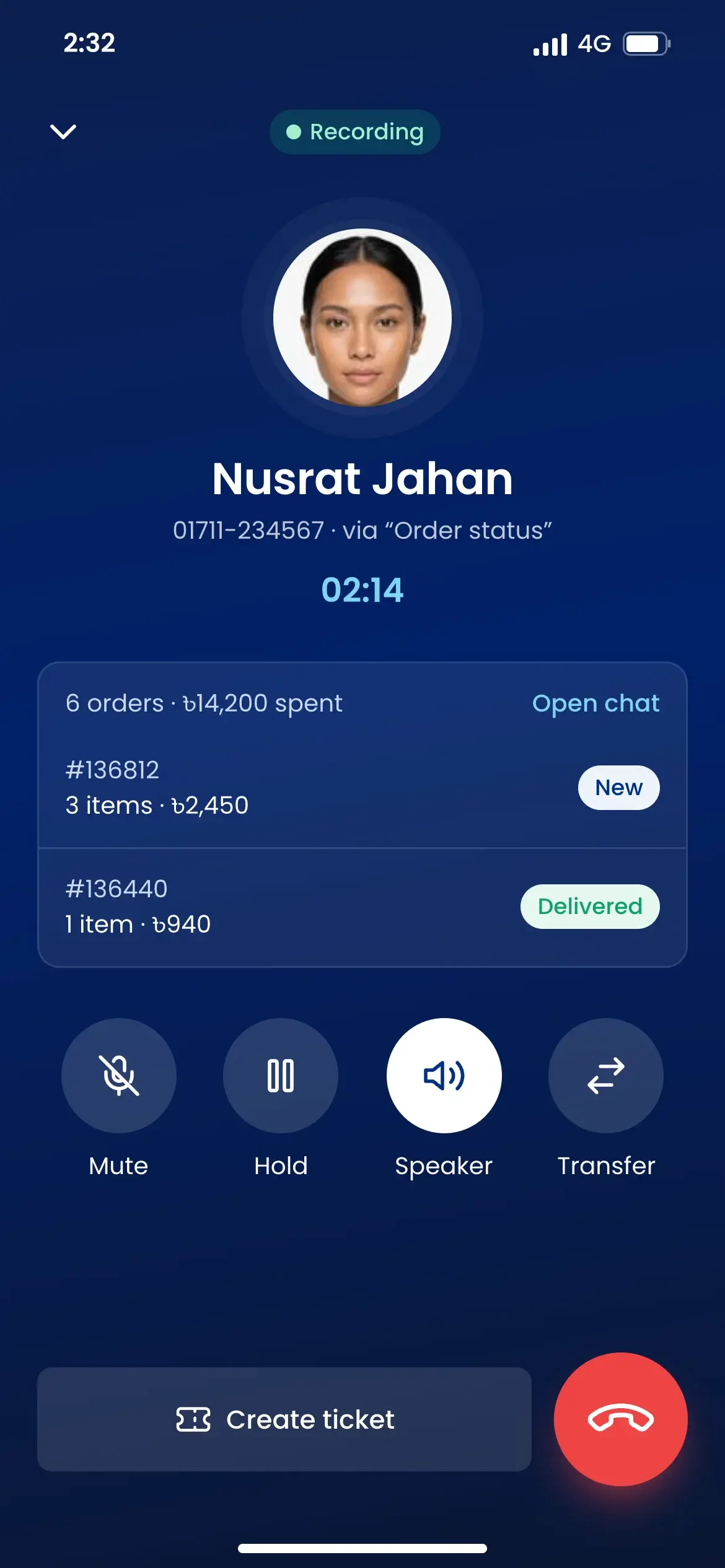
Answer comments before buyers go cold
Comments from your posts and reels come in by post. Price questions and order requests are marked, so you answer the ones that sell first.
- Reply in public or privately, or hide a comment
- Filters for unanswered, prices, order intent and complaints
- Hide spam in one click
- See if people feel good or bad about a post
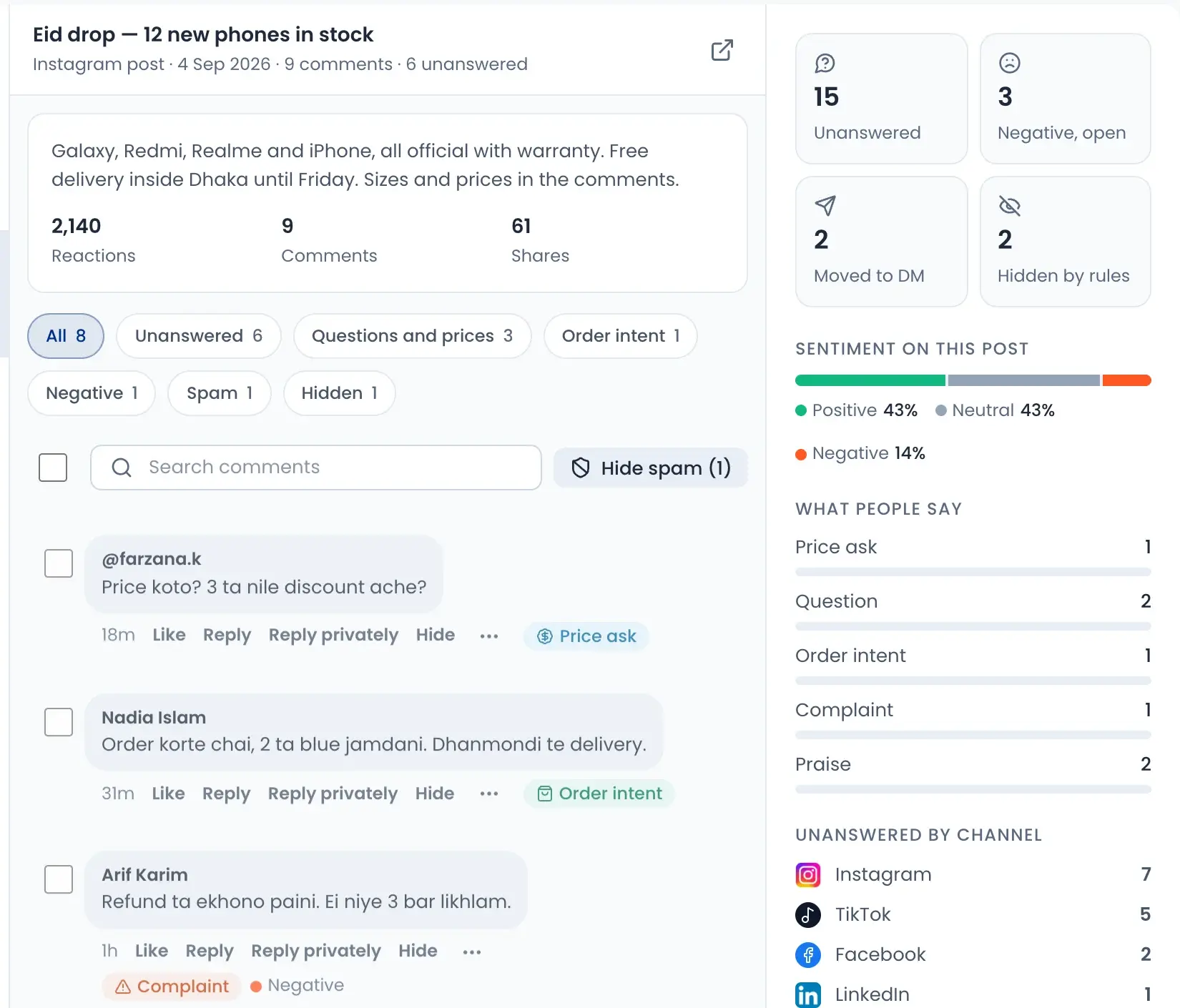
Let AI calls confirm your COD orders
Choose which orders get a call: COD only, above a set amount, from your website, landing pages, Facebook or WhatsApp. Trusted repeat customers can be skipped.
- Calls start a few minutes after the order
- Set calling hours, days, tries and the gap between tries
- Speaks Bangla or English, matching the customer
- Can confirm the address and let the customer change size or quantity
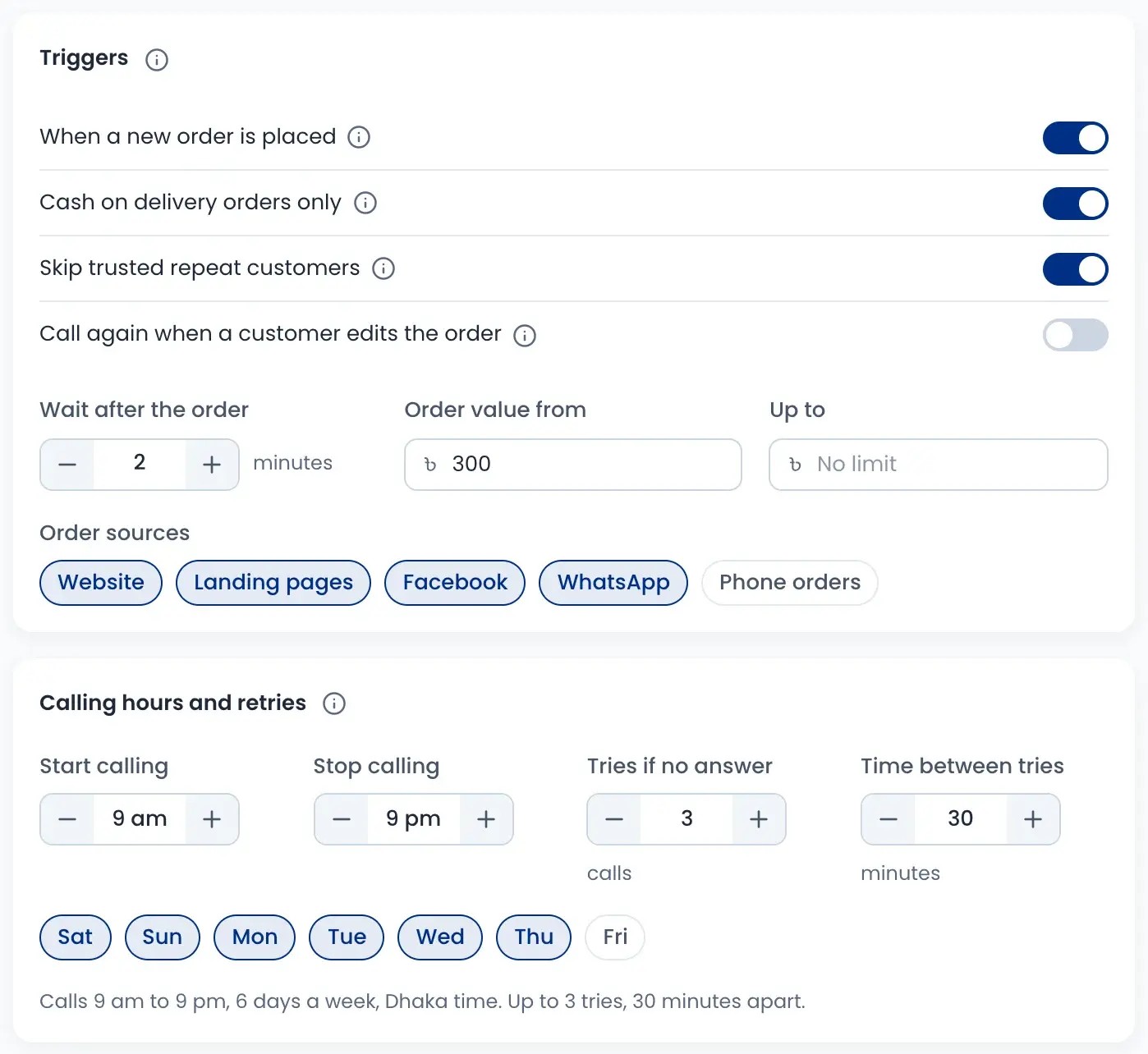
Hear every call, step in when needed
Each AI call has a result: confirmed, no answer, call back later, cancelled or wrong number. Listen to the recording and read the transcript. Calls that need a person go to your team.
- Recording and full transcript for each call
- Call yourself, call again by AI, or mark it confirmed
- See calls today, confirmed and fake orders stopped
- Calls are paid from your wallet; unanswered tries are free
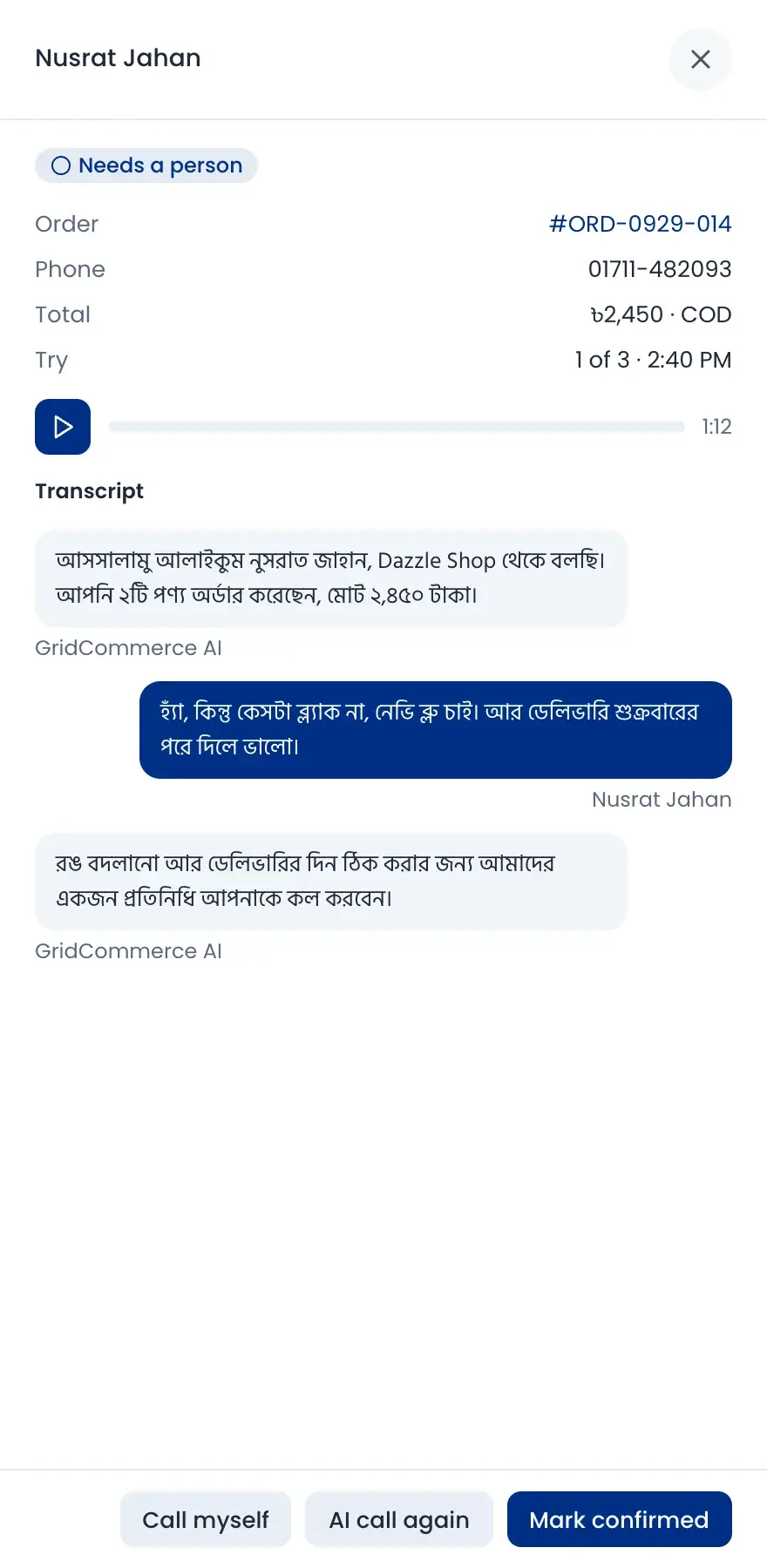
Phone calls and support tickets
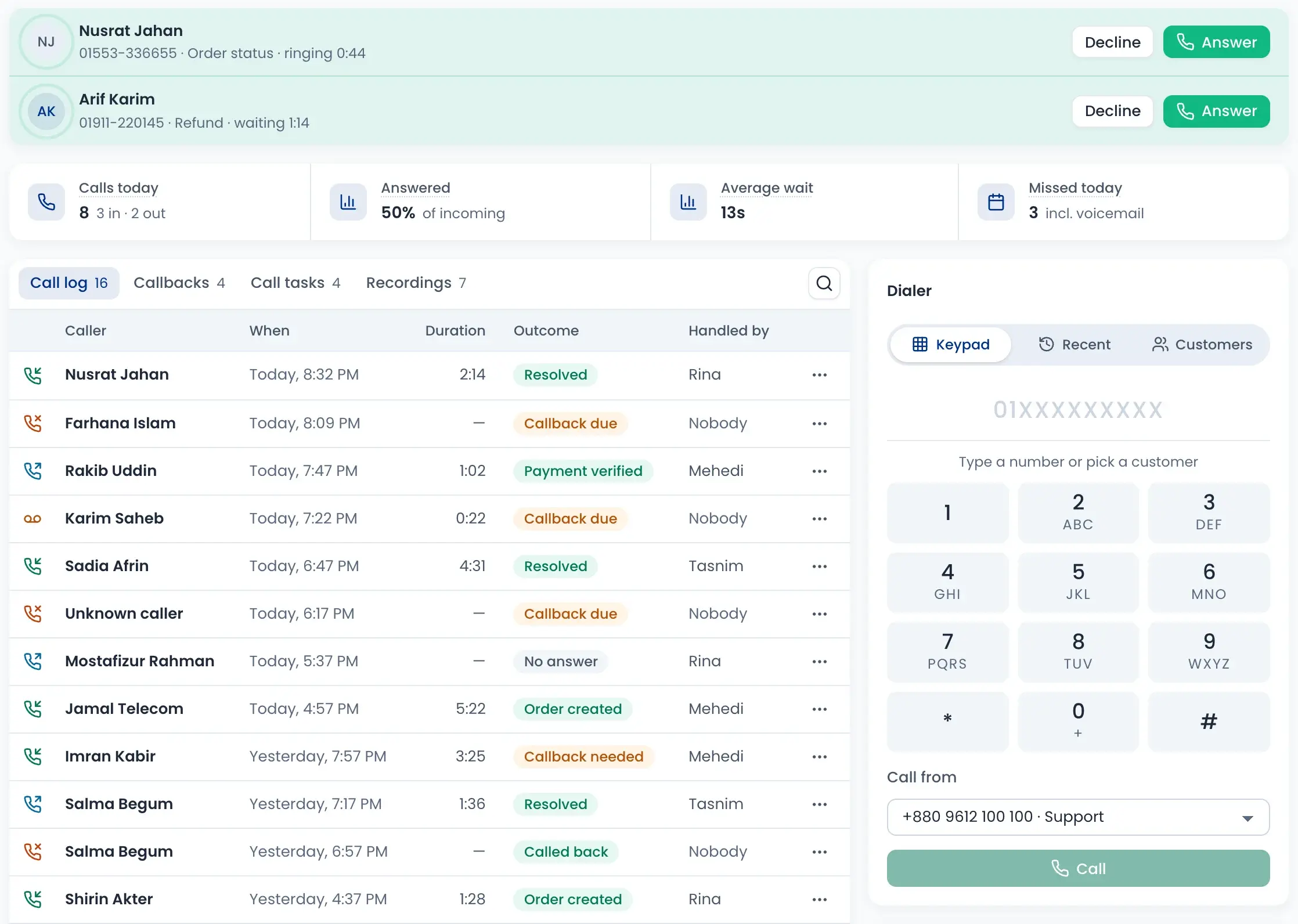
Answer incoming calls in the app and see why the customer is calling. Every call is logged with its outcome and who handled it, and missed calls become callbacks.
- Call log, callbacks, call tasks and recordings
- Dial out from your shop number
- See the customer's orders during the call
- Turn a problem into a ticket with priority and owner
How it works
Watch a short overview, then follow the steps.
- 01
Message or comment arrives
From any connected page or account, into one inbox.
- 02
Assign and reply
Give it to the right person and answer with saved replies.
- 03
Make the order
Create the order from the chat with the customer's details.
- 04
Confirm by AI call
The AI calls the customer and marks the order confirmed or stopped.
- 05
Follow up
Calls that need a person and problems go to your team as callbacks or tickets.
Questions sellers ask
Chats from Facebook, Instagram, WhatsApp, TikTok, LinkedIn, Telegram and X. Comments also come from YouTube, Pinterest and Threads, and Google reviews have their own tab. You connect each one in Connections.