

Know every customer, and who will buy again.
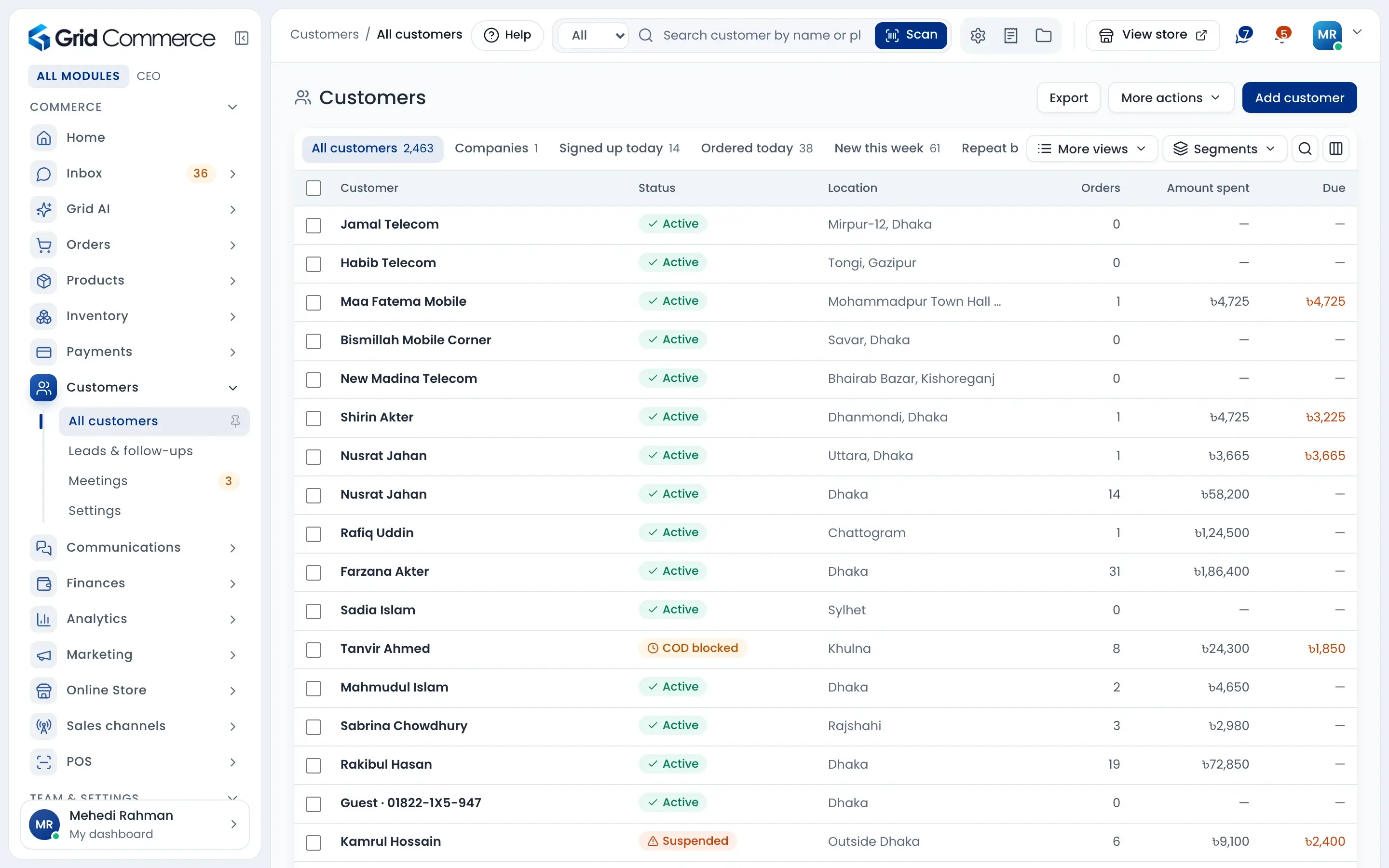
One list for all your customers, with orders, money spent and due. Open a customer to see what they looked at, what they left in the cart and every order. Group your repeat buyers, sell on due with a limit, and follow up every lead.
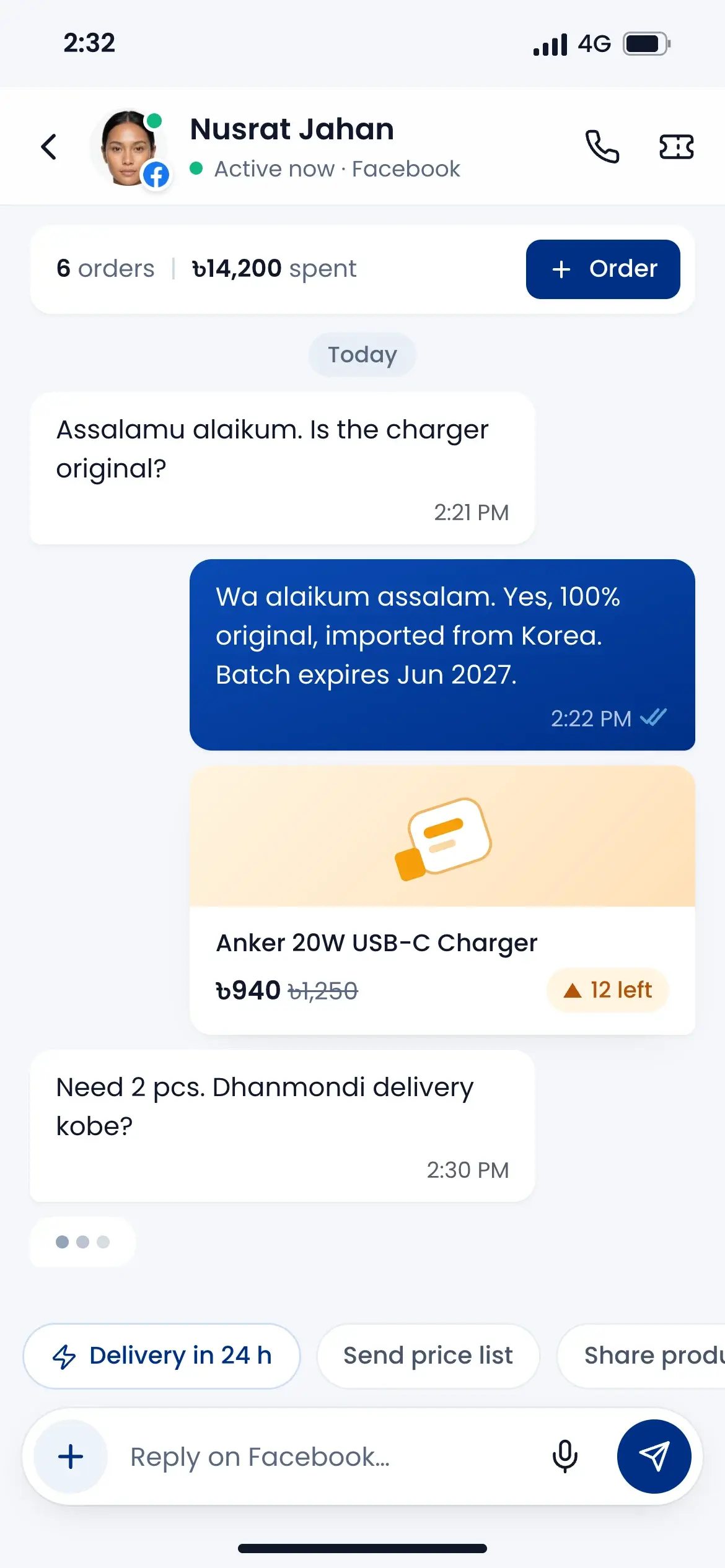
Ready views and segments
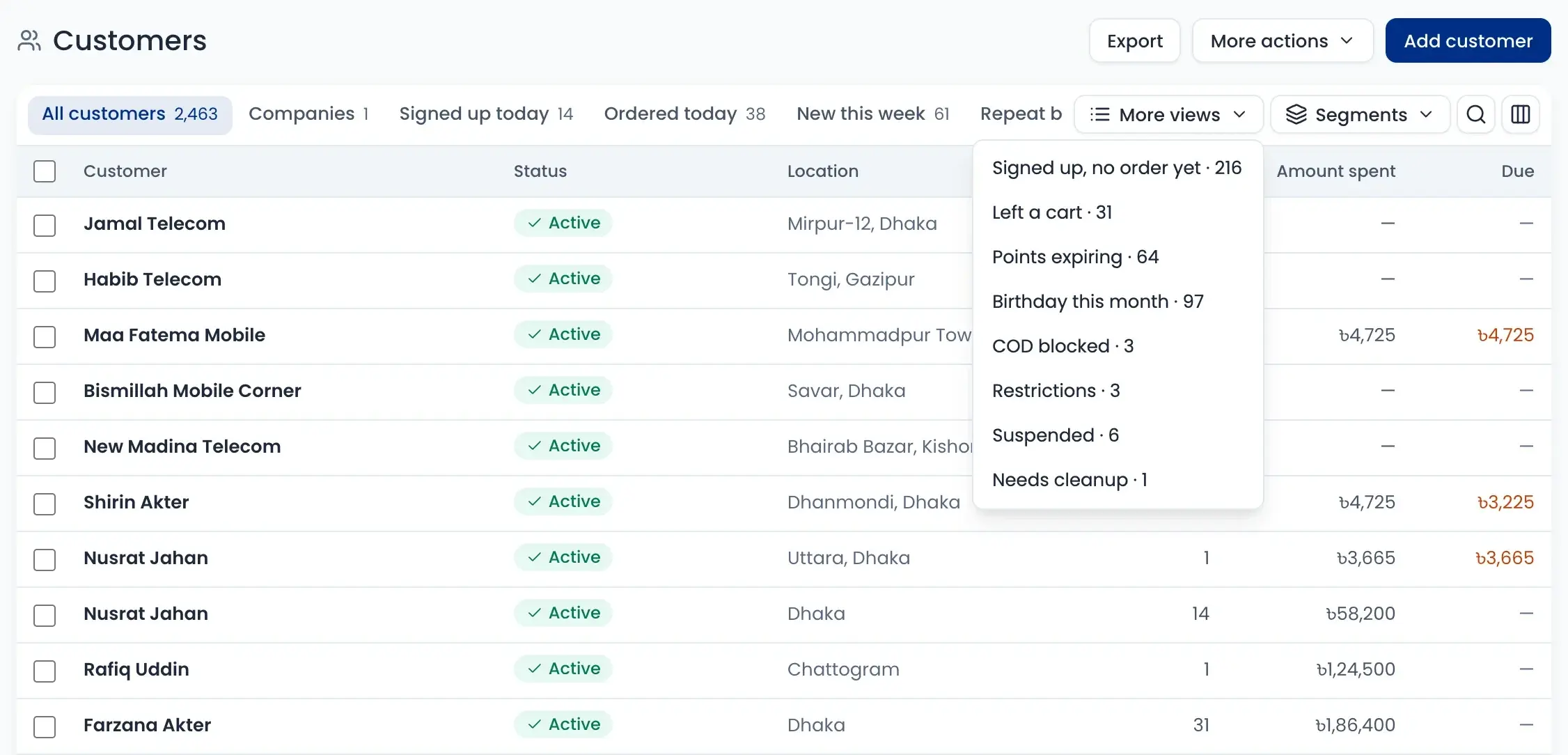
Left a cart, birthday this month, COD blocked: open a ready view, or build your own segment and see how many match.
Sell on due, safely
Give a credit limit to customers who buy on due. Their statement shows every invoice, payment and the balance, ready to print.
Leads that turn into customers
Track leads from Facebook, WhatsApp, walk-in or a trade fair on one board. When a lead buys, they become a customer.
All customers in one list
Find anyone by name, phone, email or customer ID. Each row shows orders, money spent and due, and ready views find the right people in one click.
- Views: left a cart, birthday this month, points expiring
- COD blocked and suspended customers stand out
- Tag, export or message many customers at once
- Merge the same customer saved twice
Every customer’s full story
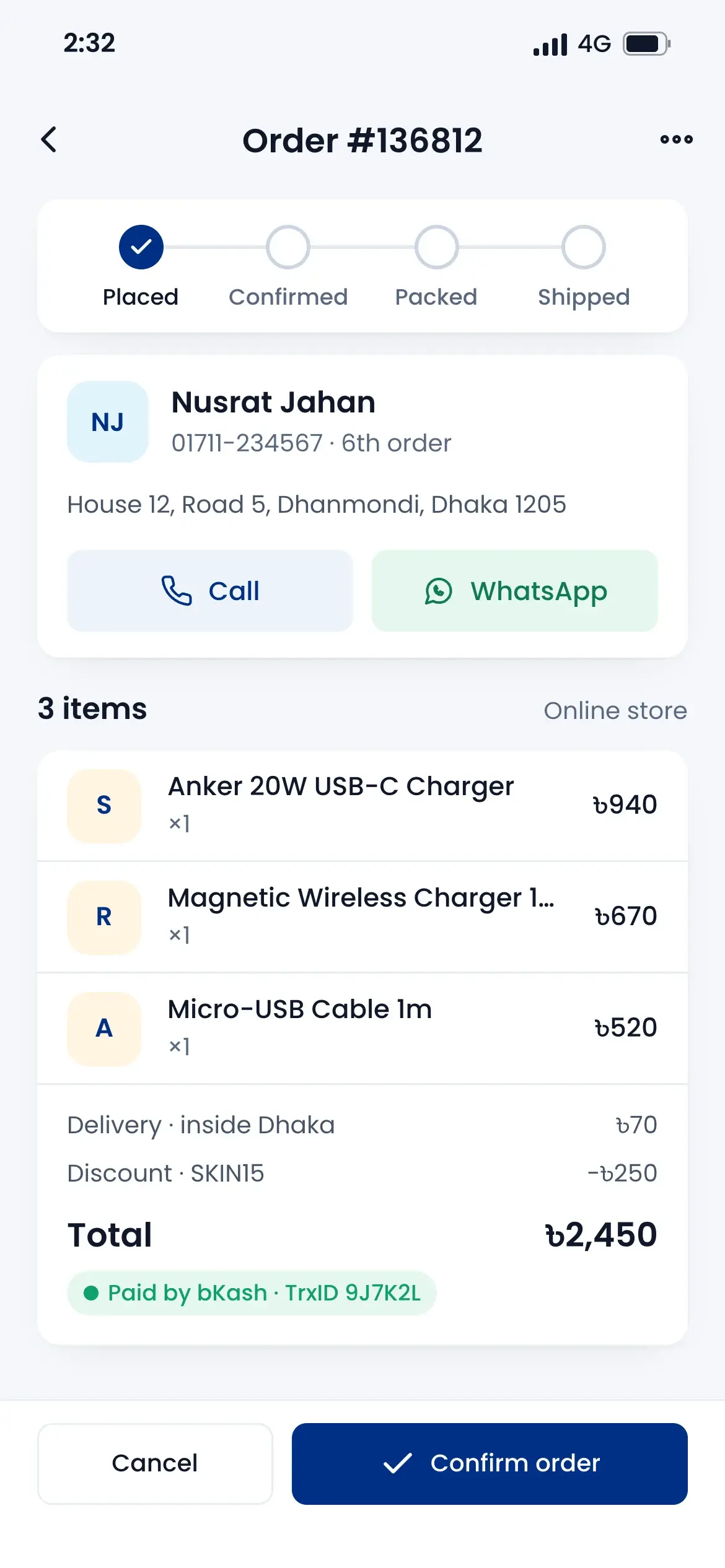
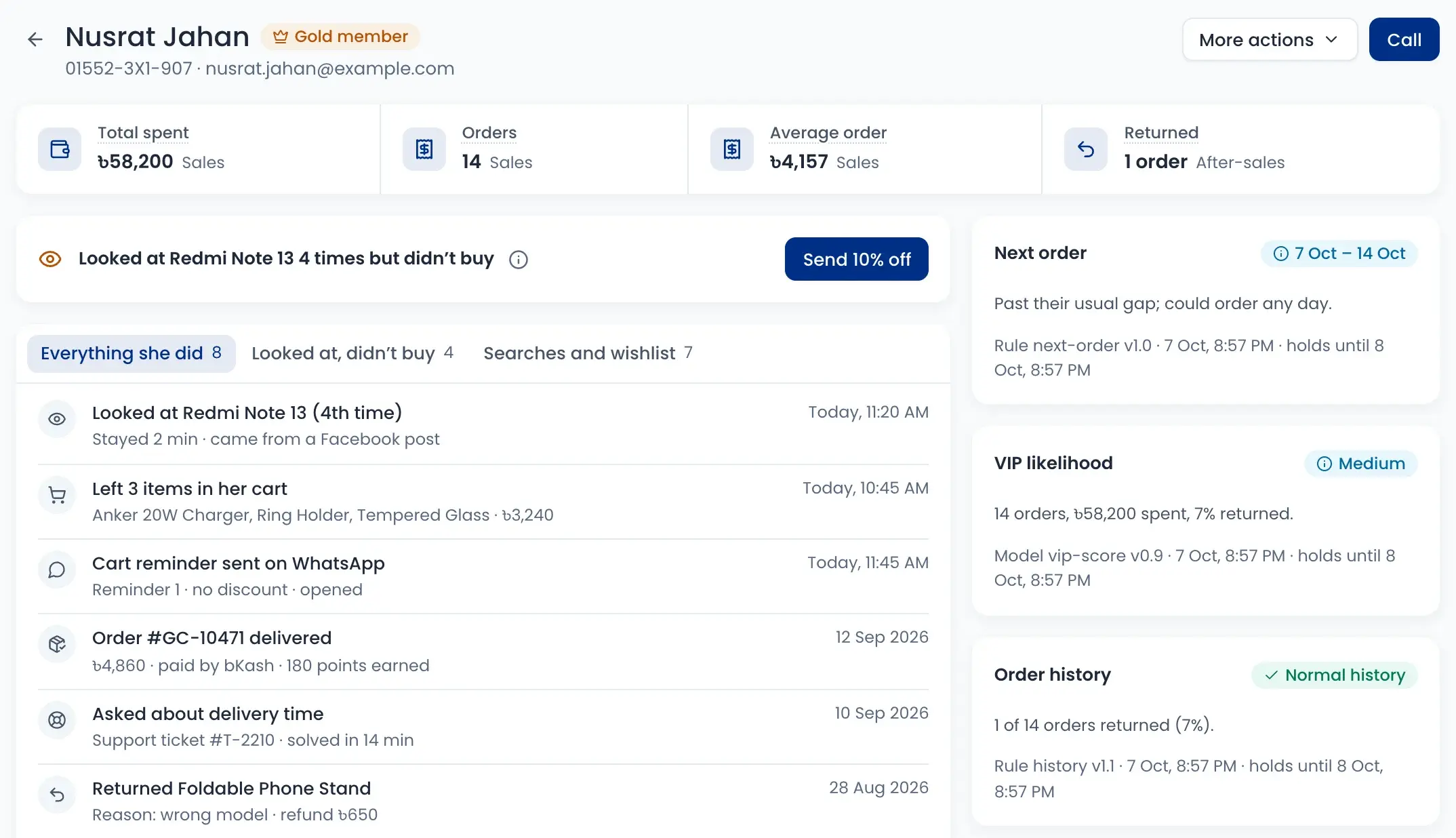
Open a customer to see everything they did: products they looked at, carts they left, WhatsApp reminders, orders, returns and support tickets.
- Total spent, orders, average order and returns
- Looked at a product many times? Send 10% off
- When they may order next, and how likely they are to be a VIP
- Where they first came from, like a Facebook ad
Segments for your repeat buyers
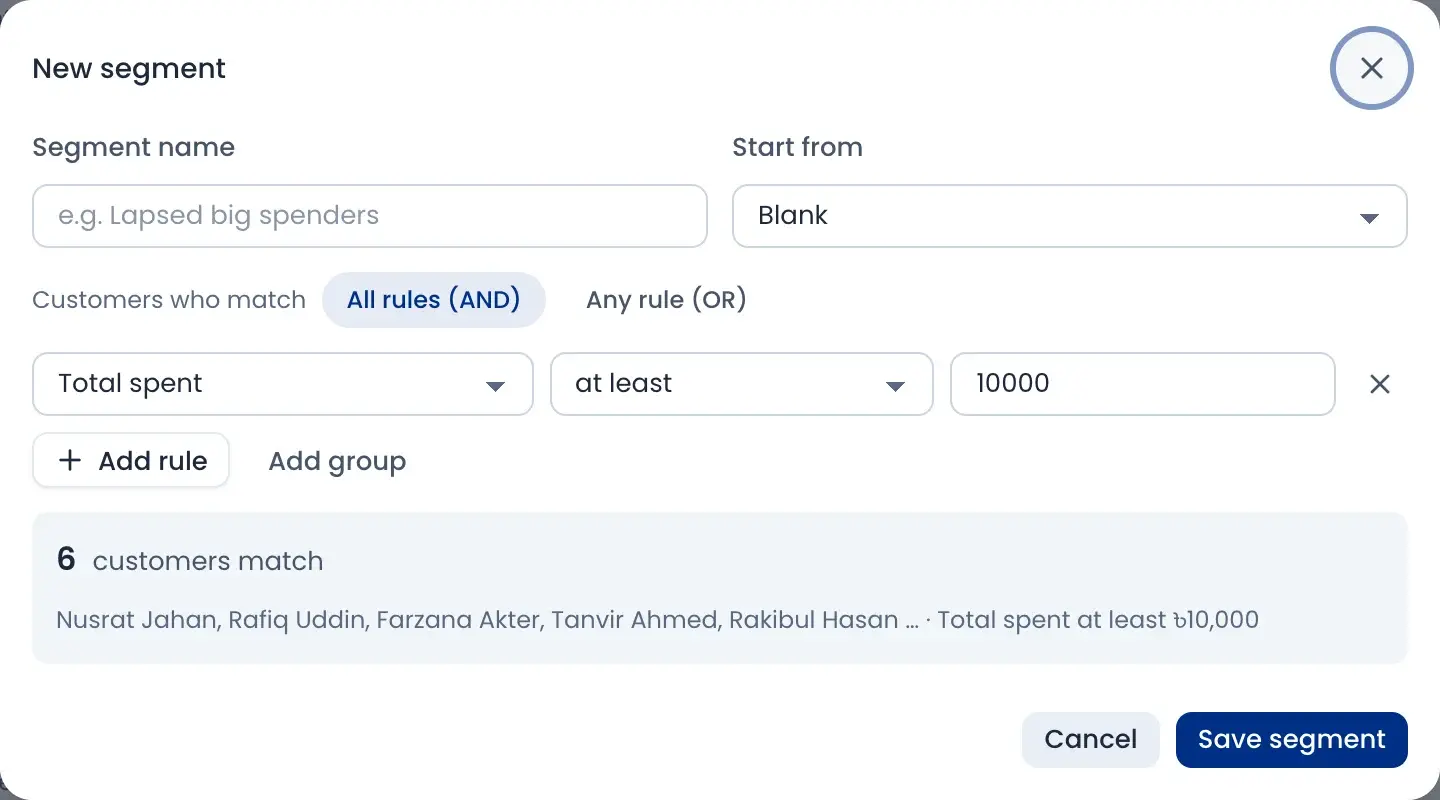
Build a segment with simple rules, like total spent at least ৳10,000, or Dhaka buyers with 2 or more orders. You see how many customers match before you save.
- Match all rules or any rule
- Start from ready-made segments
- Add your own fields, like profession or skin type
- Use a segment to tag, export or message
Sell on due with a clear statement
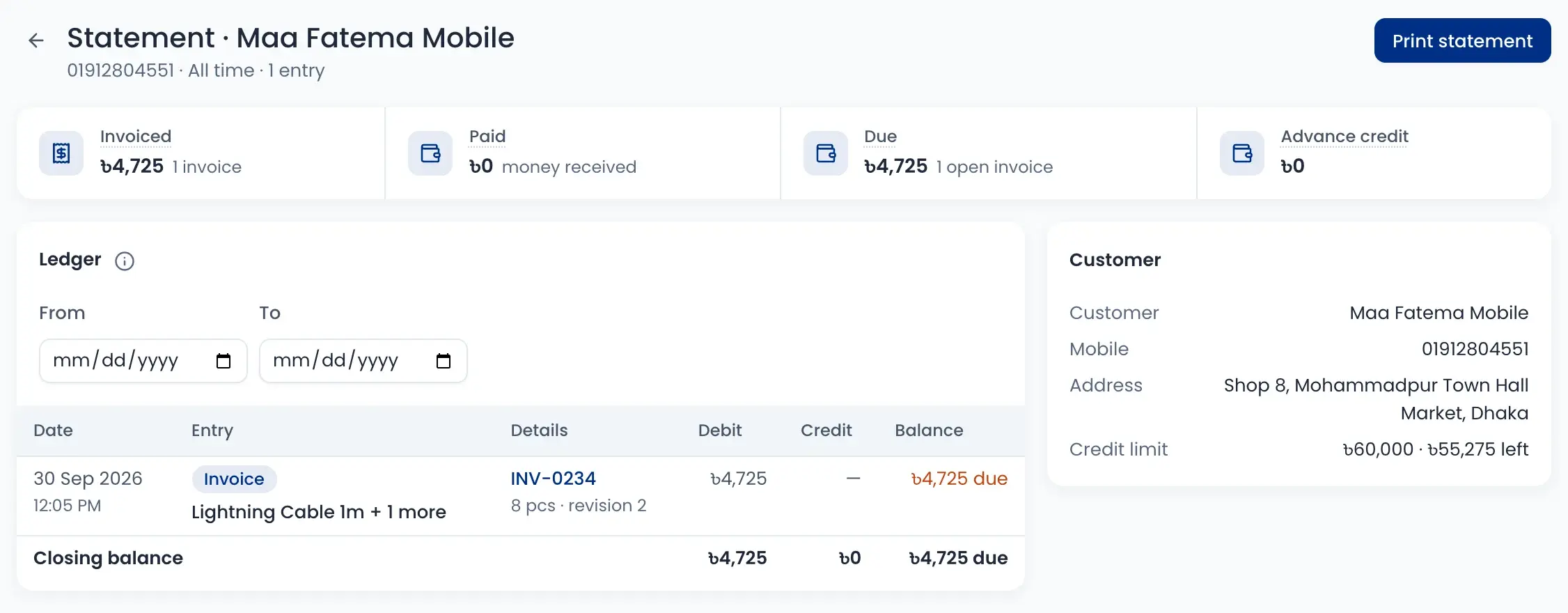
Give shop customers a credit limit. Their statement shows each invoice, payment and the running balance for any dates, ready to print and share.
- Invoiced, paid, due and advance at the top
- Credit limit and how much is left
- Pick a date range for the ledger
- Print the statement in one click
Leads and follow-ups
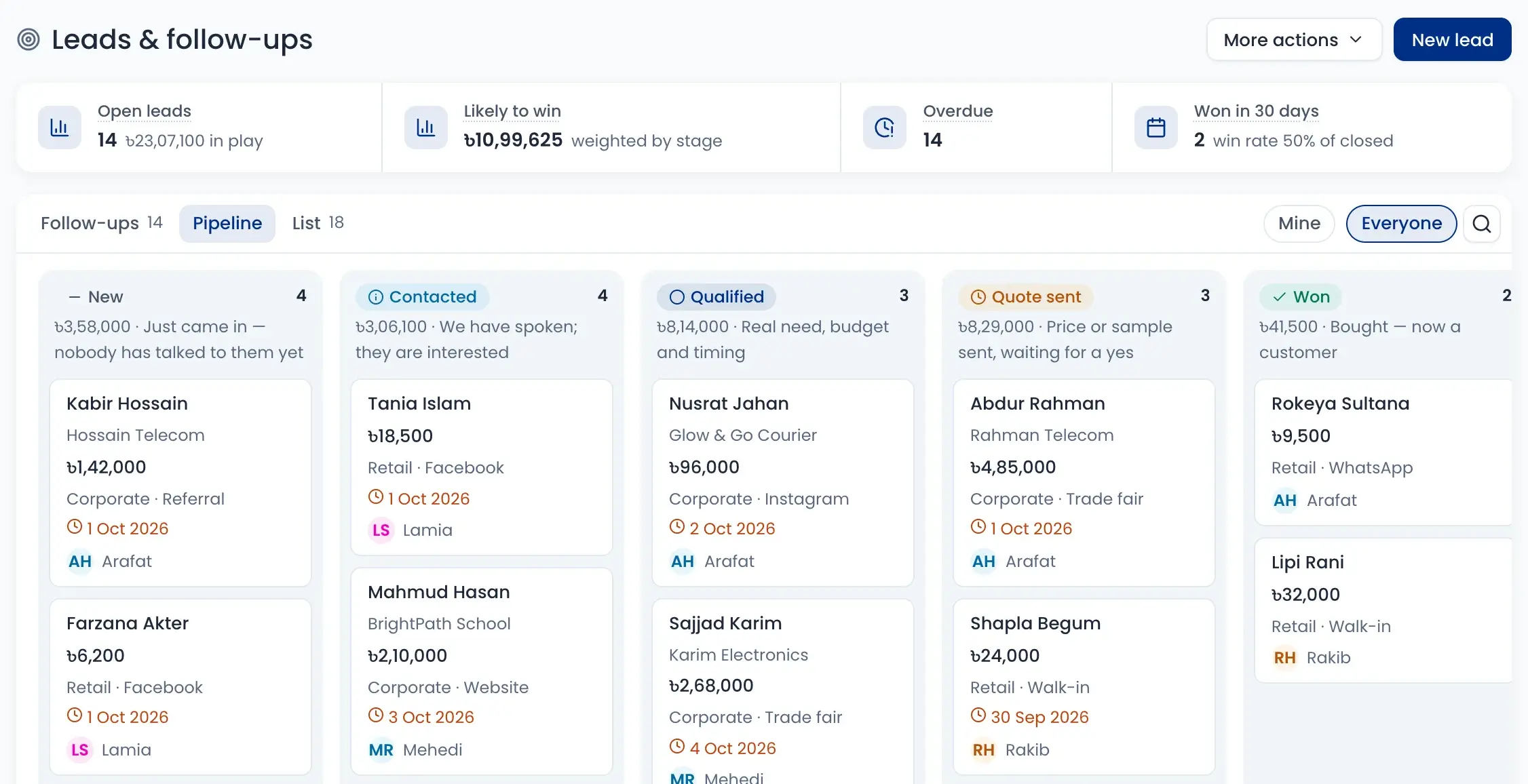
Keep people who may buy on a board, from New to Won. See today’s follow-ups and the overdue ones, and call from the list.
- Sources: Facebook, Instagram, WhatsApp, walk-in, referral, trade fair
- Likely-to-win amount by stage
- See your own leads or everyone’s
- A won lead is added as a customer
How it works
Watch a short overview, then follow the steps.
- 01
Customer is saved
From an order or a won lead, or add and import them yourself.
- 02
History builds up
Orders, chats, payments and dues join their profile.
- 03
Group them
Use views and segments to find repeat buyers or lost carts.
- 04
Follow up
Message, call or send an offer to the right people.
- 05
Collect dues
Check each statement and collect what customers owe.
Questions sellers ask
Yes. The customer’s page shows every order with its amount and status, plus returns, support tickets, messages and what they looked at on your store.