

Know where every taka is.
Cash, bank, bKash and Nagad in one list. See how much COD money the couriers still hold, what customers owe you, which bills are due and what is left after expenses.
Works with










Courier payout, checked
See which courier payout is late and by how many days. Mark it arrived when the money lands, or write why it came short.
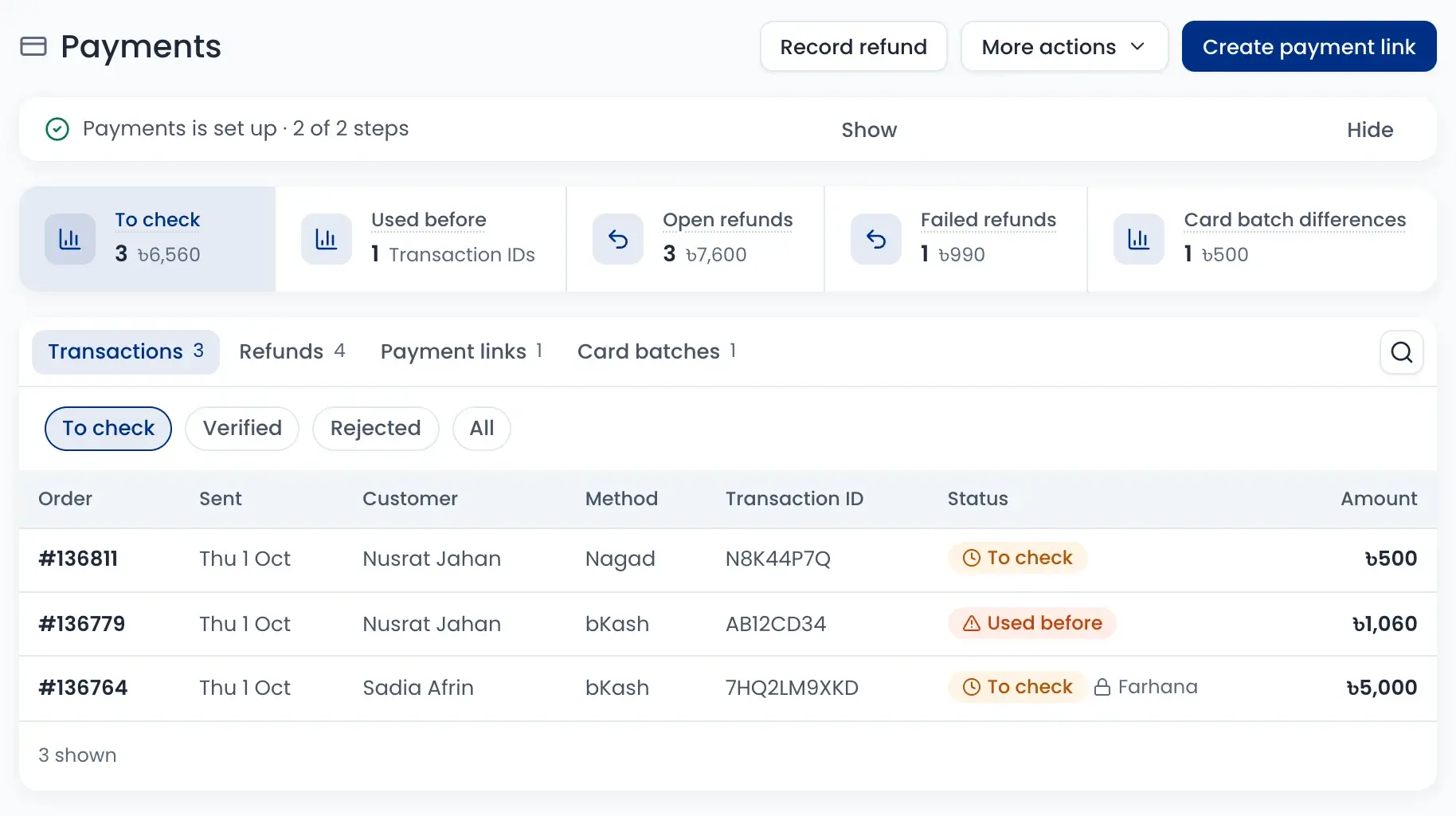
Check every bKash TrxID
Check bKash, Nagad and Rocket payments before you ship. A transaction ID that was used before is flagged.
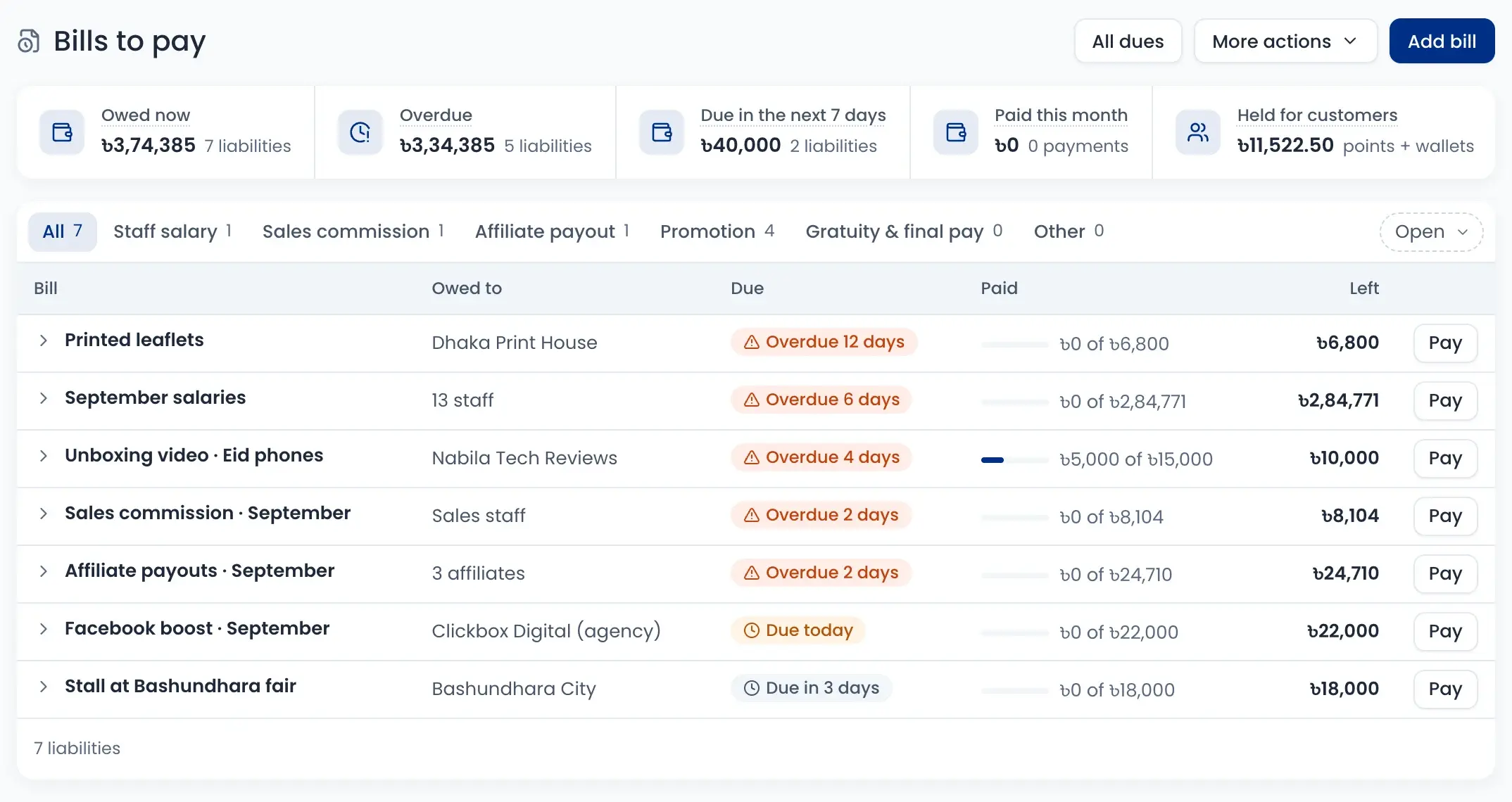
Expenses and bills in order
Record every expense, pay bills in parts, and let a second person approve big spends.
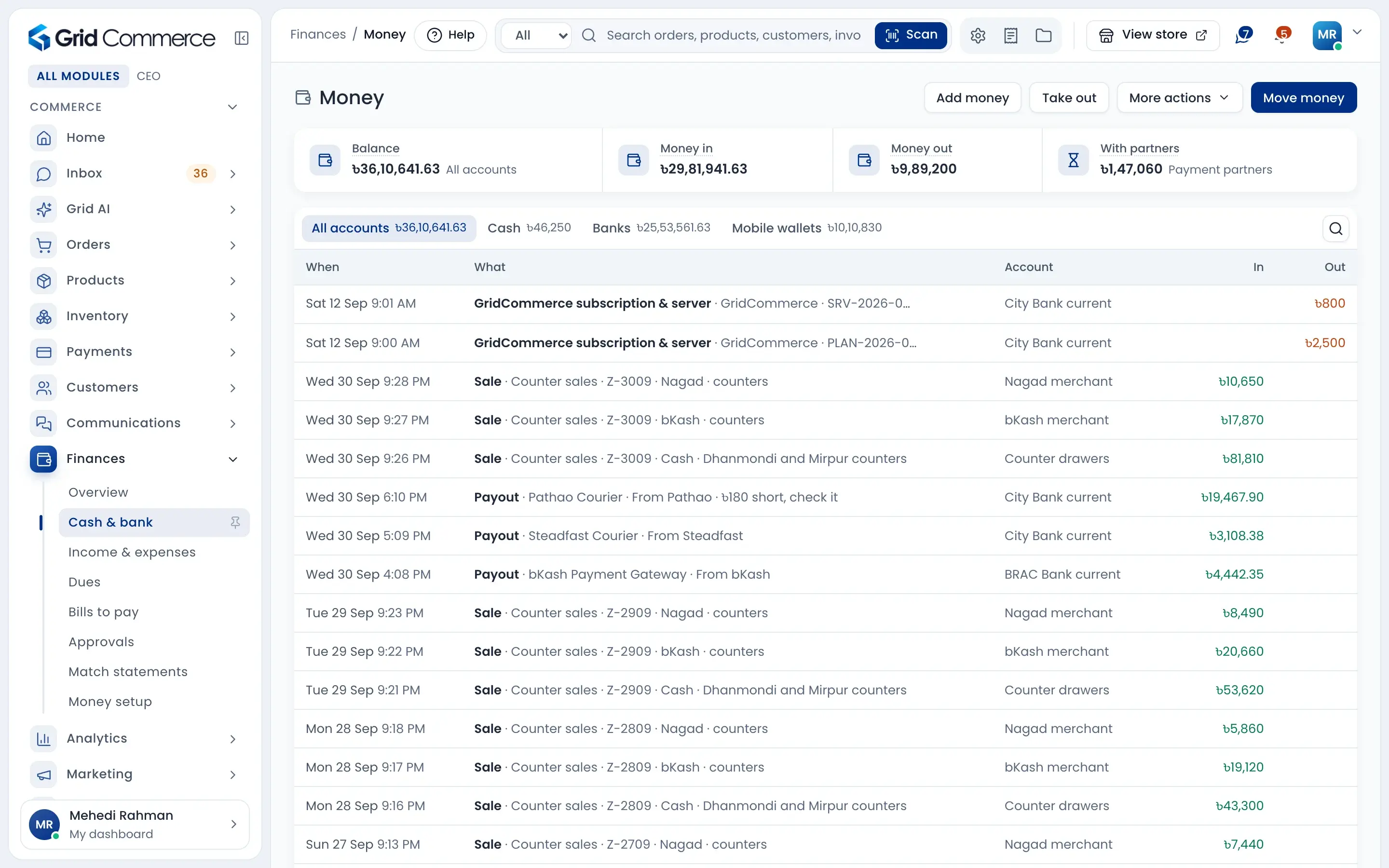
Cash, bank and wallets in one list
Every sale, payout and expense goes to the account that got the money: the counter drawer, the bank, or your bKash and Nagad merchant wallet. The total balance stays at the top.
- Cash, banks and mobile wallets, each with its balance
- Add money, take money out or move it between accounts
- See the money payment partners still hold
- Big money moves wait for approval
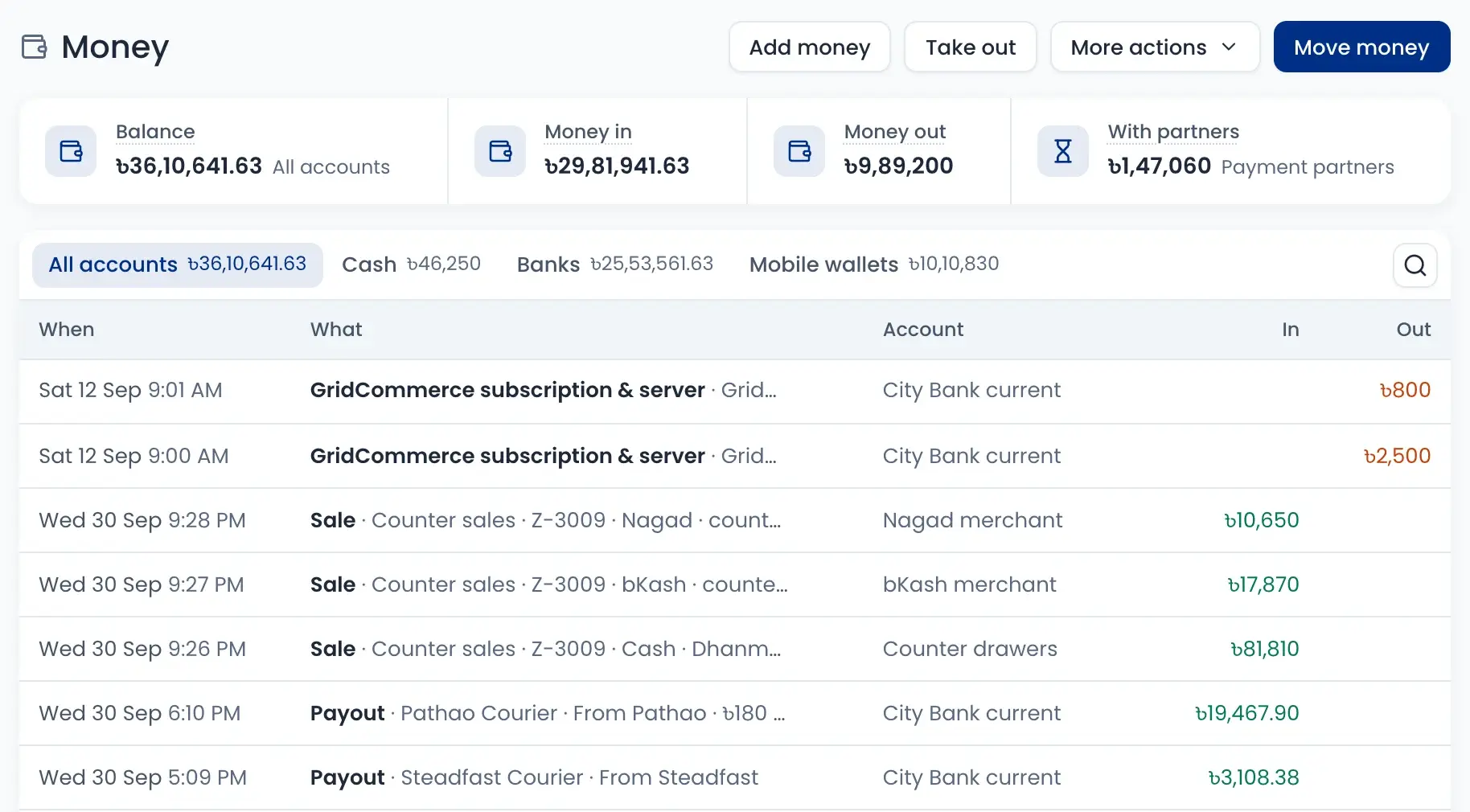
Courier COD payout, day by day
Pathao, Steadfast, RedX and Carrybee collect your COD money and pay you later. See what each one holds, which payout is late, and tick it off when it reaches your bank.
- Late payouts come first, with the days overdue
- Mark it arrived, or set the new date they promised
- A short payout goes to “Needs a look” with a reason
- Gateway payouts from bKash, Nagad and SSLCOMMERZ too
Check bKash and Nagad payments
When a customer pays by bKash, Nagad, Rocket or bank transfer and sends the TrxID, check it here before you ship. If the same TrxID was used on another order, you see it at once.
- To check, verified and rejected lists
- “Used before” warning on a repeated TrxID
- Only one staff member checks a payment at a time
- Refunds and payment links in the same place
Expenses, bills and dues
Record rent, transport, repairs and other expenses. Salaries, sales commission and Facebook boost bills wait in Bills to pay until you pay them, in full or in parts.
- Overdue bills show how many days late
- Pay a bill in parts and see what is left
- Dues: what customers owe you and what you owe, by age
- Spends over your limit need a second person’s approval
VAT and Mushak, ready
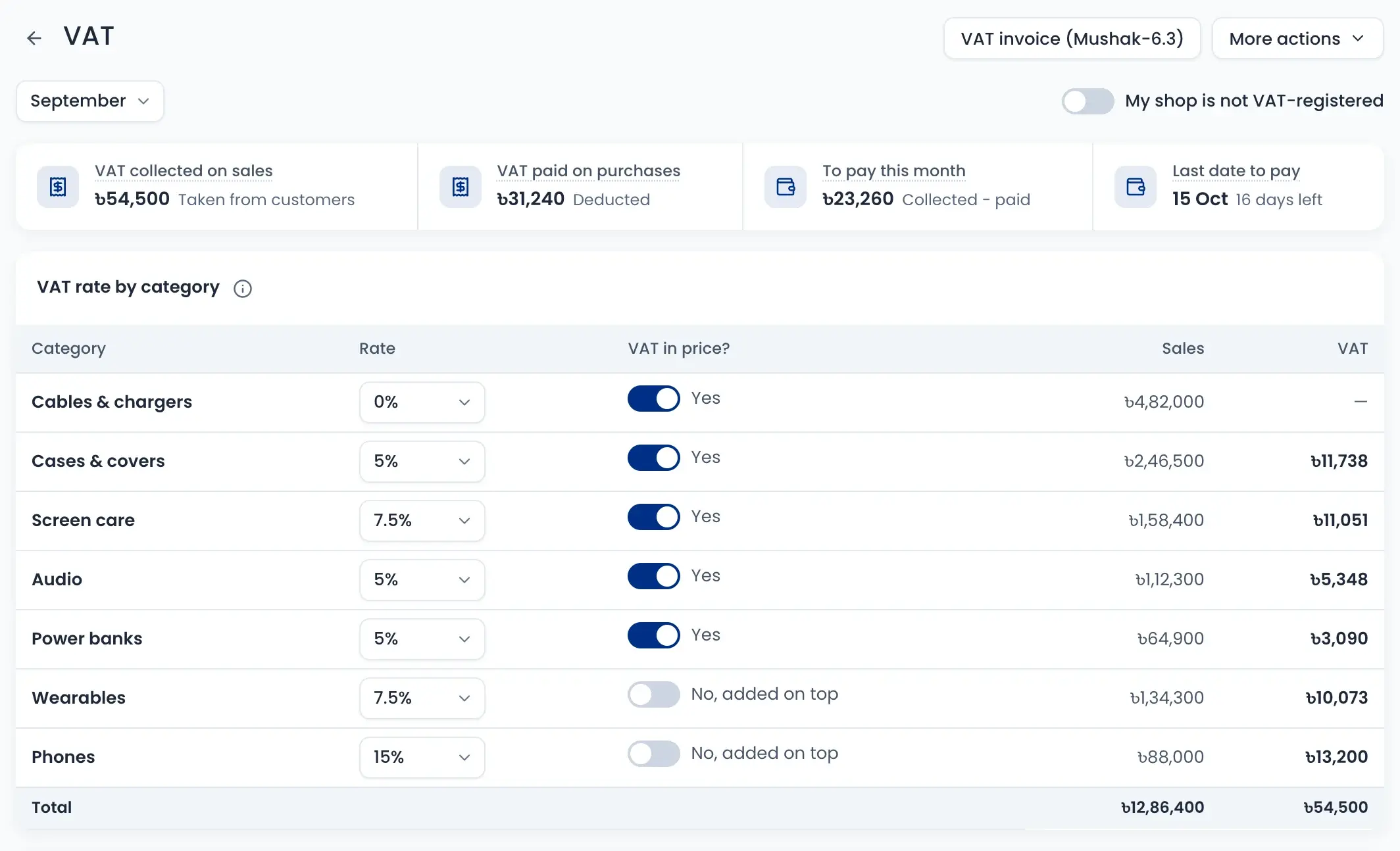
See VAT collected on sales and VAT paid on purchases every month. Set the rate for each category and get the Mushak-6.3 invoice and the Mushak-9.1 monthly return.
- VAT to pay this month and the last date
- Rate per category, inside the price or added on top
- Monthly return built from your sales and purchase records
- Turn it off if your shop is not VAT-registered
How it works
Watch a short overview, then follow the steps.
- 01
Add your accounts
Add your cash drawers, bank accounts and bKash or Nagad wallets once.
- 02
Sales post themselves
Each sale goes to the account that took the money.
- 03
Follow courier payouts
See what each courier holds and tick off each payout.
- 04
Record expenses and bills
Add expenses, pay bills and collect dues from customers.
- 05
Approve and match
Big spends wait for approval, and bank statements are matched line by line.
- 06
See profit and VAT
Check net profit and the VAT you have to pay each month.
Questions sellers ask
Yes. Payouts shows what each courier holds now, what should arrive today and what is late. When the money reaches your bank, mark it arrived. If it is short, write the reason.