

Fast counter sales. Cash that matches at night.
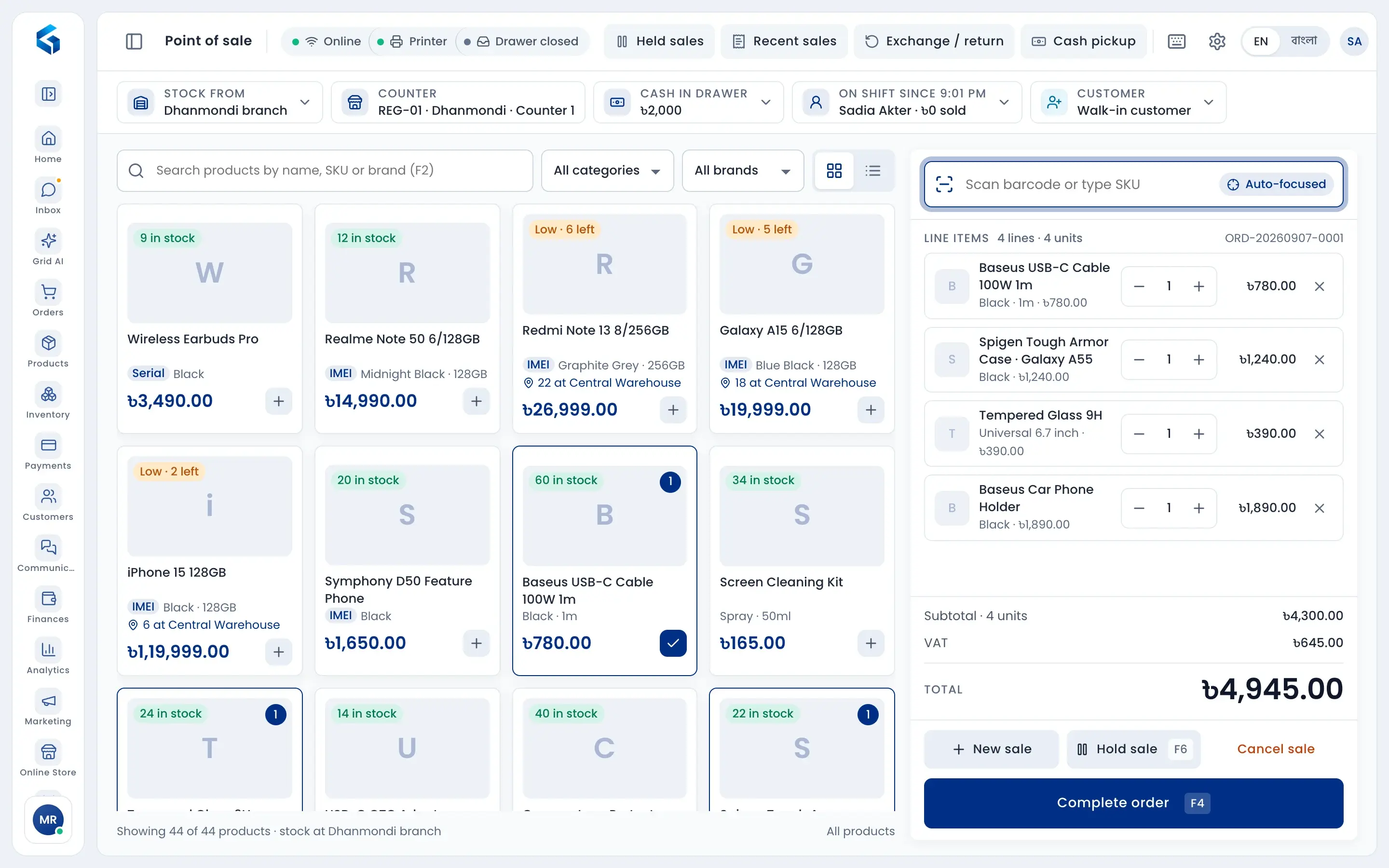
Scan a barcode and the product is on the bill. Take cash, card, bKash, Nagad or Rocket, even split in one sale. Every sale takes stock from the right branch, and at the end of the shift you see what the drawer should hold and what the cashier counted.
Take payment by



Bill in seconds
Scan, tap a product or use keyboard shortcuts. Phones ask for the IMEI, weighed items read the scale label, and a sale can be held and resumed.
Any payment, split if needed
Cash, card, bKash, Nagad, Rocket, due or the member's wallet. Part in cash and the rest by bKash is fine, and each payment goes to the right account.
Cash that adds up
Open with a float, record cash pickups, and close with a count. Any short or extra cash is shown, and a big difference needs a manager's PIN.
Scan and sell
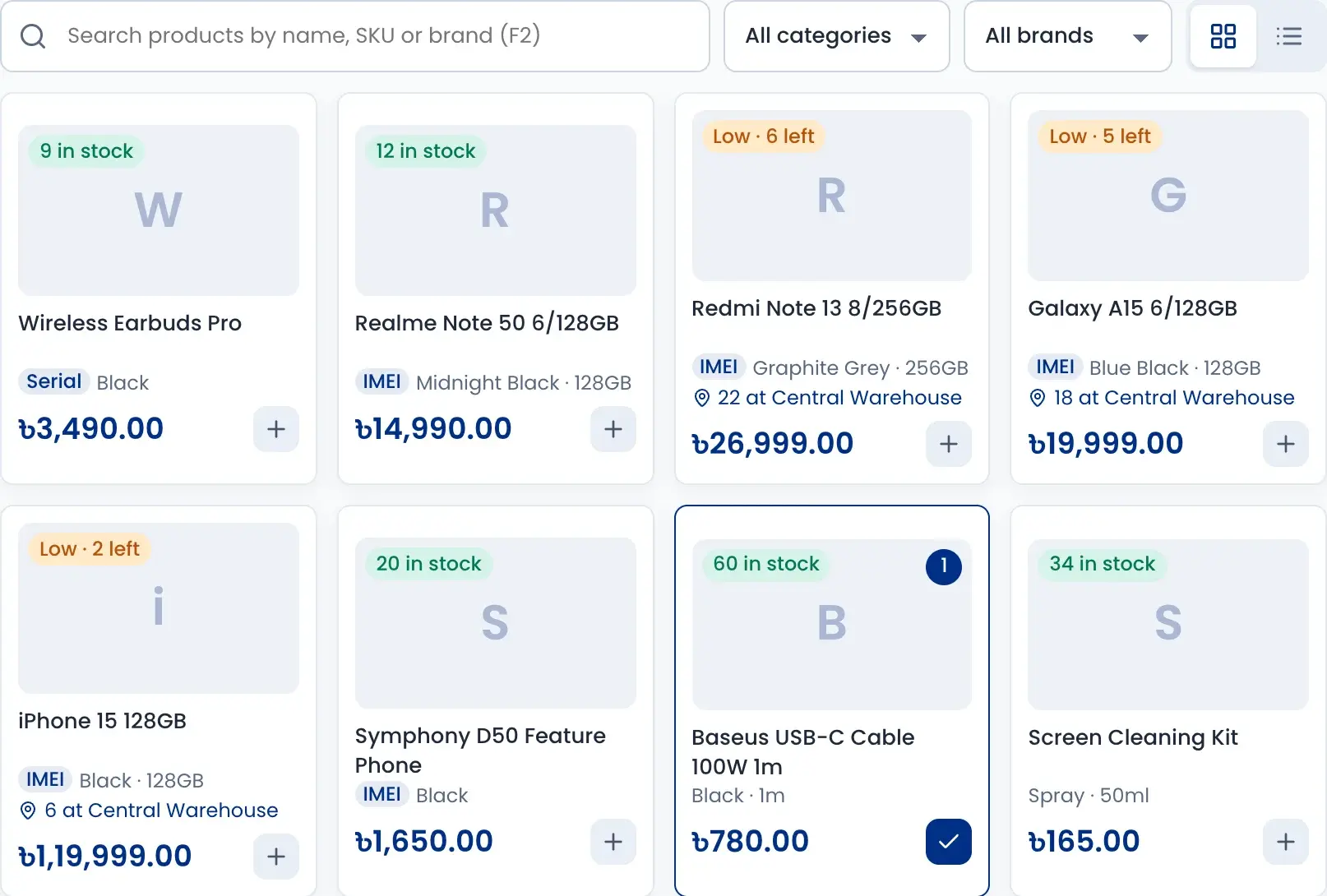
Each product card shows how many are left at this branch. If it is low here, the card shows how many are at the warehouse.
- Search by name, SKU or brand, or scan the barcode
- Phones ask for the IMEI, and a sold IMEI cannot be sold again
- Weighed items are read from the scale label
- Hold a sale and serve the next customer
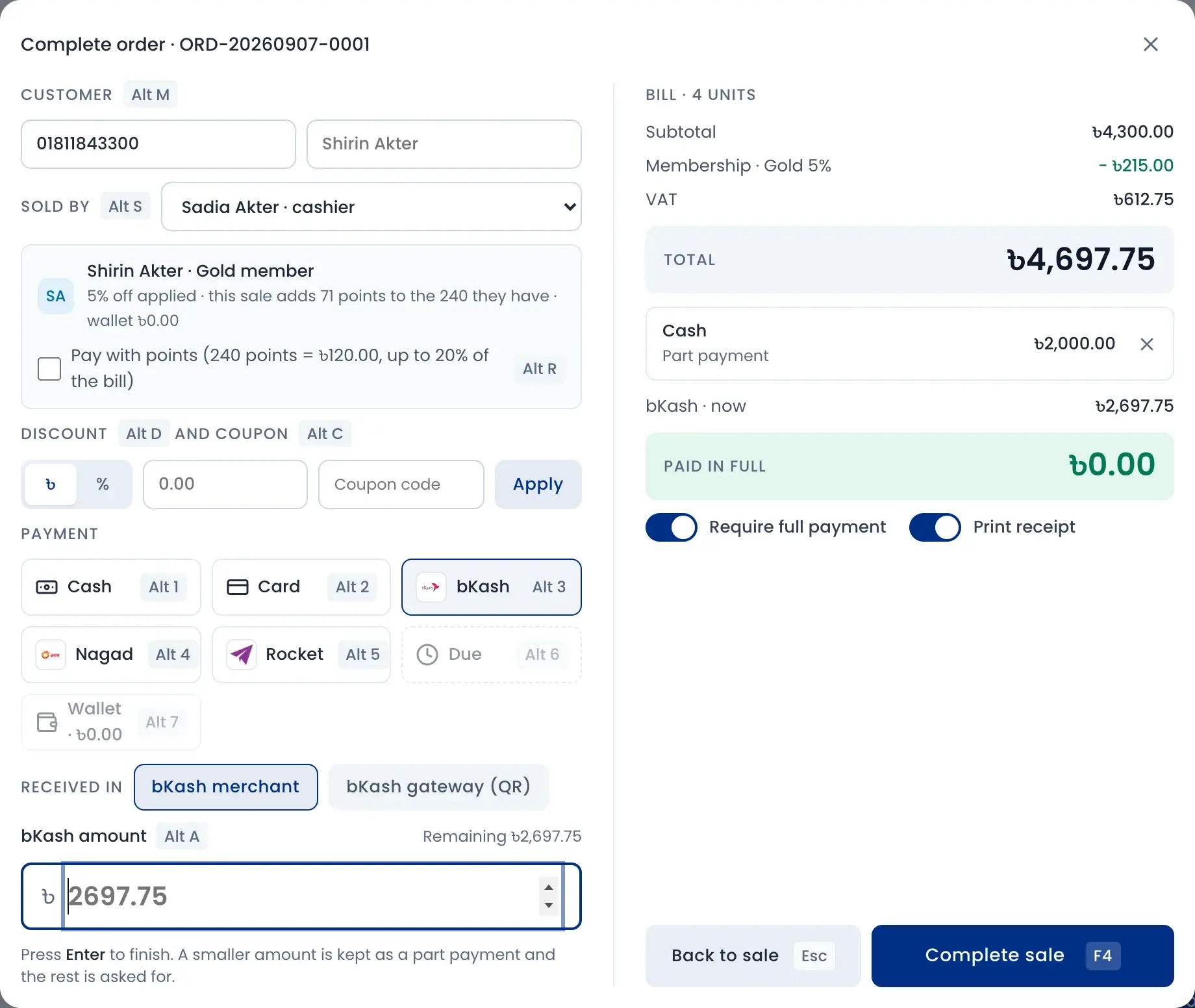
Split payment and member points
Type the customer's mobile number and their member discount and points show up. Take part in cash and the rest by bKash, and choose which bKash account received it.
- Cash, card, bKash, Nagad, Rocket, due or wallet
- Apply a discount or a coupon code
- Name the salesperson for staff sales and commission
- Print the receipt, or send it by SMS or email
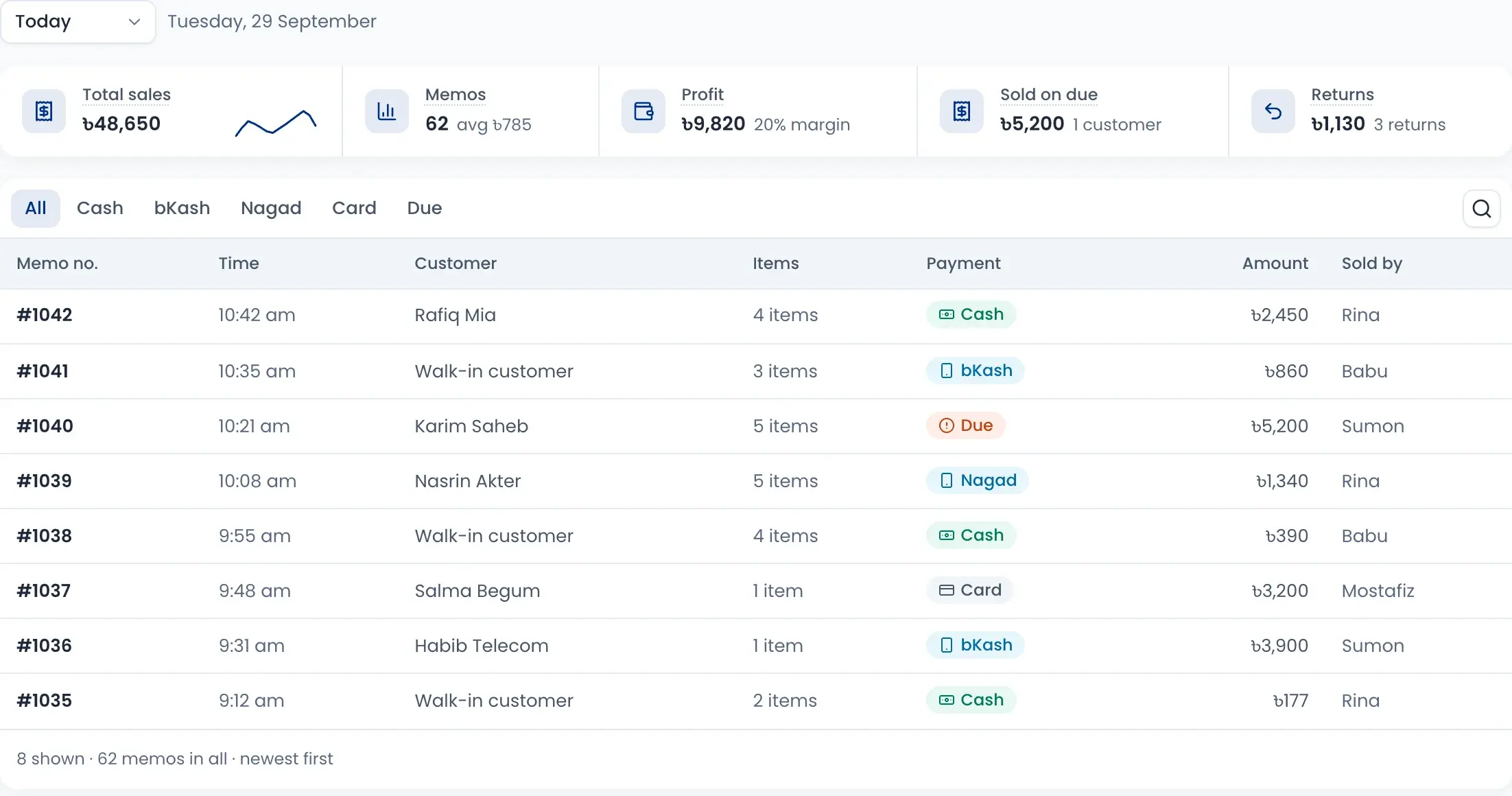
Every memo in the sales book
The sales book lists every counter memo of the day with the customer, payment, amount and who sold it. Total sales, profit, sales on due and returns sit on top.
- Filter by cash, bKash, Nagad, card or due
- See the day's profit and margin
- Reprint a receipt from recent sales
- Return or exchange from the same sale
Close the shift, count the cash
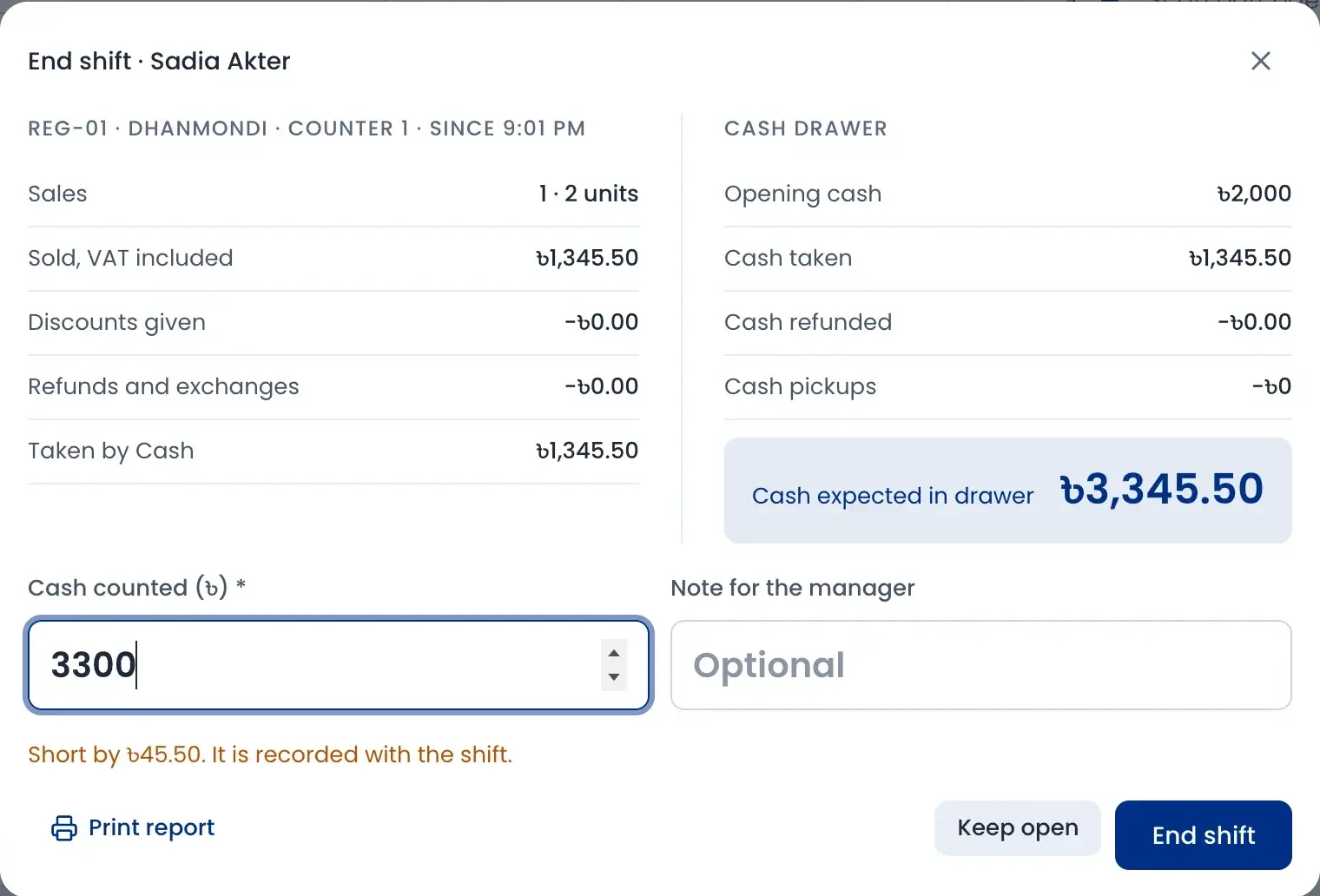
At the end of the shift the register shows sales, cash taken, refunds and pickups, and the cash expected in the drawer. The cashier types what they counted and any shortfall shows at once.
- Open each shift with a counted float
- A difference over your limit needs a manager's PIN
- The difference is recorded with the shift
- Print the shift report
Counters, cashiers and cash pickups
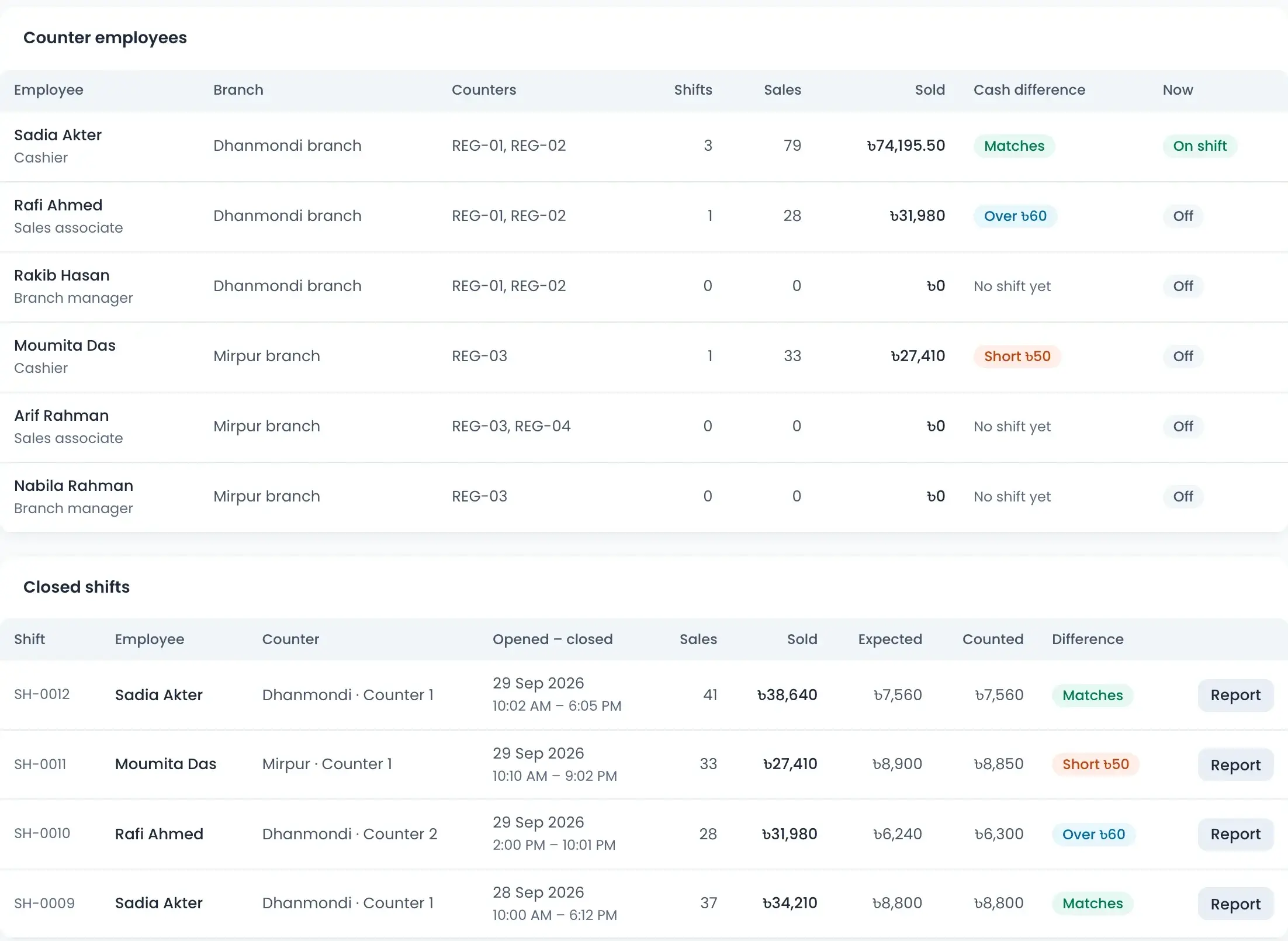
POS manage shows every counter, who is on shift and each cashier's cash difference. Closed shifts list what was expected and what was counted.
- Each counter sells from its own branch or warehouse
- Record cash pickups to the shop safe or a bank deposit
- A reminder shows when the drawer holds too much cash
- Opening the drawer without a sale needs a reason
How it works
Watch a short overview, then follow the steps.
- 01
Open the register
Choose the counter and the cashier, and count the opening cash.
- 02
Scan and bill
Scan barcodes or tap products; stock comes from this branch.
- 03
Take payment
Cash, card, bKash, Nagad or Rocket, split if needed.
- 04
Give the receipt
Print it, or send it to the customer by SMS or email.
- 05
Count and close
Count the drawer at the end of the shift and see any difference.
Questions sellers ask
The register keeps selling, with cash only. Sales are saved and posted when the connection comes back. Anything that needs a decision, like a price that changed, waits in a sync list, and the same sale is never saved twice.