

Know where every piece is, not just how many.
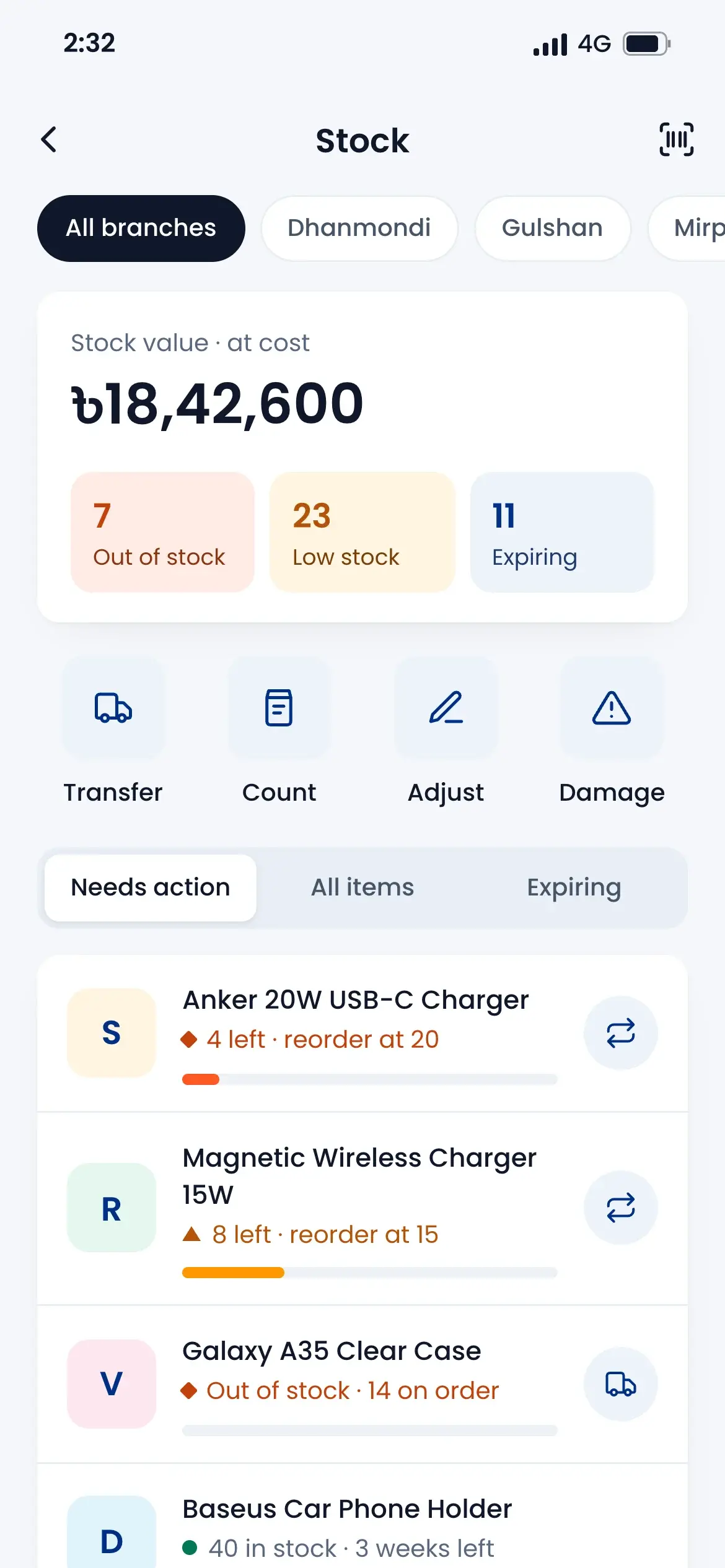
Each warehouse and branch keeps its own stock. Put goods on racks and bins, send stock between places by scanning, and count with a manager's approval. When a number changes, you know why.
Find any product fast
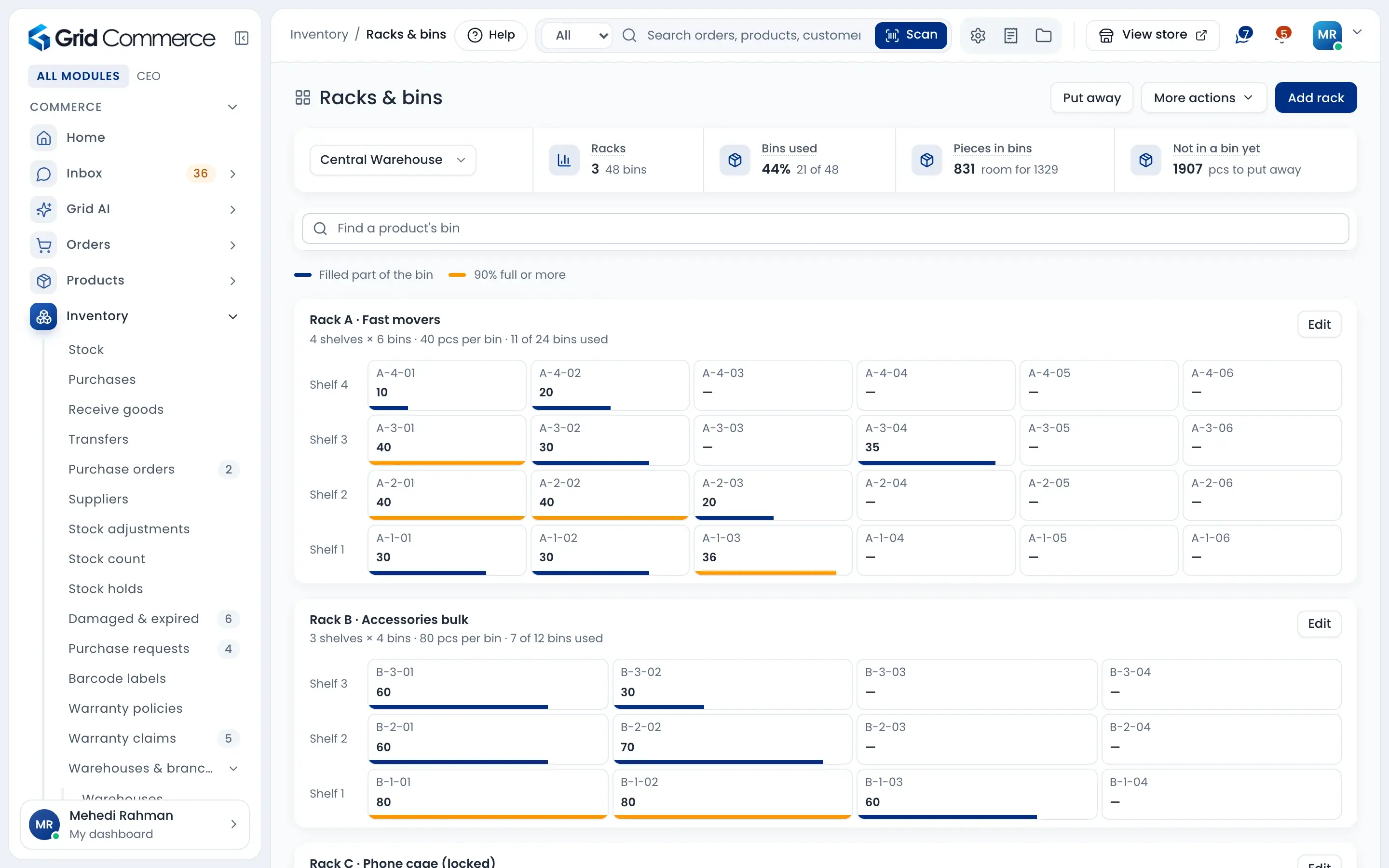
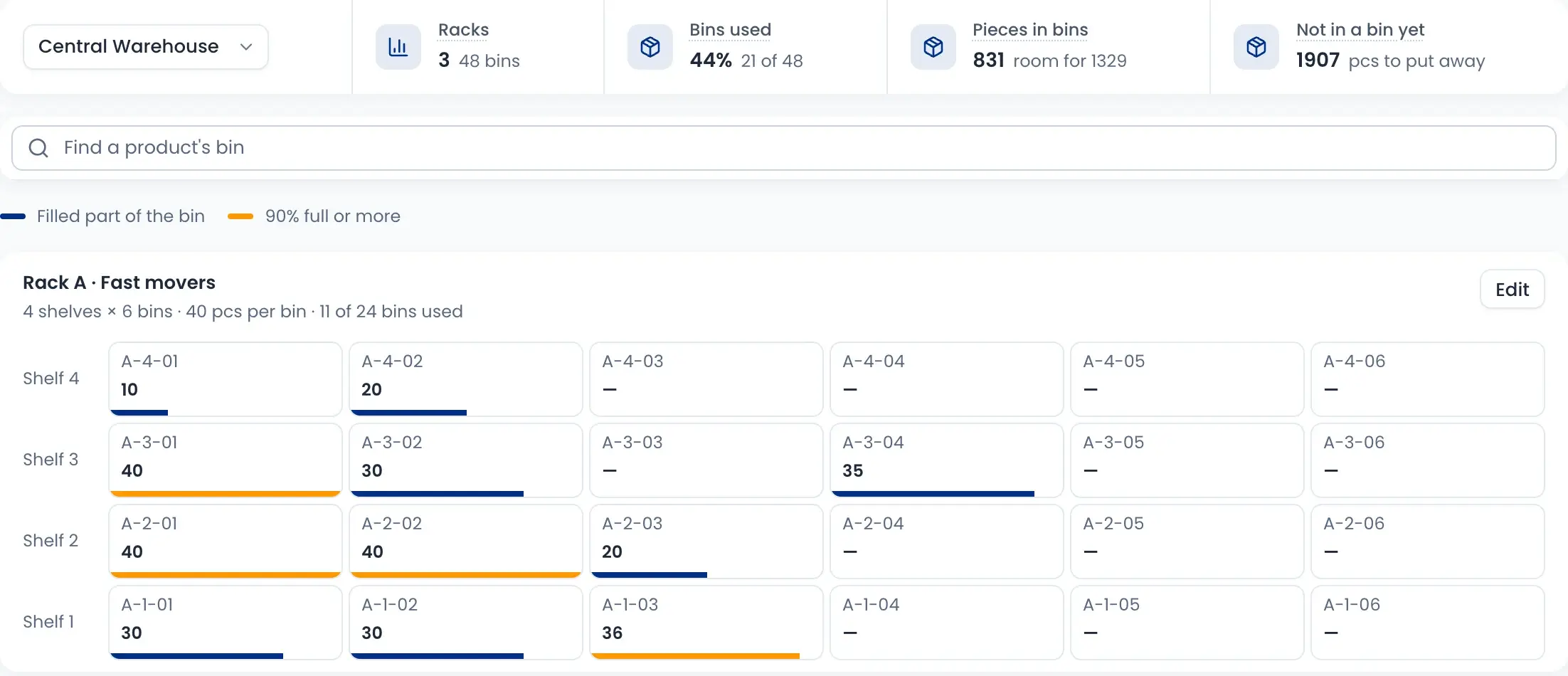
Every bin has a code like A-2-05. Search a product to find its bin, and see what is not in a bin yet.
Transfers that both sides check
Scan items out and print a slip. The other branch scans them in, and missing pieces are flagged at once.
No stock change without approval
Every adjustment needs a reason. Any decrease, or a change over 20 pieces, waits for a manager's PIN. Count differences are posted only after approval.
Every branch, its own stock
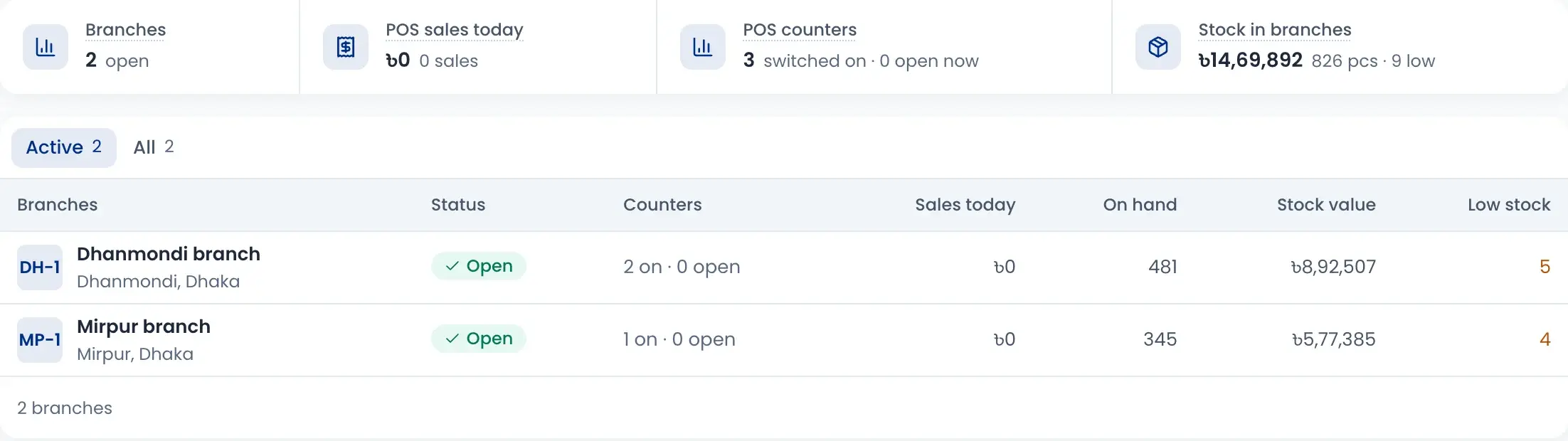
Add your warehouses and branches. Each one shows its stock, its value and how many products are low, and the stock list can show one place or all of them.
- Branches show their POS counters and today's sales
- A Returns & damaged place keeps bad stock away from sale
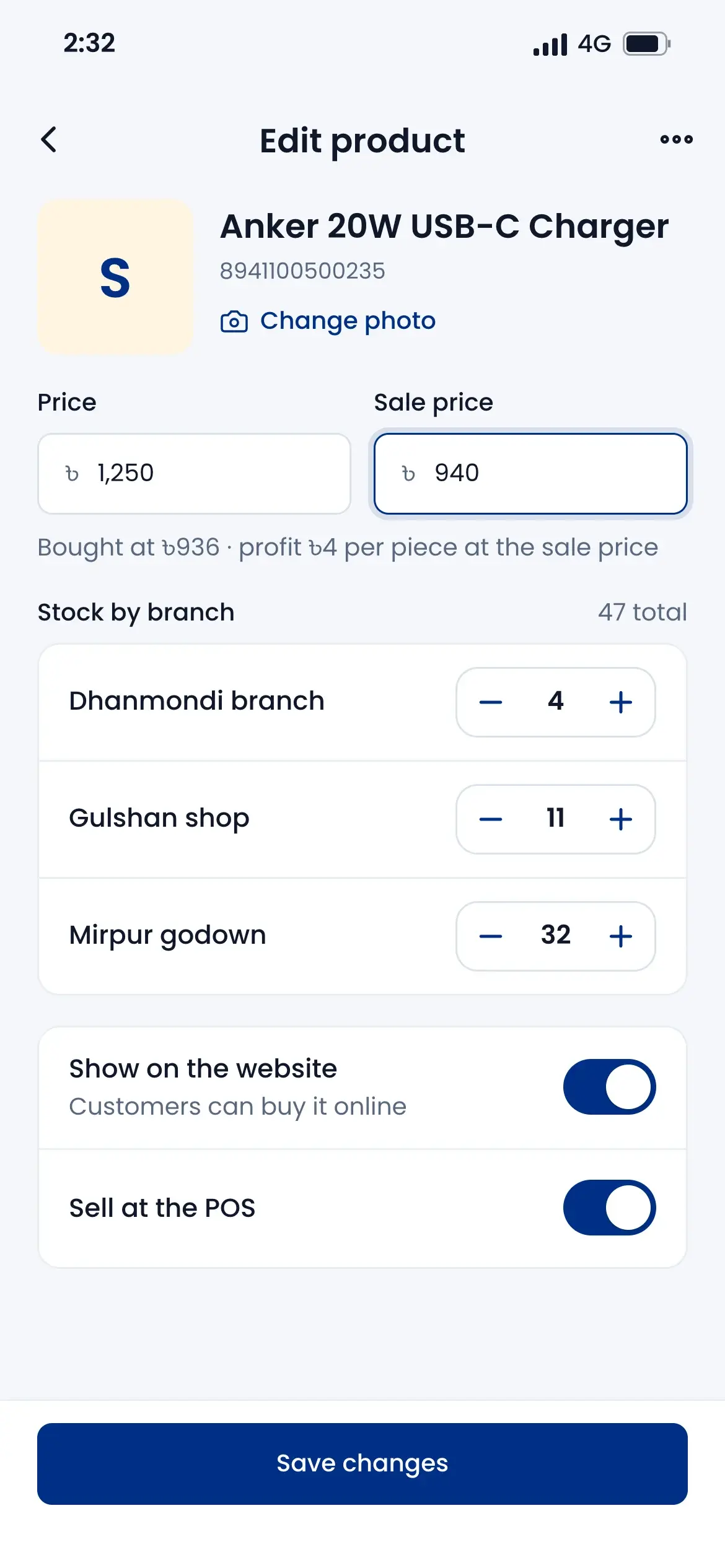
- Change a branch's stock from the phone
- If a product is out at the counter, it shows the stock at other places
Racks and bins
Set up racks, shelves and bins for each place, with how many pieces a bin holds. The map shows how full each bin is, and bins that are 90% full or more are marked.
- Find a product's bin by name, SKU or barcode
- Put stock away, and move it between bins
- "Not in a bin yet" tells staff what to put away
- A bin cannot go over its size
Send stock between branches
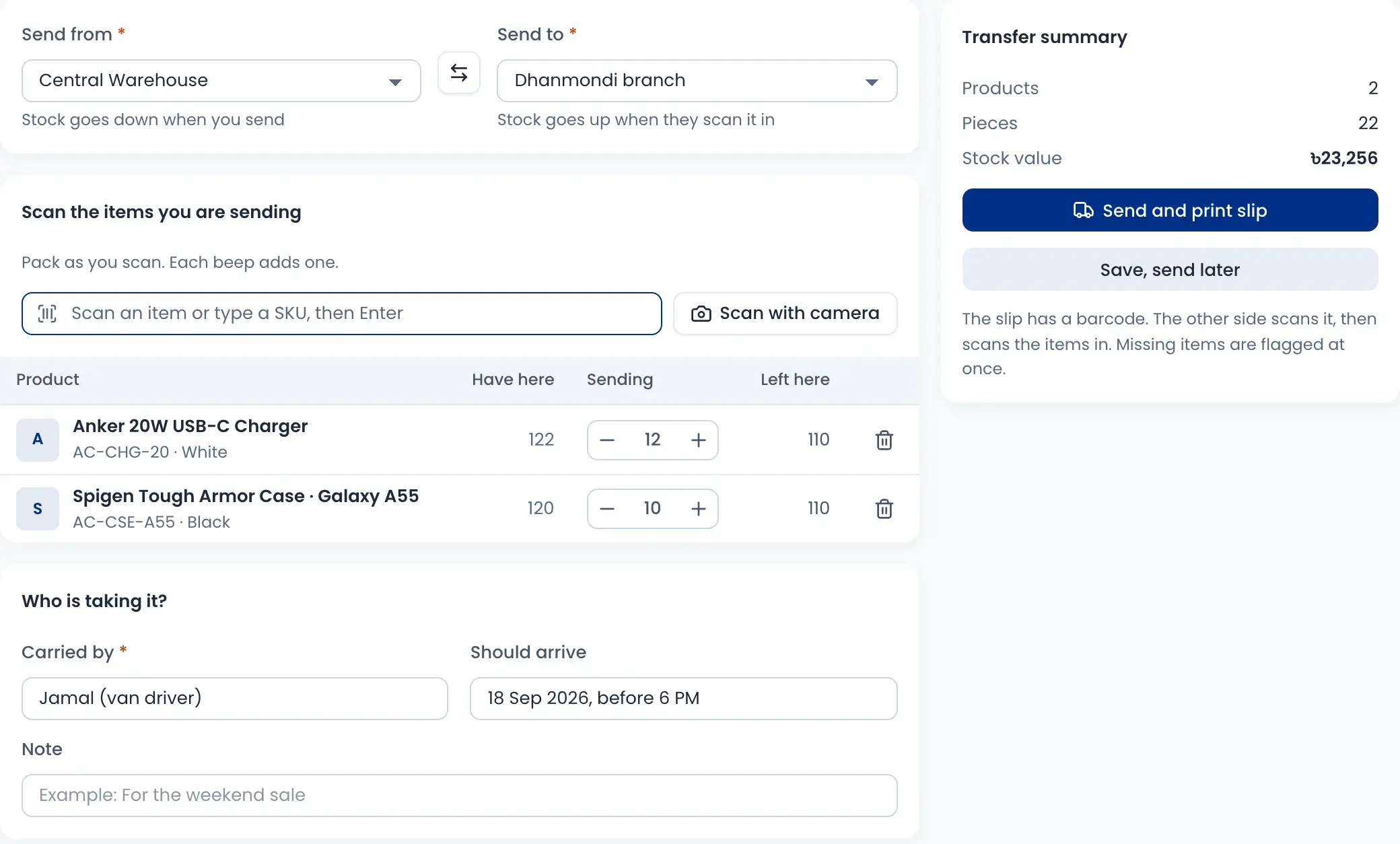
Scan the items you send, write who carries them and print a slip. Stock goes down when you send and goes up only when the other side scans it in.
- See what you have here and what is left after sending
- The slip has a barcode; the other side scans it to receive
- Missing pieces can be written off, claimed from the carrier or kept open
- Tabs for on the way, received and with a problem
Count stock the right way
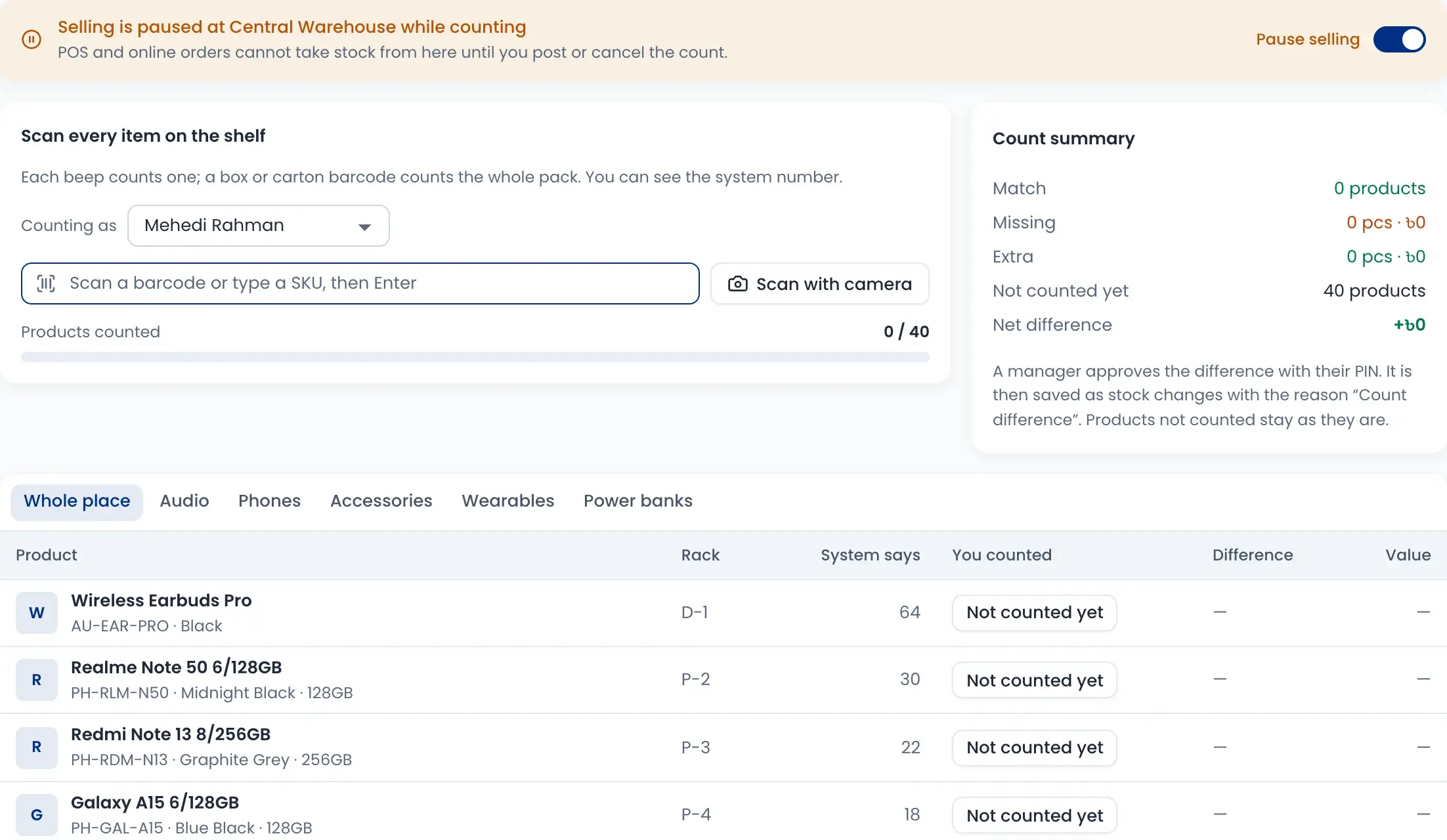
Pick a place and a kind of count: quick, blind, cycle or full. Scan every item on the shelf, and the summary shows what matches, what is missing and what is extra.
- Pause selling at that place while you count
- A box or carton barcode counts the whole pack
- Several people can count one place together
- A manager approves the difference with a PIN
Adjustments and holds
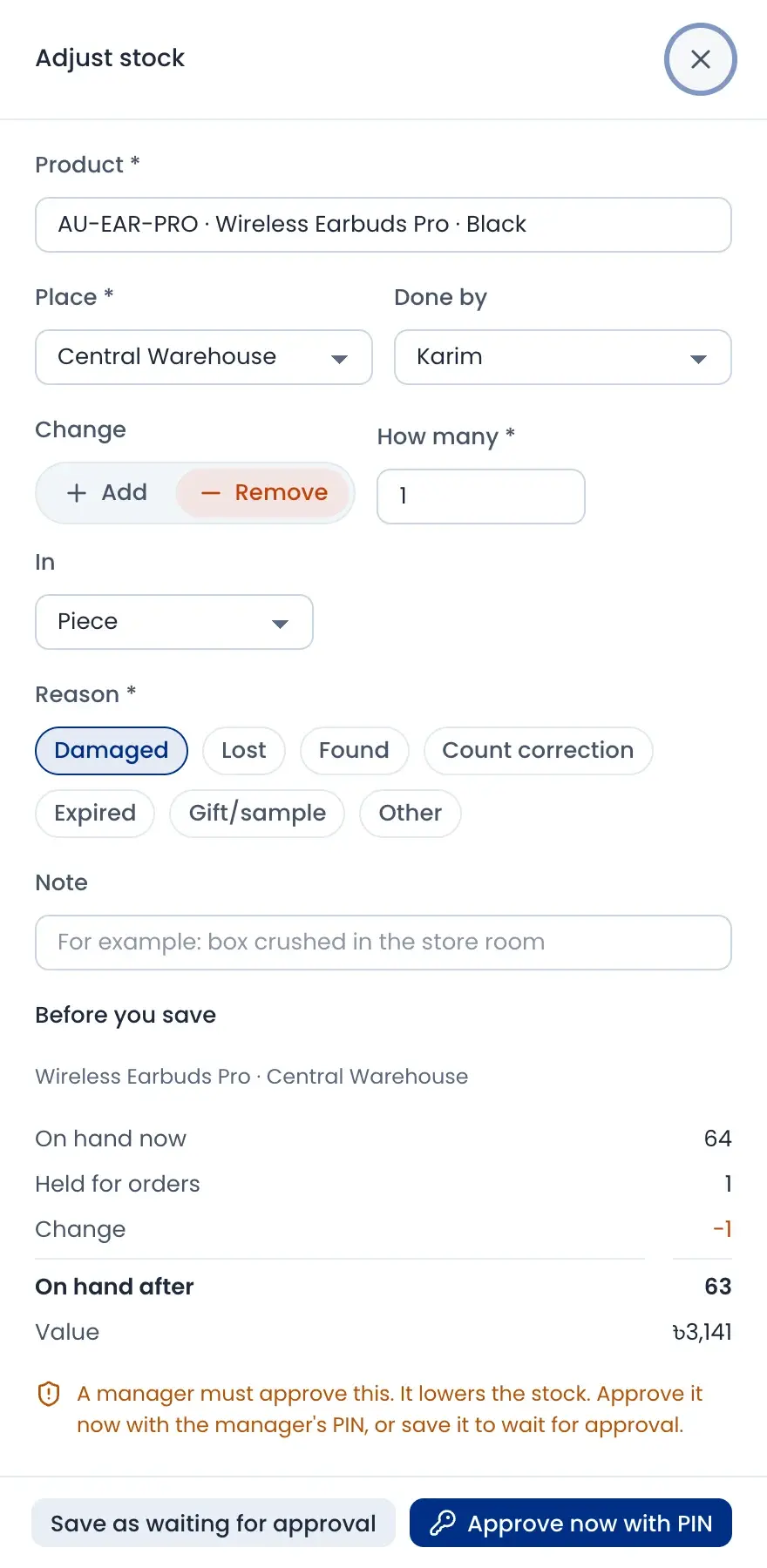
To fix stock by hand, pick a reason like damaged, lost, found or expired. You see the stock before and after, and a manager approves it before the number changes.
- Approve now with a manager's PIN, or save it for later
- Stock held for online orders, counter orders and invoices is kept apart
- A hold ends as delivered, back on sale or damaged
- Held stock is never sold twice
How it works
Watch a short overview, then follow the steps.
- 01
Add places and racks
Add your warehouses and branches, then their racks, shelves and bins.
- 02
Put stock away
Place received goods in bins so anyone can find them.
- 03
Transfer by scanning
Scan items out at one place and scan them in at the other.
- 04
Count the shelves
Run a quick, blind, cycle or full count and see the differences.
- 05
Approve and post
A manager approves with a PIN, and only then the stock changes.
Questions sellers ask
Yes. When a product is out at the counter, the POS shows how many are at other places. You can sell it there and ship it from the place that has it.