

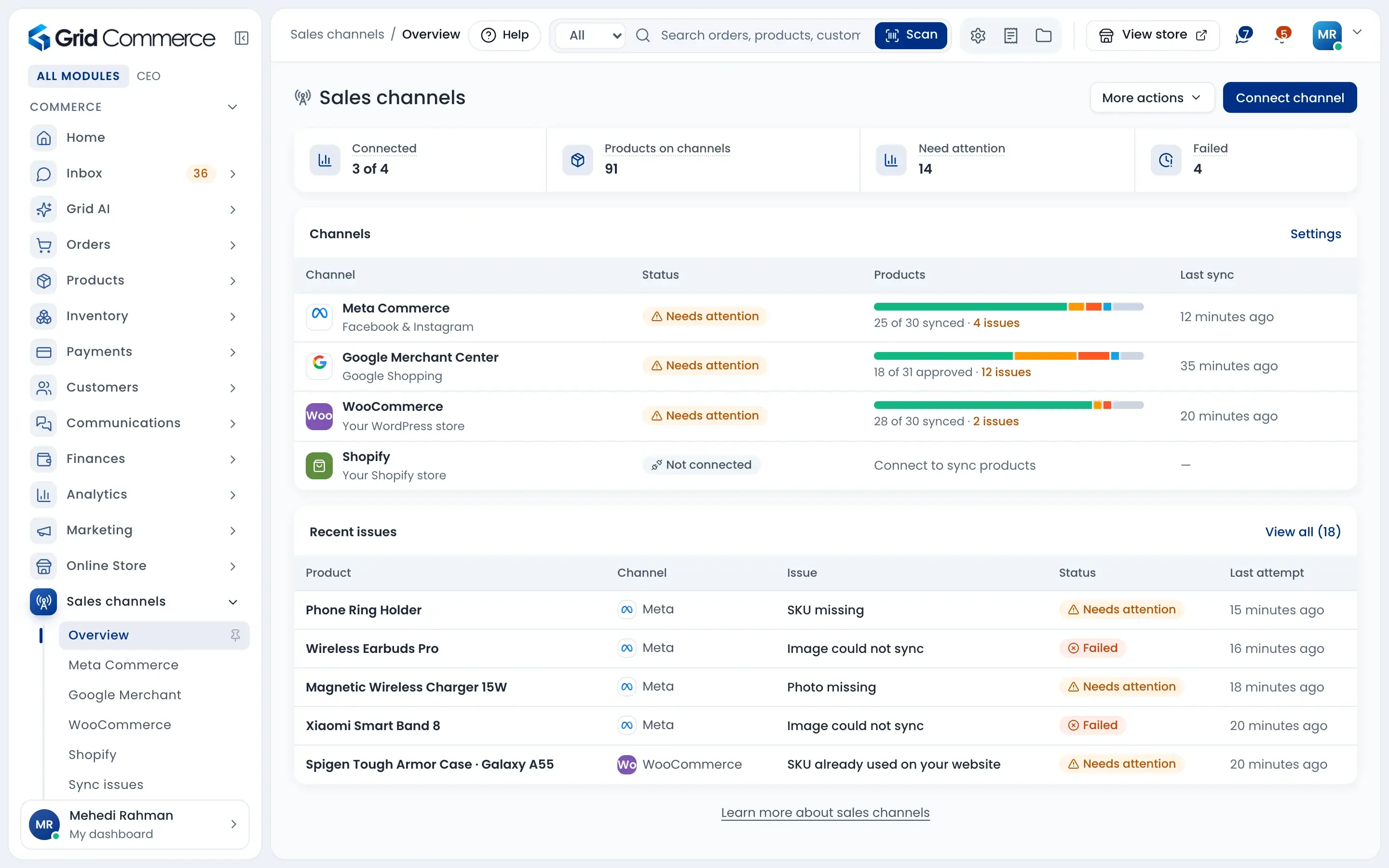
Add a product once. Sell it everywhere.
Keep your products in GridCommerce and send them to your Facebook and Instagram shop, Google Shopping, your WordPress website and your Shopify store. Prices and stock stay the same everywhere, and any problem shows in one list.
Works with




Same price and stock everywhere
Products, stock, prices and images sync by themselves. Sell the last piece at the shop and your channels know.
Website orders come home
Orders from your WooCommerce and Shopify store come into your orders list, so you pack and ship them like any other order.
Problems in plain words
If a product cannot sync, you see what is wrong and how to fix it. Retry one item or all failed items at once.
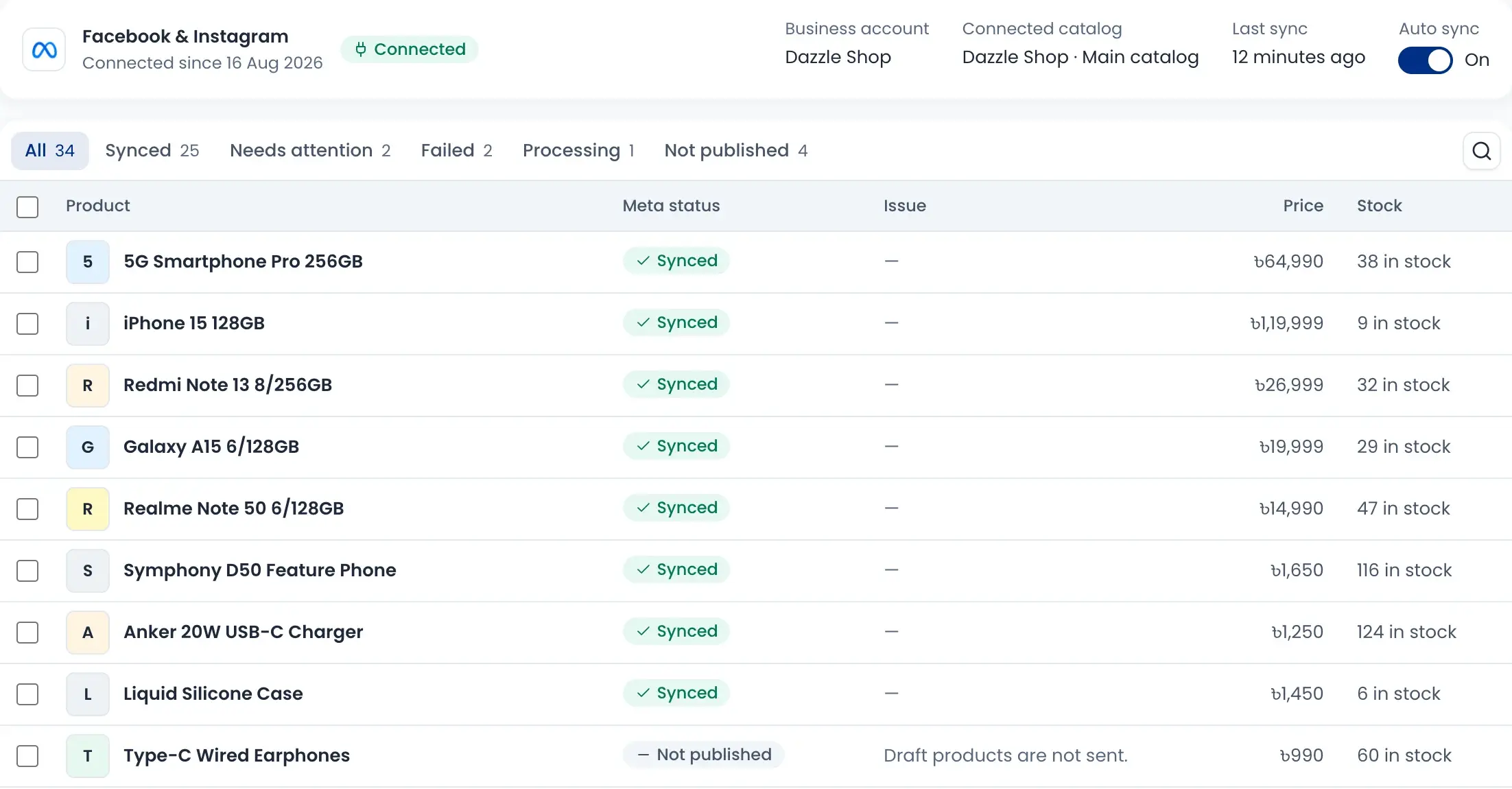
Your Facebook and Instagram shop
Connect your Meta catalog and your products show on Facebook and Instagram. Each product shows its status, price and stock on Meta.
- Synced, needs attention, failed, processing or not published
- Draft products are not sent
- Auto sync on, or press Sync now
- Remove a product from Meta when you want
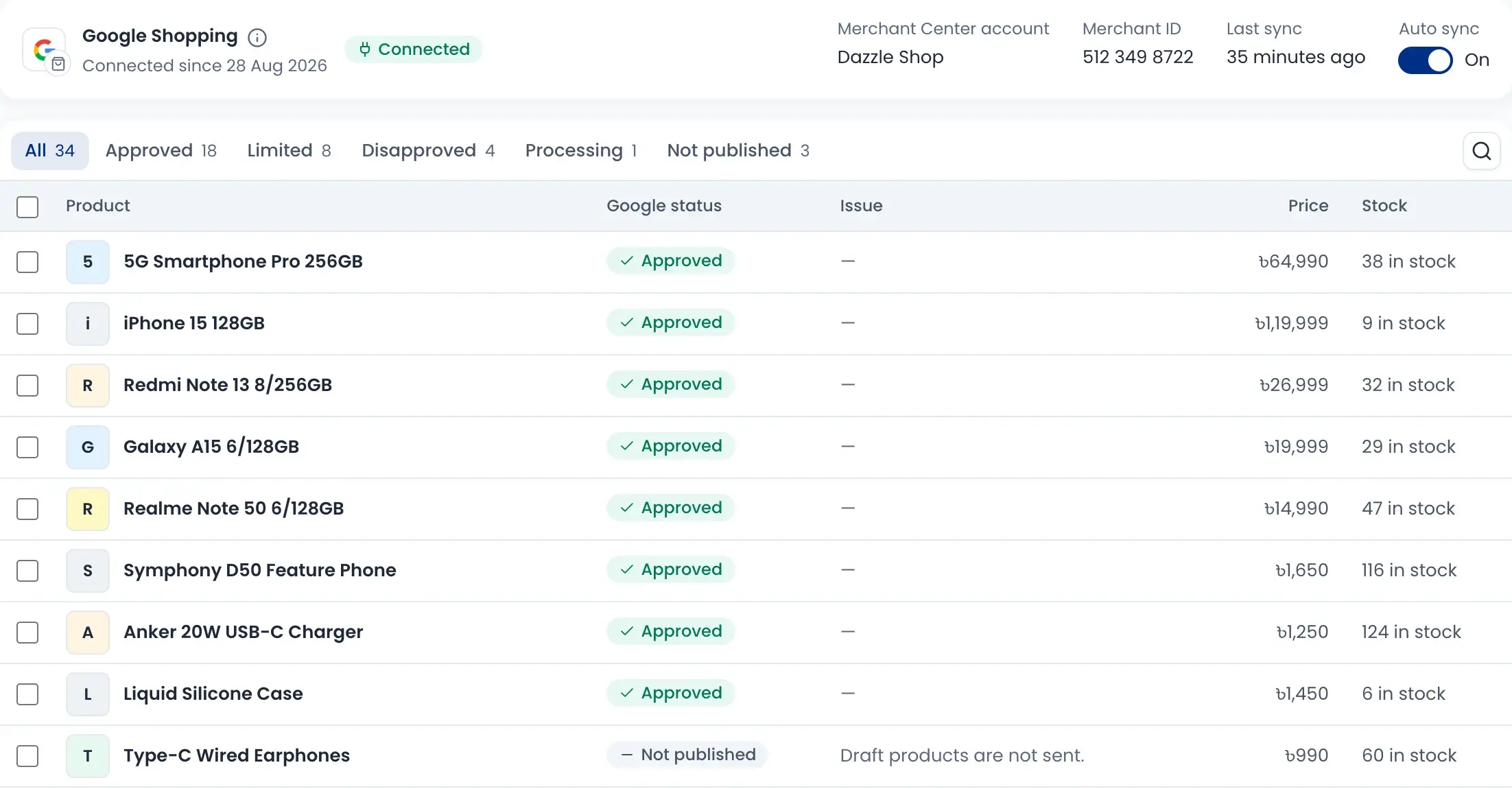
Show up on Google Shopping
Connect Google Merchant Center so your products can appear in Google Search and the Shopping tab. You see which products Google approved, limited or disapproved.
- Approved, limited, disapproved and processing tabs
- The reason is shown next to each problem product
- Price and stock come from your stock list
- Out-of-stock products can be hidden
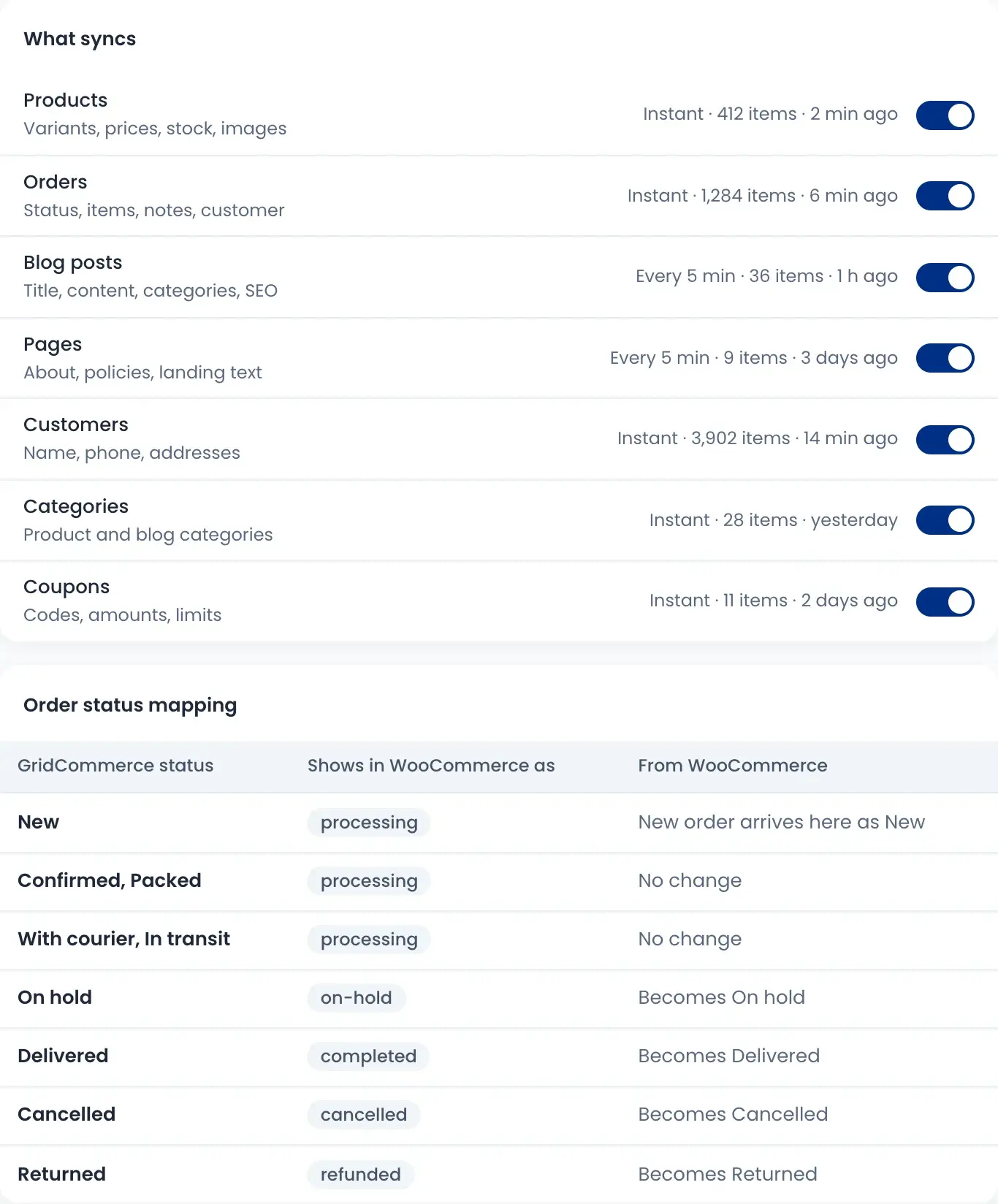
Your website, in sync both ways
Connect your WooCommerce store on WordPress and choose what syncs: products, orders, customers, categories, coupons, blog posts and pages. A Shopify store can be connected too, for products, prices, stock and orders.
- Products, orders and customers sync instantly
- New website orders arrive in your orders list
- Order status changes show on the website too
- Latest changes show which way each update went
Fix sync problems from one list
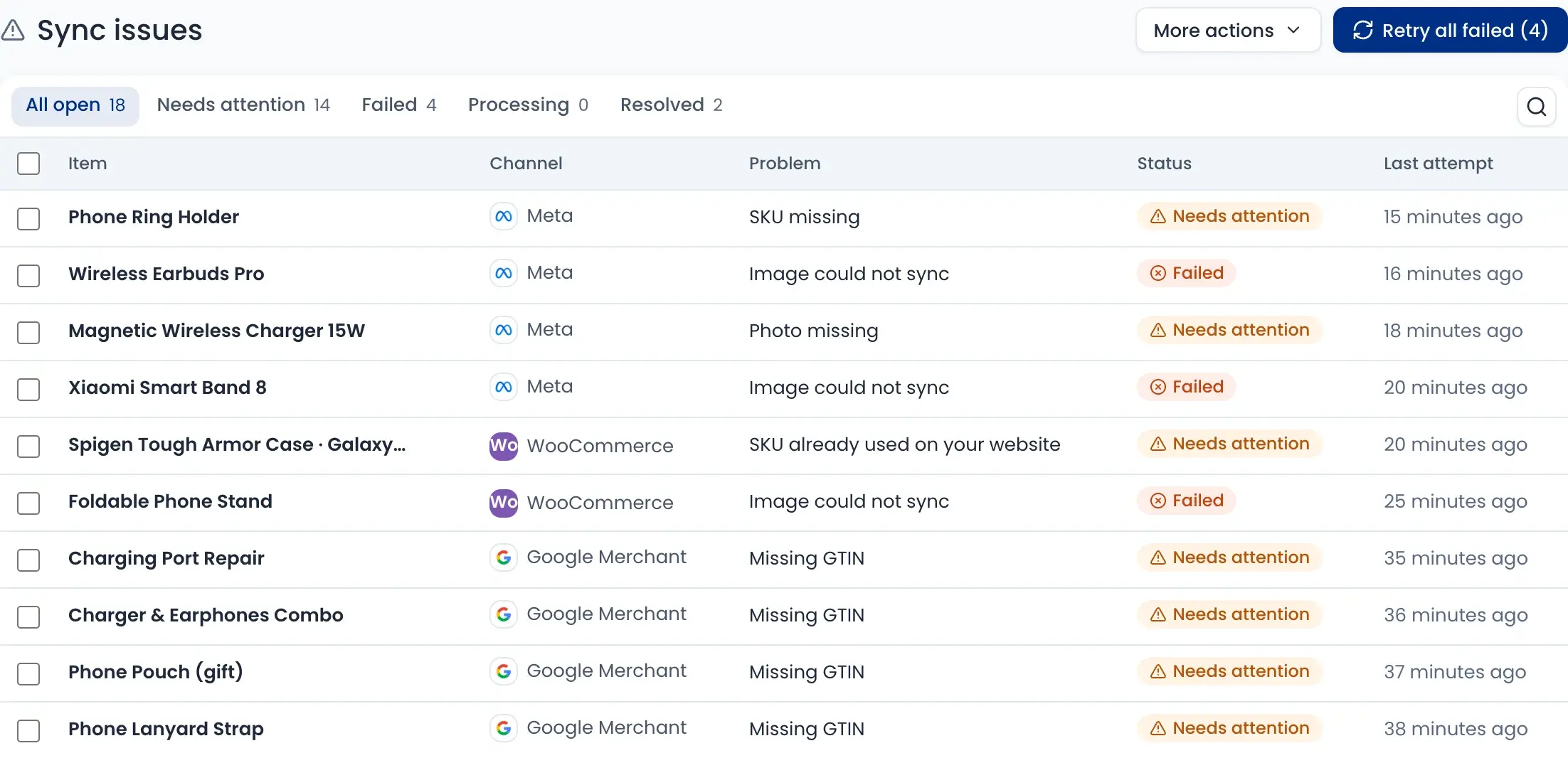
Problems from every channel come into one list: a missing SKU, a photo that could not sync, a missing GTIN. Open one to see what is wrong and how to fix it.
- Needs attention, failed, processing and resolved tabs
- Retry all failed items in one click
- Fix the product and it syncs again
- Get told in the app, by email or by SMS
You choose what syncs
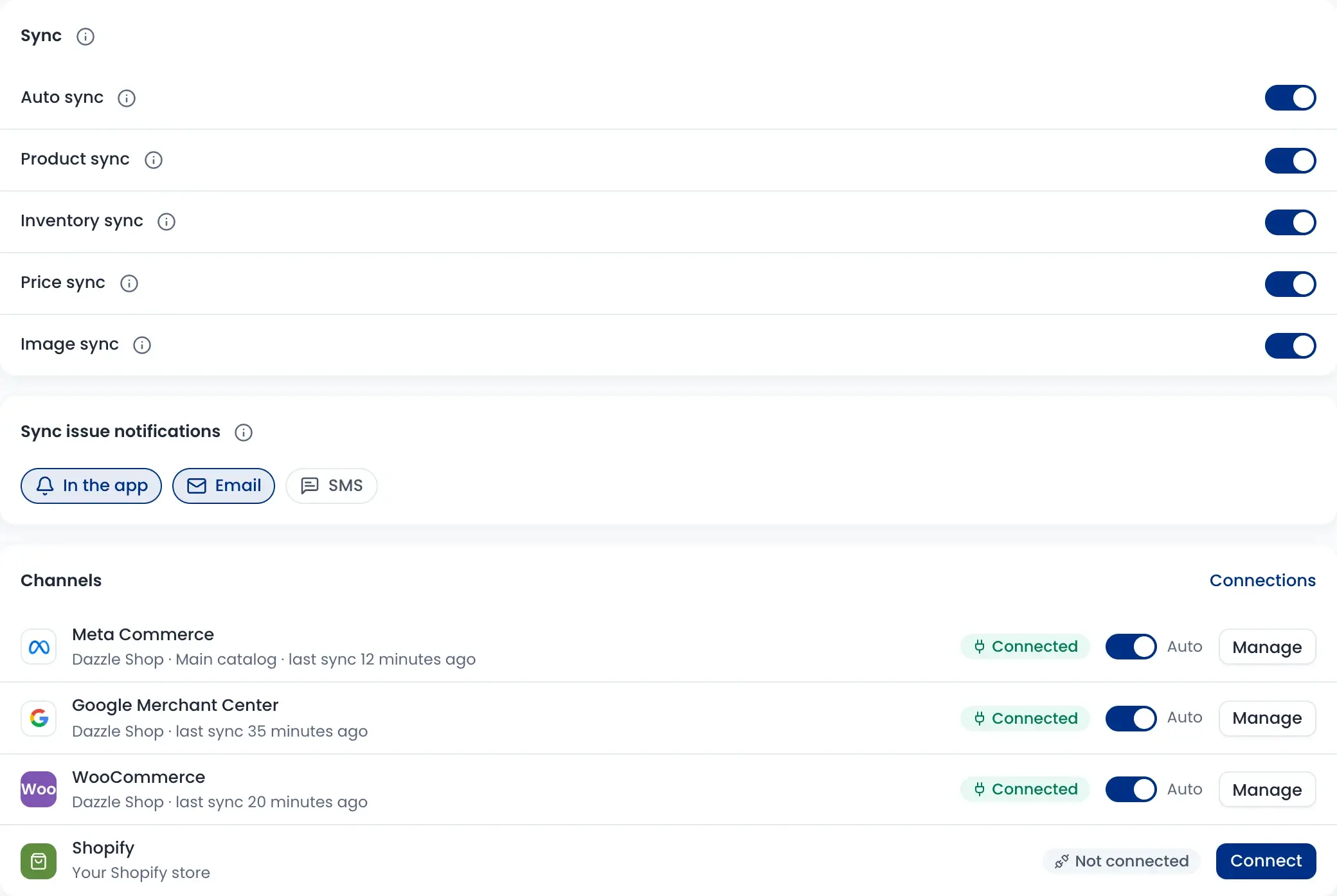
Turn product, stock, price and image sync on or off. Choose how often to sync and how to send products with variants.
- Sync every 15 minutes, every hour, every 6 hours or once a day
- Send each variant as its own item, or one item per product
- Hide out-of-stock products on your channels
- Auto sync on or off for each channel
How it works
Watch a short overview, then follow the steps.
- 01
Connect a channel
Connect Meta, Google Merchant Center, WooCommerce or Shopify from one page.
- 02
Choose what syncs
Pick products, stock, prices and images, and how often.
- 03
Products go live
Active products are sent; drafts stay at home.
- 04
Orders come back
WooCommerce and Shopify orders land in your orders list.
- 05
Fix any issue
See the problem in plain words, fix it and retry.
Questions sellers ask
Orders from your WooCommerce and Shopify store come into your orders list. Meta and Google Merchant Center get your products, prices, stock and images; they do not send orders back.