

Let the daily follow-up run by itself.
Send a thank-you when an order is confirmed, book the courier when a parcel is packed, remind customers who left a cart, and let the AI call to confirm COD orders. Test every rule before it goes live. Quiet hours keep offers and reminders away at night.
Sends messages by



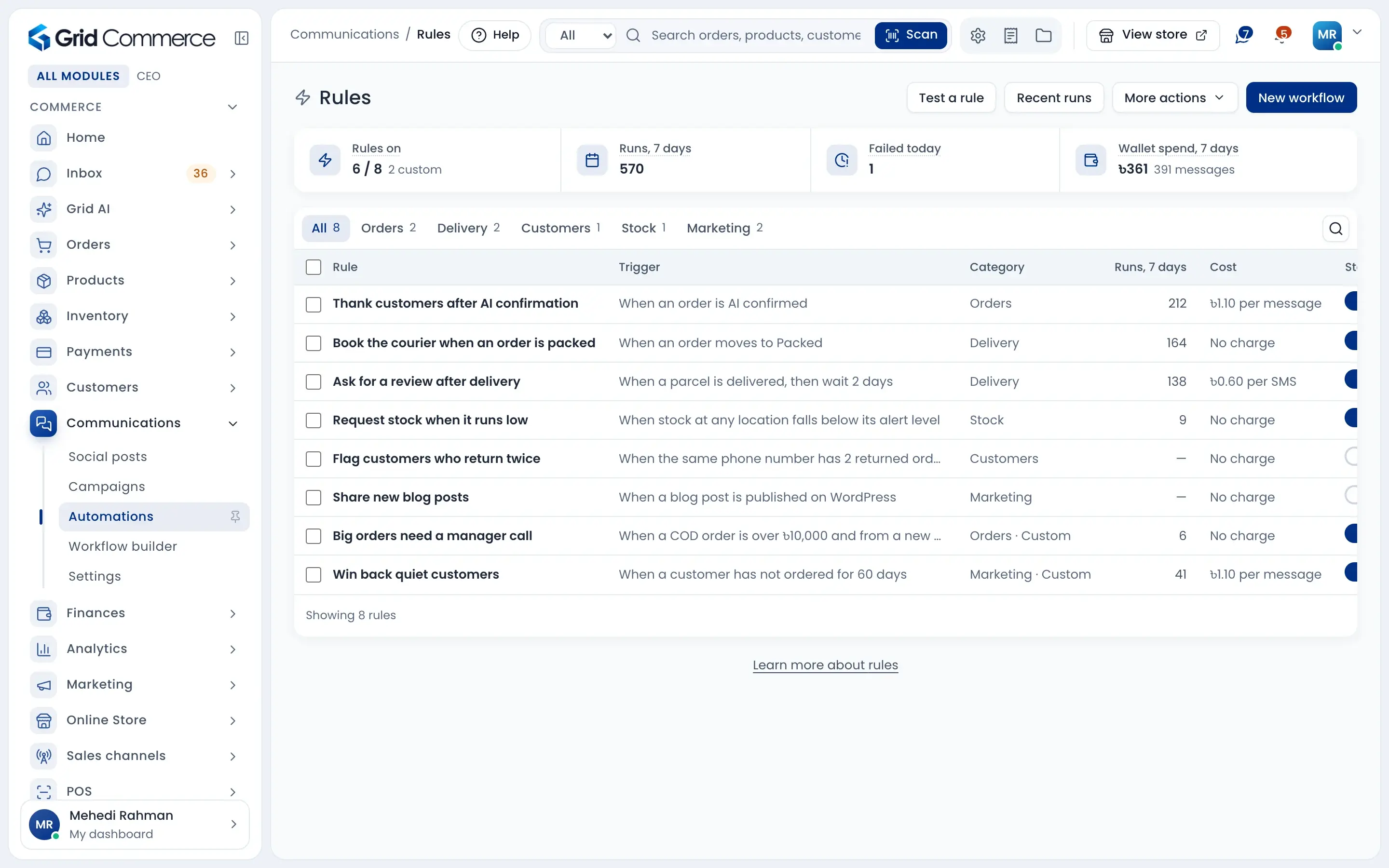
Ready rules, just switch on
Thank-you messages, courier booking, review requests and stock requests are ready. Test a rule without sending anything, and bring back an old version if needed.
Build your own flow
Start from a trigger like order placed or parcel delivered. Add checks and waits, then hold the order, send WhatsApp, make an AI call or book the courier.
Messages with limits
Set quiet hours and how many offers one customer can get in a day or a week. Big sends, refunds and store credit wait for a manager.
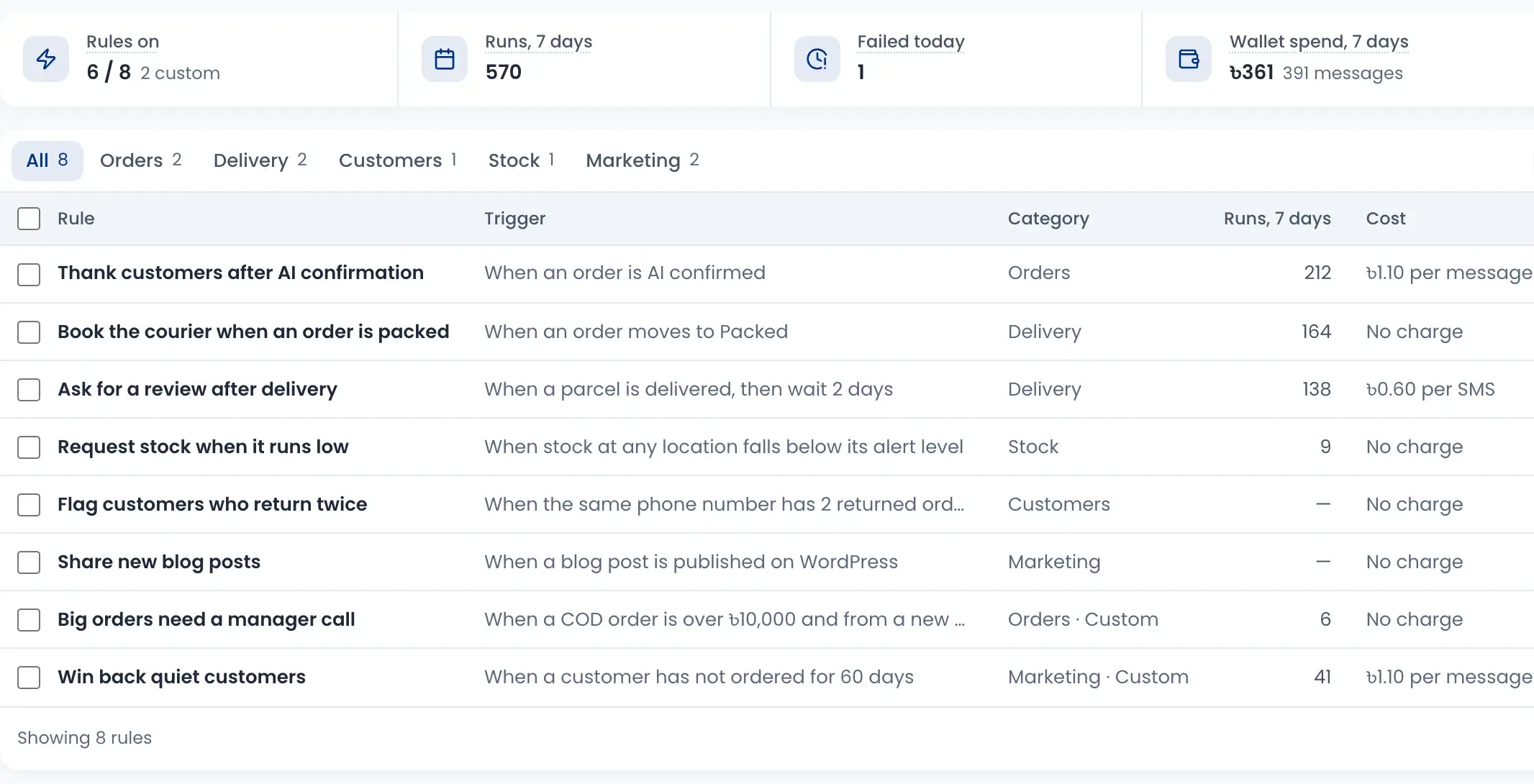
Ready-made rules
Common jobs are ready as rules. Turn each one on or off, and see how many times it ran and what it cost.
- Thank customers after an order is confirmed
- Ask for a review 2 days after delivery
- Test a rule on a sample order, nothing is sent
- Every change is kept as a version you can restore
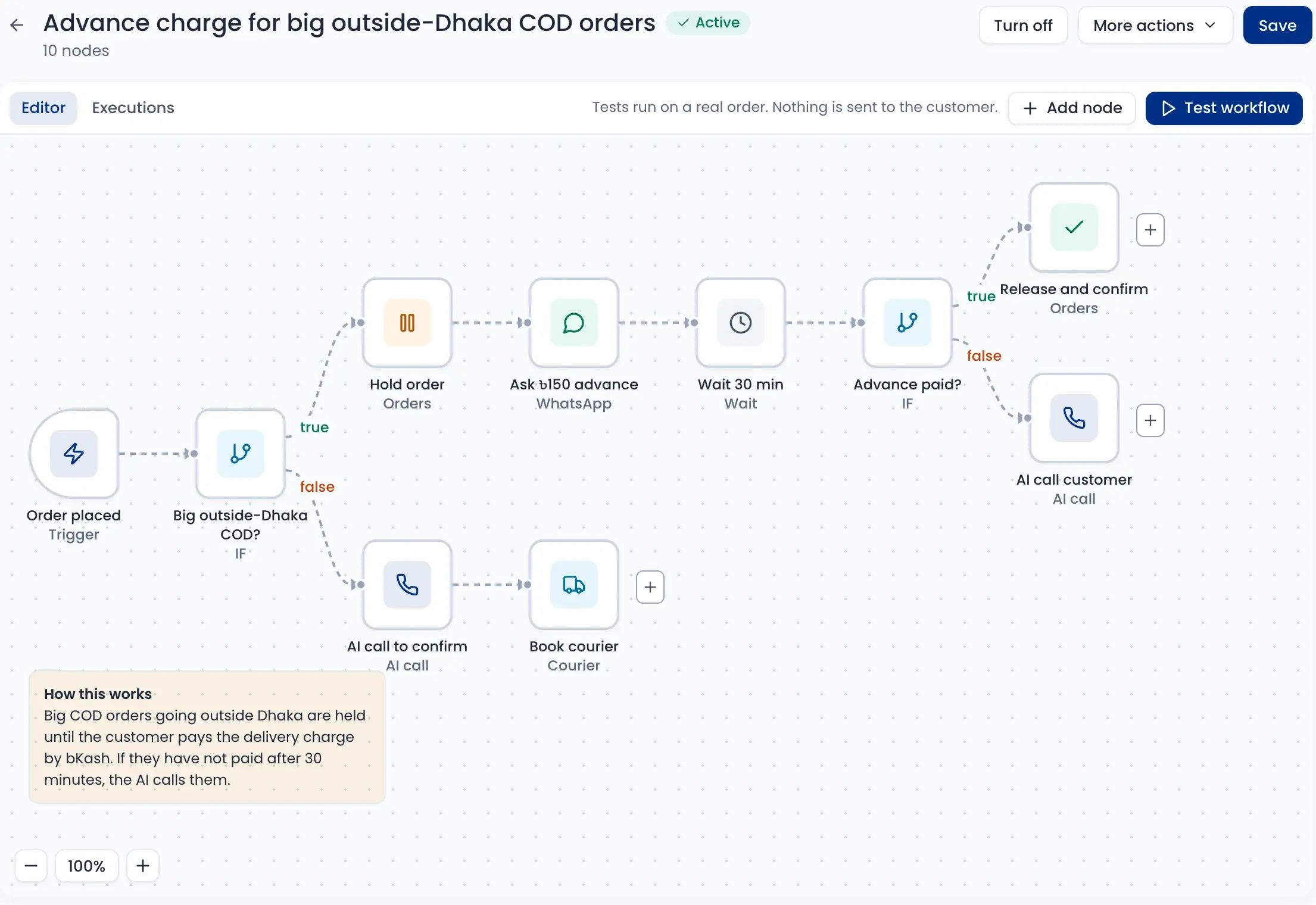
Draw your own workflow
Put a trigger, checks and actions on a canvas. For example: hold a big COD order going outside Dhaka, ask for ৳150 advance on WhatsApp, and if it is not paid in 30 minutes, the AI calls the customer.
- Start on order placed, status change, AI call, delivery, low stock or a schedule
- Hold an order, change its status, tag a customer or notify staff
- Send WhatsApp, SMS or an AI call in Bangla or English
- Book Pathao, Steadfast, RedX or Carrybee




Bring back customers who left a cart
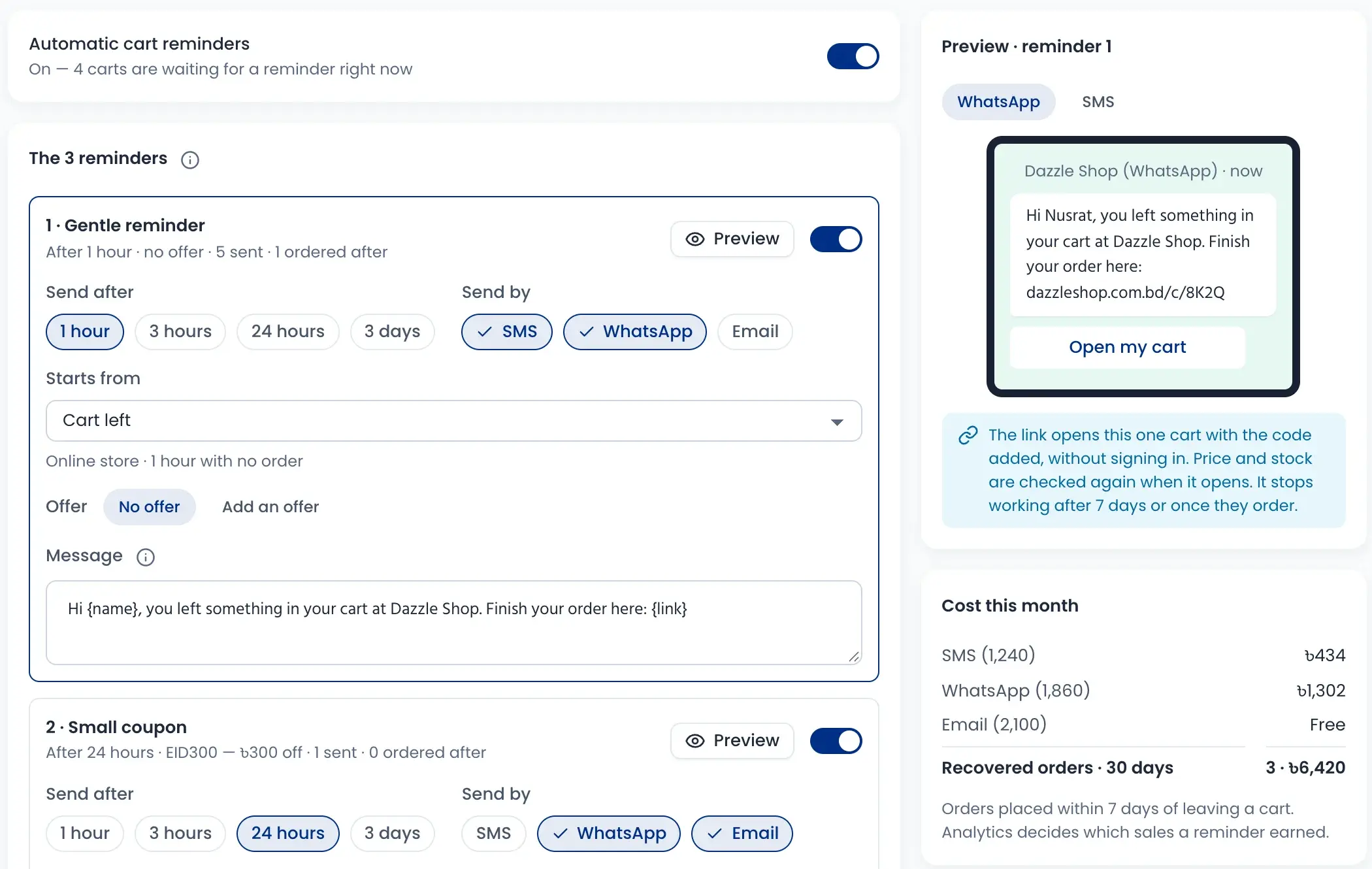
Up to three reminders go out on their own, after 1 hour, 3 hours, 24 hours or 3 days. Add a coupon to a later reminder. The link opens their cart, ready to order.
- Send by SMS, WhatsApp or email
- Add a coupon like EID300 to a reminder
- Reminders keep to your quiet hours and limits
- See the cost and the orders you got back
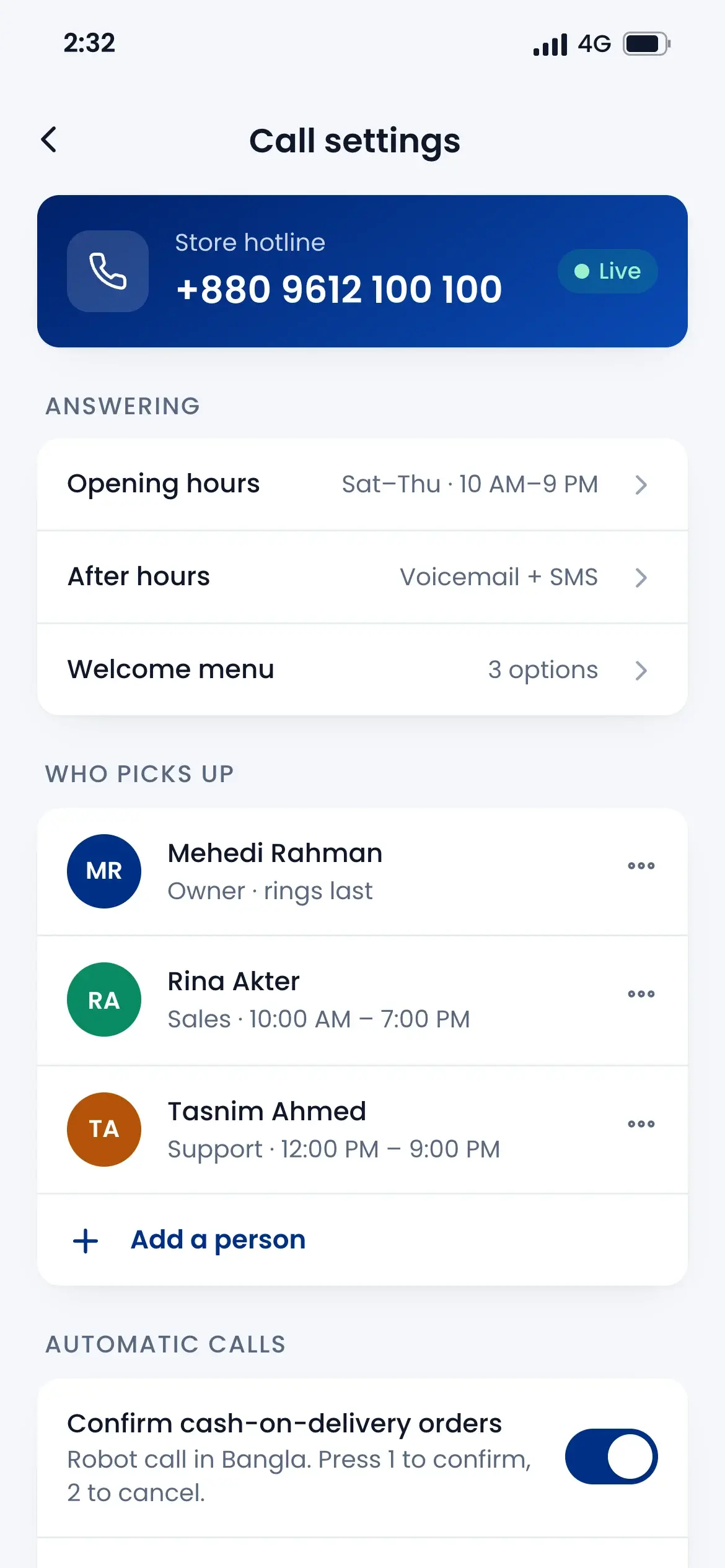
AI calls to confirm COD orders
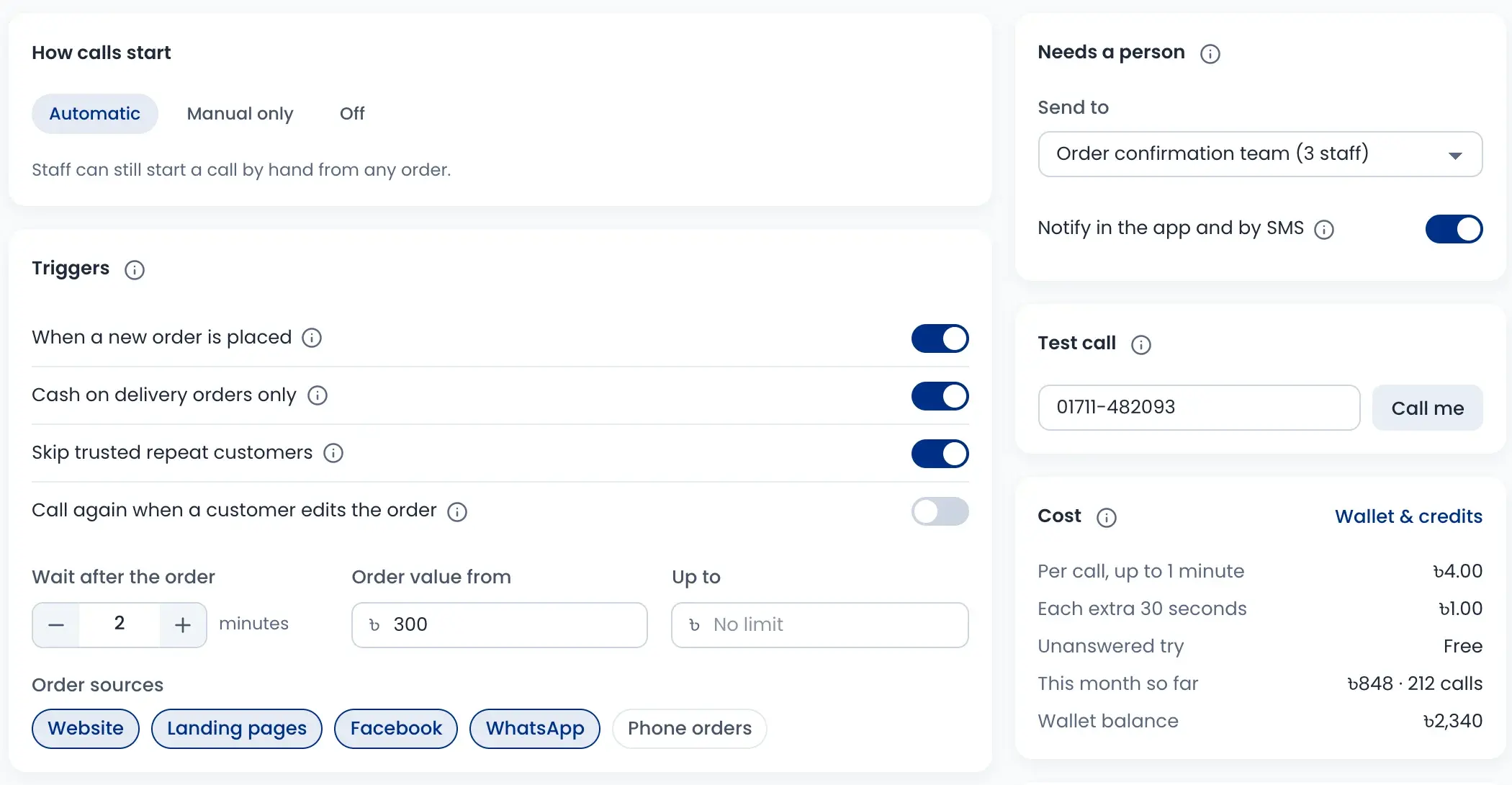
When a new COD order comes in, the AI calls the customer a few minutes later. Orders it can’t confirm go to your team, with a message in the app and by SMS.
- Choose the order value and the order sources
- Skip trusted repeat customers
- Calls from 9 am to 9 pm, up to 3 tries
- ৳4 per call up to 1 minute, from your wallet
Quiet hours and message limits
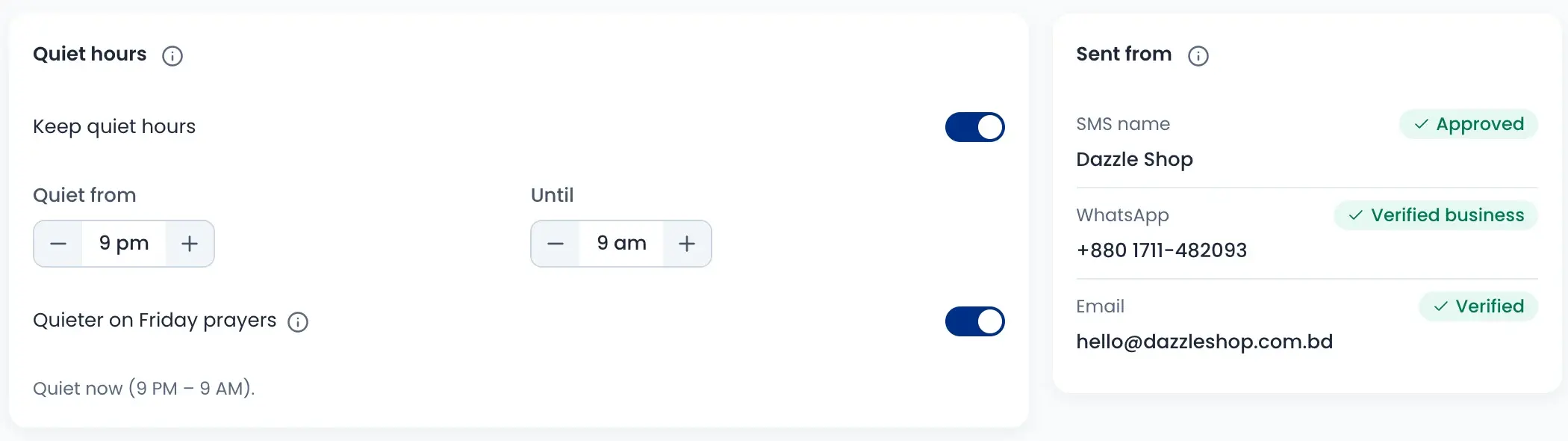
One set of rules for every message the shop sends. Offers and reminders wait until quiet hours end. Order updates still go out.
- Quiet from 9 pm to 9 am, and quieter at Friday prayers
- Limit offers per customer, per day and per week
- A list of people who never get messages
- Big sends, refunds and store credit need a manager
How it works
Watch a short overview, then follow the steps.
- 01
Pick a trigger
An order placed, a parcel delivered, low stock or a set time.
- 02
Add checks
For example: only COD orders over a set amount going outside Dhaka.
- 03
Choose the action
Send a message, make an AI call, hold the order or book the courier.
- 04
Test without sending
Run it on a real order. Nothing goes to the customer.
- 05
Switch it on
It runs every time, within your quiet hours and limits.
Questions sellers ask
Offers and reminders wait until your quiet hours end. Only order updates and security codes go out at any time.